QUESTIONS? Call 800-518-8925 or Email support@trackmyme.com
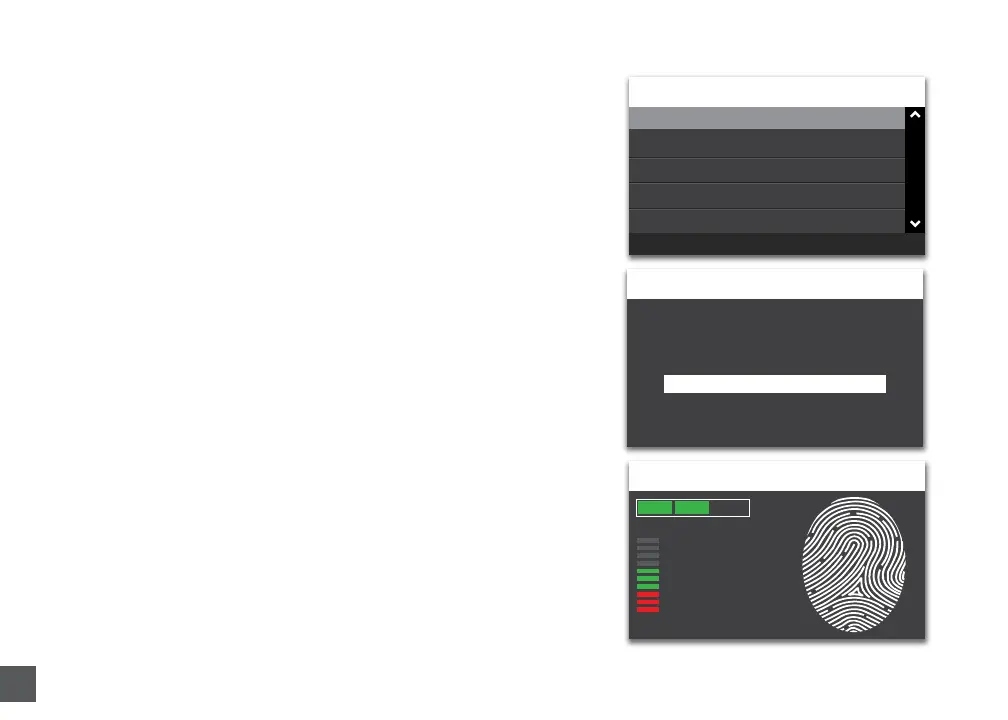
Enroll FP(032179)
63
Quality
Third Press
USER
Please Enter a 6 Digit FP ID
Back=ESC Enter=OK
032179
Add User
Delete User
Search for FP ID
View FP ID
Template Management
USER MGMT
Back=ESC Enter=OK
6. The employee should press their nger rmly on
sensor unl a “beep” is audible. Repeat process two
more mes with the same nger.
NOTE: If desired, you may repeat the ngerprint
scanning process for the same employee with a
dierent nger, so that the employee can have a
backup template. You will need a unique 6 digit
FP ID code for each ngerprint registered.
You may log all employee names and 6 digit FP ID
codes in the Template Assignment Sheet at the end
of this manual.
7. Repeat steps 1-6 for each employee using your
me clock.



 To Next Page