19
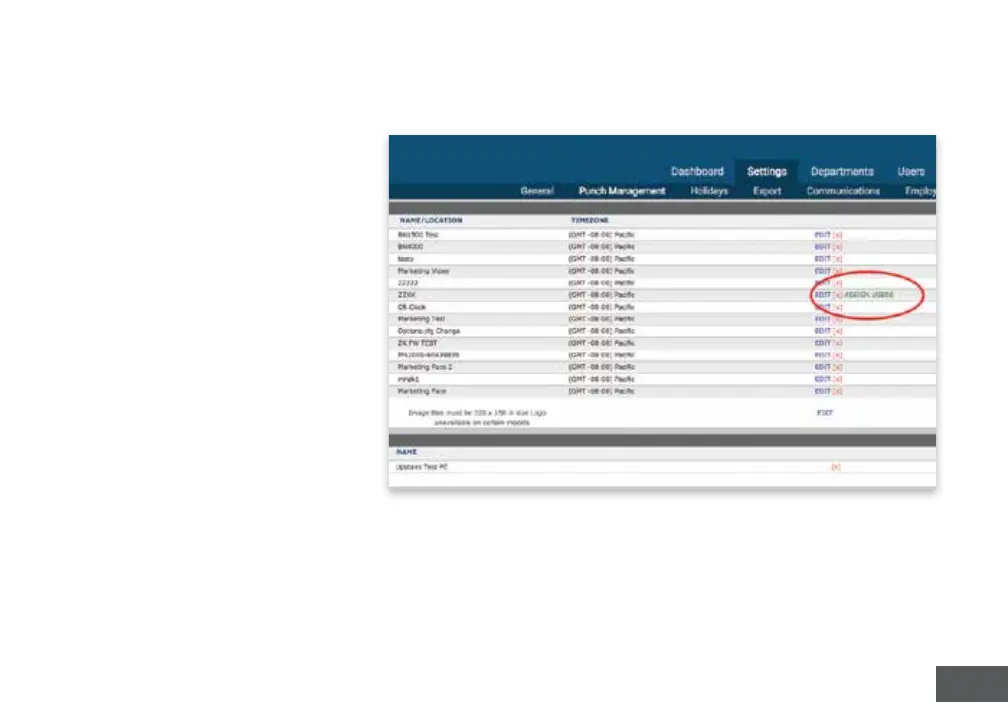
1. Select the Sengs Tab on the
Main Menu.
2. Select the Punch
Management link.
3. Select the Assign Users link
that appears next to the clock
name used to register ngerprint
templates.
4. Assign each ngerprint
template to the appropriate
employee, referencing the
Template Assignment Sheet at
the end of this manual.
Your me clock is now ready for registered employees to punch in and out with their ngerprints.
NOTE: The BN Series employs advanced ngerprint technology. However, there is a small
segment of the populaon with ngerprints that will not record. These employees are sll
able to punch in and out using a PIN.
ASSIGNING FINGERPRINT TEMPLATES IN YOUR uATTEND ACCOUNT



 To Next Page