QUESTIONS? Call 800-518-8925 or Email support@trackmyme.com
TRANSFERRING FINGERPRINT TEMPLATES TO OTHER TIME CLOCKS
This process requires an interacon with your BN Series Time Clock and your uAend
Cloud Account.
From your uAend account:
1. Select the Users tab on the
Main Menu.
2. Select Manage Fingerprint
Templates.
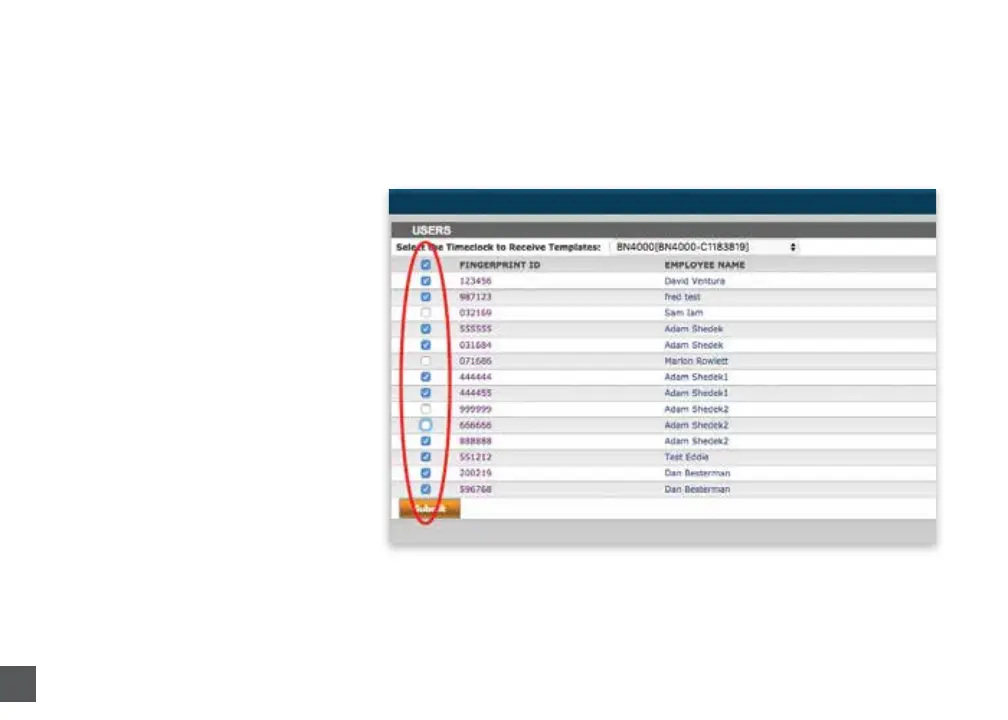
3. Check the desired ngerprint
templates to transfer to an
addional clock.
4. Use the dropdown menu to
select the clock(s) to which
you wish to transfer the
templates.
5. Select Submit.



 To Next Page