45
UAV-1001006-001
ECCN 7A994
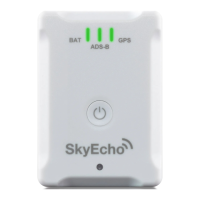
EchoUAT ADS-B is to receive weather and traffic data from the echoUAT. Because of
this, the EchoUAT is considered a 'receive-only' ADS-B as far as the EFIS is concerned.
Although the ADS-B is an IN and an OUT, to the EFIS, it is just an IN.
In MENU > SYSTEM SETUP MENU > ADS-B SETUP: Setup as ADS-B is RECEIVE
ONLY
iEFIS Serial Port Setup
Setup EchoUAT as 'Navworx ADS-B' on the Serial Port it is connected to in MENU >
SYSTEM SETUP MENU > SERIAL PORT ROUTING/ALLOCATIONS. Remember to
exit settings and then restart EFIS for serial port allocations to take effect.
• For iEFIS with iBox, use only Serial Port 1 or Serial Port 2 on the iBox, since these are the
high speed iBox RS-232 channels. Do not use RS-232 Ports, 3,4,5 or 6.
• For the iEFIS-Lite or iEFIS Extender, you may use any RS-232 channel


 To Next Page