AIR CONDITIONER FEATURES(CONTINUED)
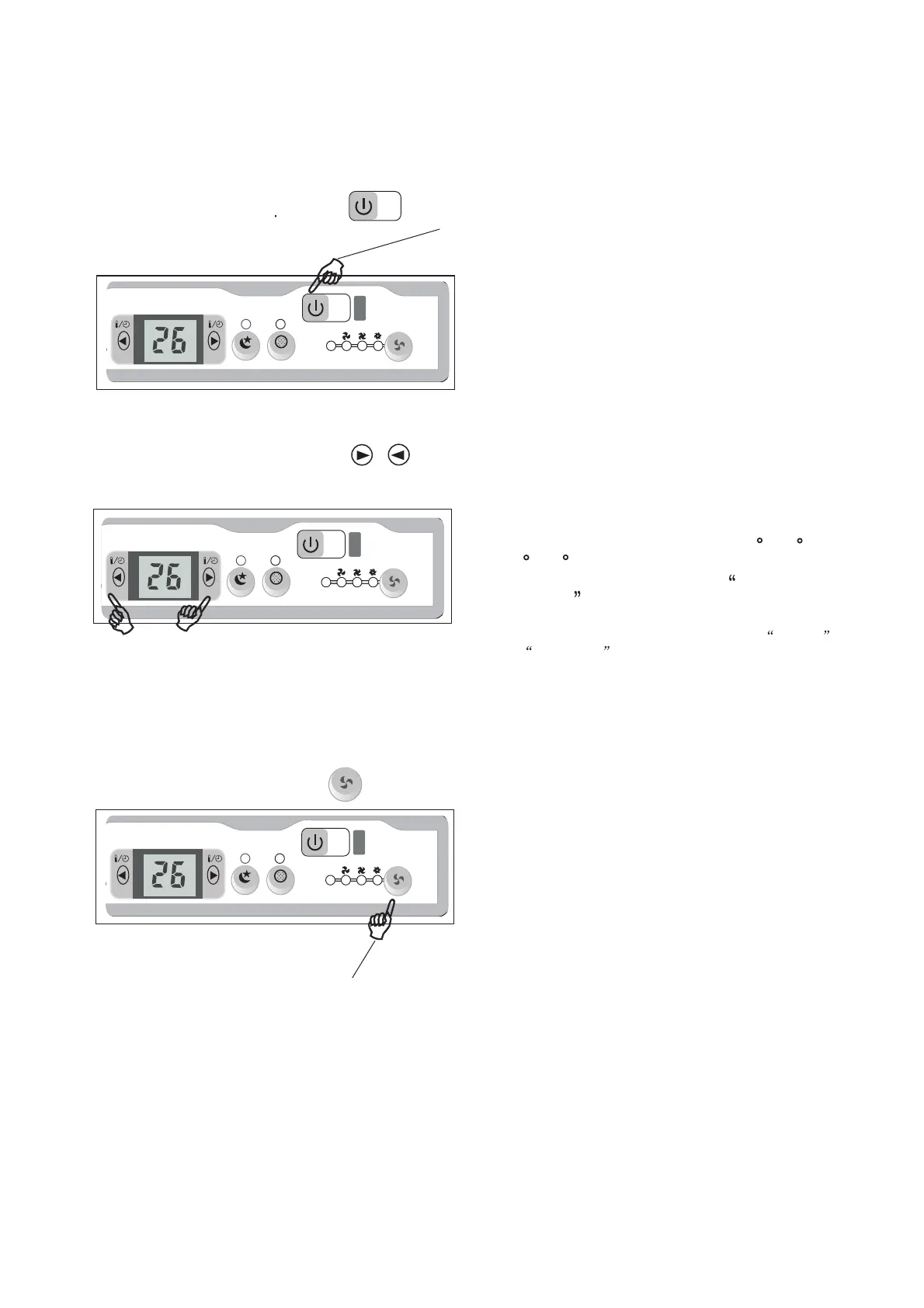
TO TURN UNIT ON OR OFF:
NOTE: The following instructions represent the Unit Controls, the same instructions can be used
for the Remote Control.
TO CHANGE TEMPERA
SETTING:
Press the On/Off button.
DO THIS:
Press to raise
DO THIS:
Press to lower
Press or hold either Left( <) or Right (>) button
until the desired temperature is seen on the
display. This temperature will be automatically
maintained anywhere between 62 F(17 C) and
86 F(30 C). If you want the display to read the
actual room temperature, see To Operate on
Fan Only section.
NOTE:
TO ADJUST F
Press to select
appropriate fan
speed
DO THIS:
NOTE:
Note: This appliance provides a feature that will allow
Celsius
or Fahrenheit . To change the temperature display
on the main unit, press the Left( <) and Right (>) button
simultaneously for 3 seconds to alternate between
oo
the C & F scale.
Used to select the Fan Speed in four steps-
Auto, Low, Med or High. Each time the button
is pressed, the fan speed mode is shifted.For
under HEAT mode. On Dry mode,the fan speed
is controlled at Low automatically.
6
TURE
you to set and display temperatures in
some models, the fan speed cannot be adjusted
AN SPEED



 To Next Page