h
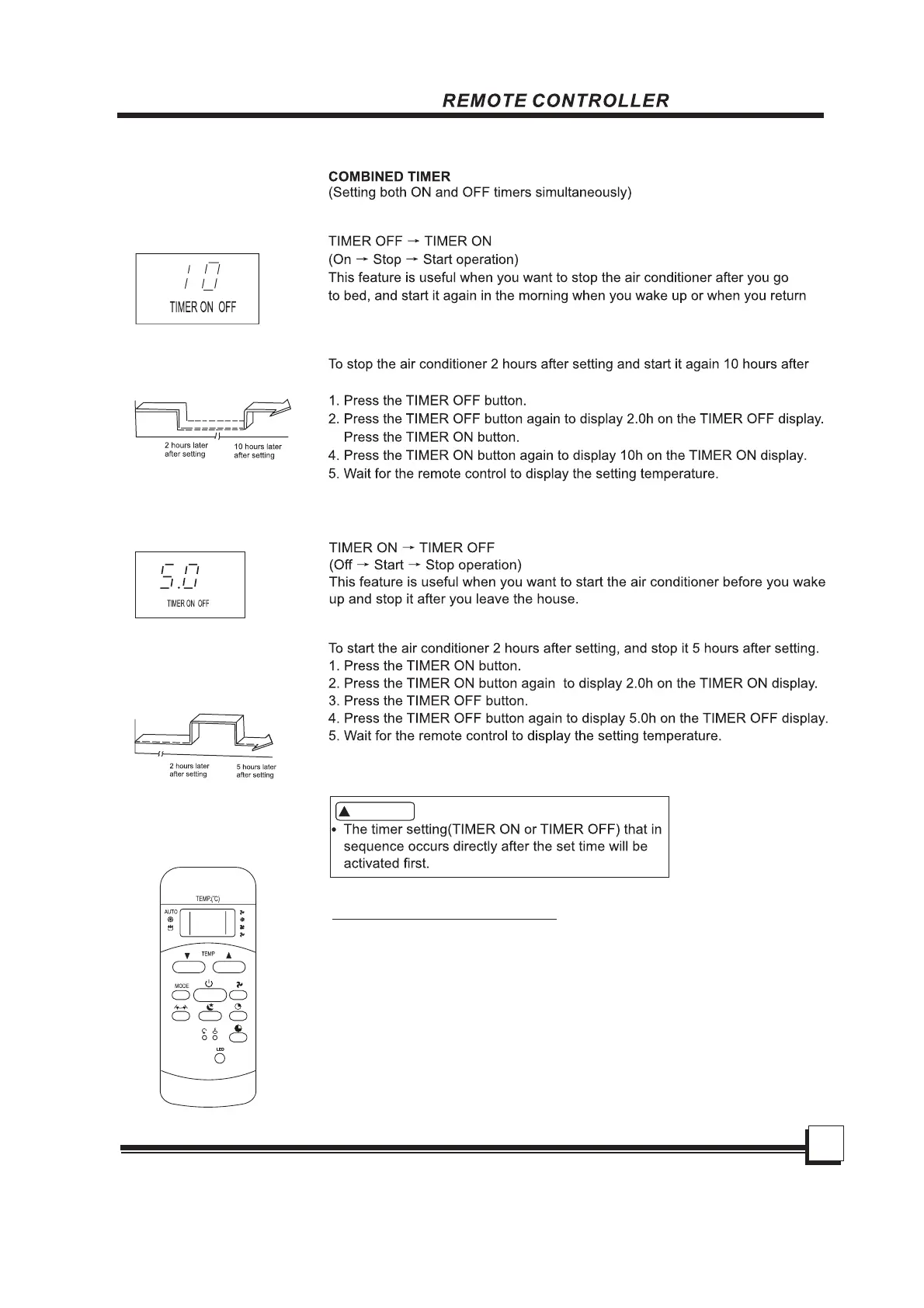
On
Stop
Set
setting.
3.
home.
Example:
Start
Example:
Off
Stop
Start
h
Set
CAUTION
!
INSTRUCTIONS
20
ECONOMY(SLEEP) operation
When you press the ECONOMY button, the
economic running function will be
activated,
the set temperature will increase(cooling) or
oo
decrease(heating) by
1 C(2 F) over the next
oo
30 minutes and by another 1 C(2 F) after an
additional
30 minutes.This new temperature
will be maintained for 6 (on some models 7 )
hours before it returns to the originally selected
temperature.(NOTE:On some
models, the set
temperature will increase (cooling) or decrease
oo
(heating) by
1 C(2 F) per hour for 2 hours. This
new temperature will be maintained for 5
hours ,
then the unit is off.)
NOTE: The ECONOMY/SLEEP function is only
available under Cooling,
Heating and
AUTO operation.



 To Next Page