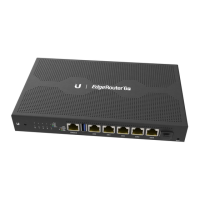
Link/Activity LED (eth0 - eth4 Ports)
eth0/PoE In Port
eth1 - eth3 Ports
eth4/PoE Out Port
Reset Button
Ground
Power Port
Off No Link
Green
Link Established at 10/100/1000 Mbps
Flashing Indicates Activity
RJ45 port accepts 24V passive PoE and supports a 10/100/1000 Ethernet
connection.
RJ45 ports support 10/100/1000 Ethernet connections.
RJ45 port supports passive PoE passthrough and a 10/100/1000 Ethernet
connection.
Click here to learn how to reset the EdgeRouter to factory defaults.
ESD grounding for enhanced ESD protection. The ground wire and screw with
washer are not included (recommended screw size: M3-0.5 x 4 mm).
Connect the Power Adapter.
Connecting Power
Follow the appropriate instructions:
Connecting Power Using the Power Adapter






 To Next Page