Hardware Installation
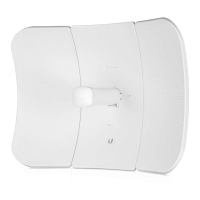
The LiteBeam AC was designed for outdoor use and quick
mounting on a pole.
1. Assemble the antenna reflector by attaching the
SideReflector Panels to the Center Reflector Panel:
a. Insert the heads of the two mounting studs on the
Center Reflector Panel into the large opening of the
slotted holes of the Side Reflector Panel.
b. Slide the Side Reflector Panel down until the top edges
of the panels align. The Side Reflector Panel is captured
when both heads of the mounting studs are positioned
over the narrow opening of the slotted holes.
c. Repeat the assembly for the other Side Reflector Panel.

 Need help?
 General




 To Next Page