5
Power off
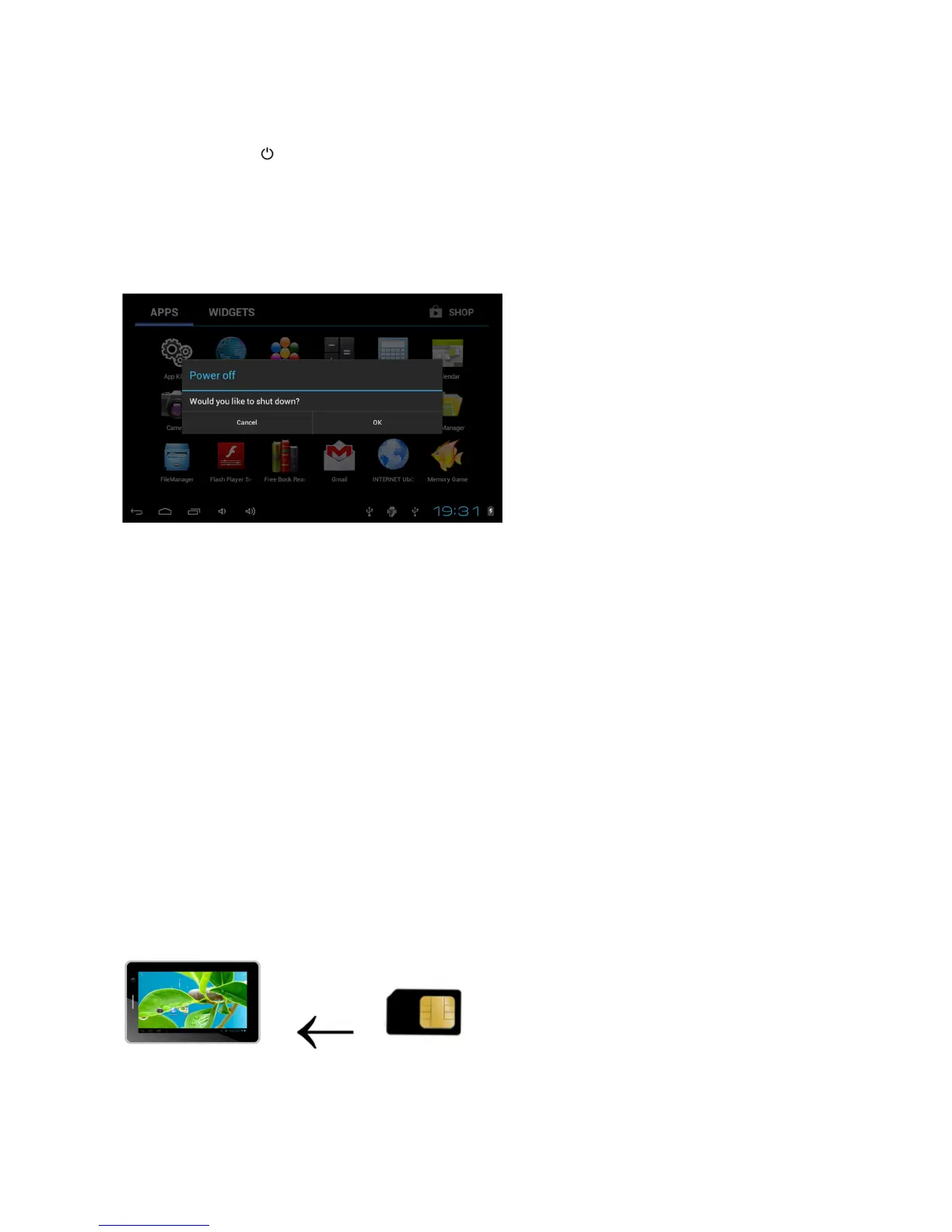
Press and hold “ ” button for 3 seconds. A menu will appear confirming that you would
like to
power off.
Choose your desired option by tapping the corresponding item on
the
screen or Tap Cancel
to exit to previous
operation.
Note
:
When
the device’s battery is low, it will send continuous alerts and will shut down
automatically when the battery is empty.
I
f the device fails to power on, please plug it into
an outlet to first check if the
battery
is empty. Please recharge the
battery for
at least one
minute before attempting to restart the
device.
Using the UbiSlate7CZ as a phone
Your UbiSlate7CZ is also a phone which works on quad band GSM 850/900/1800/1900Mhz
frequency spectrums. It comes with Bluetooth connectivity to pair with headsets and/or
also will work through speakerphone or headset connections. You must insert your valid
GSM SIM card into the SIM card slot while the device is powered off in order for it to
function correctly. Dialing, disconnecting and contact lists function like your standard
mobile phone.
Inserting a SIM Card
SIM cards would be supplied by your local phone operator and it is the use of these SIM cards
that allows you access to the network for surfing the web and to use the UbiSlate7CZ as a Phone.
There is a SIM card slot at the top of the device beside the MicroSD Card Slot. Insert the SIM
Card so that the notch enters the device first and the gold contacts are facing the back of the
device and the UbiSlate7CZ logo.



 To Next Page