
 Need help?
Do you have a question about the UBK Systems LCD UB1 and is the answer not in the manual?
UB1 is black ABS, bracket is nylon. Casing allows use at -20 to 60°C.
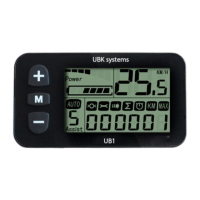
Describes the function of the M, + and - buttons: Mode/open/key, Add key, and Reduce key.
Lists features: Switch, speed, mileage, backlight, walking, gears, error codes, setup, battery, line order, sleep.
Shows current, power, speed, mileage, assist position. Press to switch display.
Turn on by pressing M. Turn off by long-pressing M. Auto shutdown after 10 mins inactivity.
Indicates controller discharge current. Each grid is 2A, max 6 grids for >12A.
Shows the current riding speed of the electric vehicle.
Choose kilometers or miles; speed and mileage units correspond to selection.
Turn on/off backlight by pressing + for 1.5s.
Start 6KM/H walking by holding - for 2s. Auto 6 icon lights up.
Switch power assist using + or - buttons. Default range is 0-5.
Error icon and code flash at 1 Hz. Different codes indicate different faults.
Enter setup by holding + and - for 2s. Password entry required for access.
Clear single mileage/time by tapping -. Clear more data by holding buttons.
Set appropriate wheel diameter for correct speed and mileage display.
Set maximum riding speed using + or - buttons.
Select appropriate value for pulse number to ensure correct speed and mileage.
Set maximum riding speed in reverse using + or - buttons.
Switch between kilometers and miles using + or - buttons.
Displays current battery capacity using six grids. Low battery indicated by flashing grid.
Displays current controller temperature value.
Displays the current battery voltage.
Six grids show battery level. Low battery flashes, indicating immediate charging needed.
Defines wire colors and their connections: Red (V1+), Black (GND), Yellow (BB), Green (AA), Blue (KEY).
System automatically sleeps if the electric bicycle is not operated for over 10 minutes.
Touch + to select total mileage, single mileage, riding time, max speed, and loop display.
Attach meter to handlebar, adjust angle, and position button for maneuverability.
Install external plug-in program and controller program when bicycle is powered off.
Check connector for boot issues. Find fault code meaning for troubleshooting or seek repair.
Limited warranty for quality problems within 18 months of purchase.
Excludes damage from misuse, modification, accidents, natural disasters, or out-of-warranty products.
Lists instrument error codes, their definitions (e.g., battery voltage, motor issues), and solutions.
 General
| Brand | UBK Systems |
|---|---|
| Model | LCD UB1 |
| Category | Bicycle Accessories |
| Language | English |

 To Next Page