EN
14
General Operations
Your HBC200 helmet communicator is now all set and ready to go!
The operations described here
are applicable to all modes
of operations.
Power On
• Hold the Answer button for 2 seconds to
power on the control unit. The status
indicator will blink blue and a power up
tone can be heard.
Power Off
• To switch off the control unit, press and hold the Answer button for 5 seconds.
The status indicator will blink red 5 times followed by a long beep before fully
shutting down.
Power Save Mode (Auto Power Off)
• If the intercom feature has been in use, and all Bluetooth devices have been
disconnected, the system will auto shutdown in 2 hours. If the intercom feature
has not been in use and the HBC200 is not connected to any other devices,
the system will auto shutdown in 10 minutes.
Low battery
• When the battery level is low, the status indicator light will flash red twice every
2 seconds while emitting a warning beep every minute.
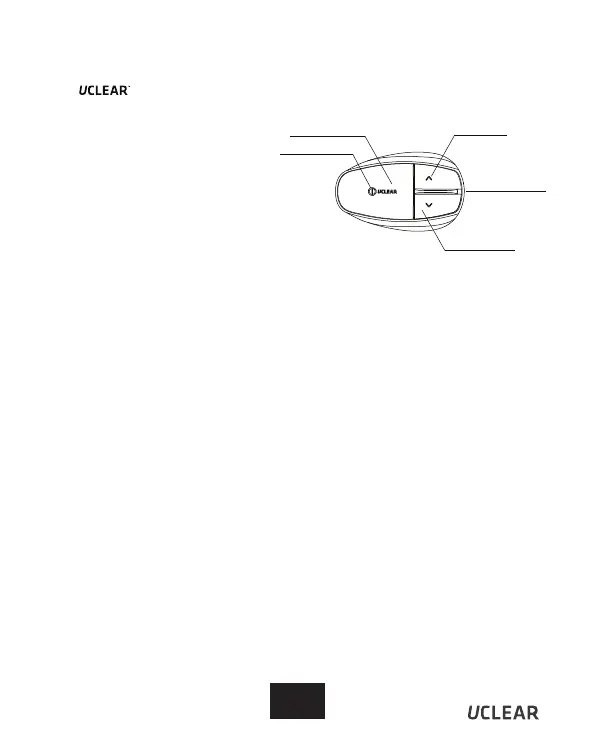
Status Indicator
Answer Button
Up Button
Speaker/
Charging socket
Down Button


 To Next Page