EN
3
Quick User Guide
Your HBC200 at a glance
GENERAL FUNCTIONS
Before using your HBC200
Please charge it first!
Charge
Check Bluetooth phone capabilities before use.
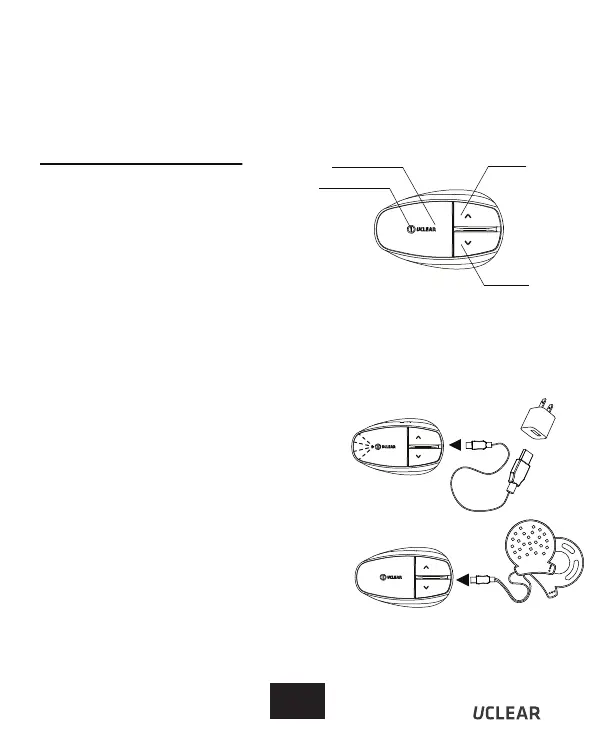
To charge, use the provided charging cable by
connecting it either to a USB port or to the
adaptor provided. While charging, the status
indicator light will be red. Upon being fully charged,
the status indicator light will be blue.
Low Battery Indicator
You need to charge the helmet communicator
when the status indicator light blinks red twice
every 2 seconds with a beep every minute.
Install Speakers
Make sure the speaker wire is inserted into the
main unit. lnsert the speaker wire into the control
unit until you can no longer see the 3 ribs on the
speaker wire plug.
Status Indicator
Answer Button Up Button
Down Button
Also, make sure to register your product on
uclear-digital.com and ensure you have the
latest firmware update downloaded to enjoy
feature enhancements.


 To Next Page