EN
5
Quick User Guide
Pairing
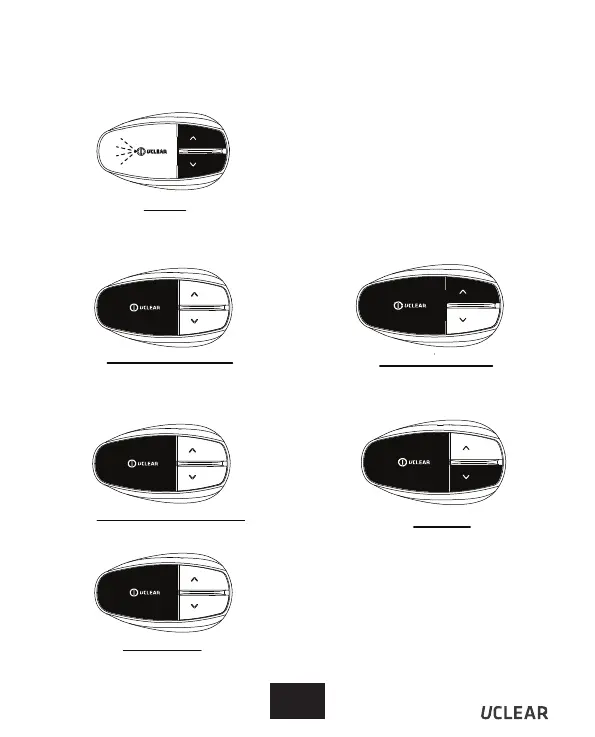
Hold Up and Down together
for 2 seconds
MOBILEPHONE FUNCTIONS
Pairing your HBC200 with your mobile phone.
>Check Bluetooth phone capabilities
before use.
>Hold Up and Down buttons together
for 2 seconds. The status indicator
light will blink blue and red alternately.
>From your mobile phone Bluetooth
menu, search for ‘UCLEAR HBC200’.
>If your phone requires a password,
enter ‘0000’.
Answer Incoming Call
Use voice pickup, say ‘hello’ or ‘pickup’.
OR
Manually press Answer button once.
Reject/ End Incoming Call
Hold Answer button for 2 seconds.
Last Number Redial
Use voice pickup,
Hold Answer and Up button for 2 seconds
Voice Dial
Hold Answer and Down
button for 2 seconds.
3 Way Calling
To swap between 2 concurrent calls, press
the Answer button once.


 To Next Page