EN
22
Intercom Operations
Enhanced Private Intercom
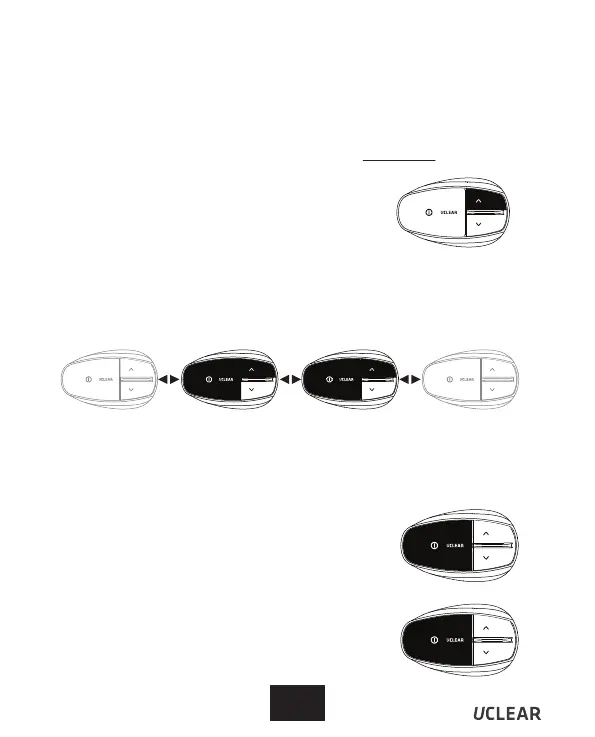
a) Make sure all intercom units are powered on & PAIRED UP.
Switch back to Common Mode
d) Switch back to common channel by pressing
the 'Answer' button once and you will be notified
by a single beep tone.
Switch back to Private Mode
e) Switch back to private channel by pressing
the 'Answer' button once and you will be notified
by a double beep tone.
Common Channel Mode by default
b) Connect all the intercom units by pressing
'vol up' button on one of the units.
This intercom contains two voice channels, one common channel and one
private channel. By default, all the users are on common voice channel.
You can enable the private voice channel by performing on-the-fly pairing.
* Please take note that you will only need to pair this ONCE
Setting up Private Mode
c) Enable private voice channel pairing by pressing ‘Answer’ + ‘Up’ button till
power indicator will blink purple. After all the private group memebers (B+C
in this example) have entered pairing mode, press ‘Answer’ button on unit
B (any of the private member units) to end the pairing process. All the
private group memebers are in privacy mode now.
A B C D
* You can create multiple private group in the chain.
* Each private group can have 2 or more users.



 To Next Page