sMart phone appliCation
The Smart Phone Application Cable allows you to use your
Harmony Headset with most modern smart phones.
List of commands using the In-line Controller: (Pro Only, page 7)
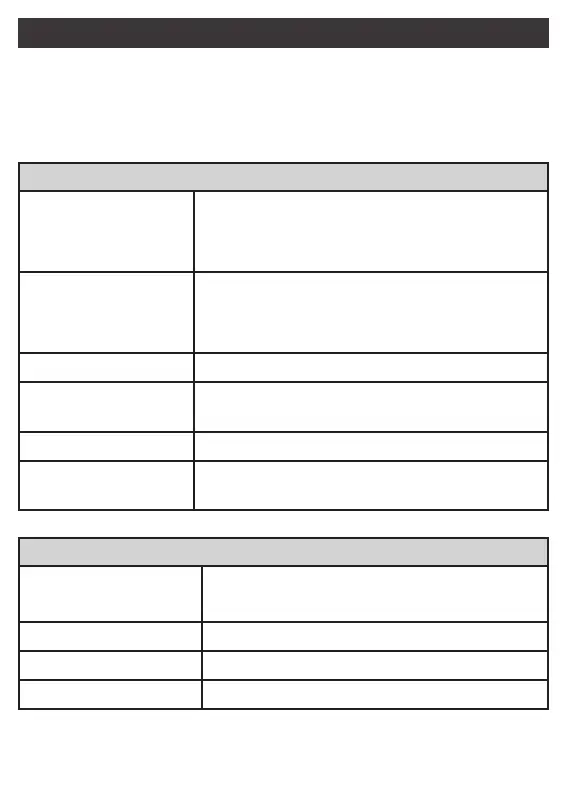
Apple Commands
Single Fast PressSingle Fast Press
» Receive/Hang Up Phone Call
» Play/Pause Audio/Video Playback
» Receive 2
nd
Call (while currently on a call)
Single Long PressSingle Long Press
» Activate Voice Control
» Ignore Call
(while ringing)
» Hang Up 2
nd
Call (with two calls active)
Double Fast PressDouble Fast Press
» Skip to Next Track
Double Fast PressDouble Fast Press
(Hold Second Press)(Hold Second Press)
» Fast-Forward Current Track
Triple Fast PressTriple Fast Press
» Skip to Previous Track
Triple Fast PressTriple Fast Press
(Hold Third Press)(Hold Third Press)
» Rewind Current Track
Android Commands*
Single Fast PressSingle Fast Press
» Receive/Hang Up Phone Call
» Play/Pause Audio/Video Playback
Single Long PressSingle Long Press
» Activate Voice Control
Double Fast PressDouble Fast Press
» Skip to Next Track
Triple Fast PressTriple Fast Press
» Skip to Previous Track
*Commands may vary depending upon manufacturer and application
12



 To Next Page