headphone CaBle (Pro only)
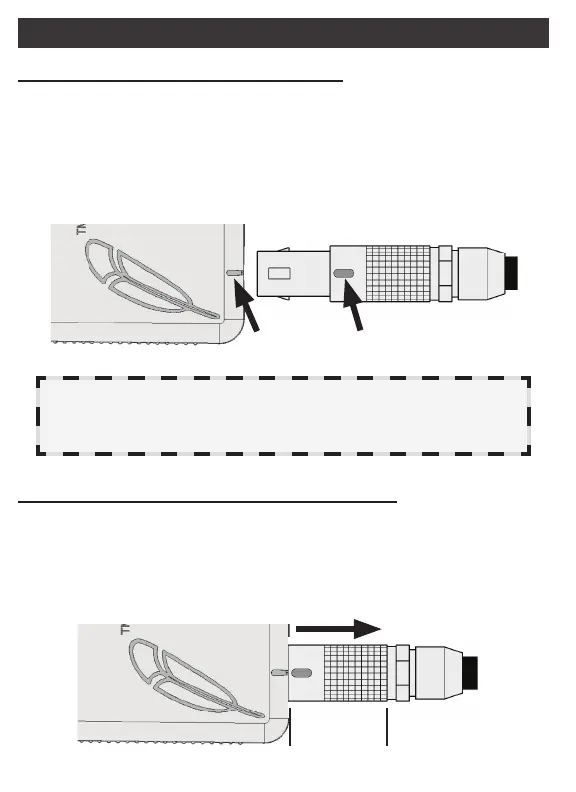
Connecting to the Application CableConnecting to the Application Cable
The LEMO plug is a keyed connector, meaning it will only insert
into the mating jack when properly aligned. To connect, align the
red mark on the Headphone Cable’s plug with the red mark on
the Application Cable’s jack. The LEMO plug should insert easily
and lock securely into place with a click.
Caution: Do not attach the Headphone Cable to anything other
than a Harmony Application Cable or insert anything into the
open end of the LEMO plug, damage can occur.
Disconnecting from the Application Cable Disconnecting from the Application Cable
To disconnect, grasp the LEMO plug by the knurled Sliding Sleeve
and gently pull the plug directly away from the jack. The Sliding
Sleeve will move rst, disengaging the locking teeth inside the
jack. The plug should easily slide out of the jack.
slidinG
sleeve
aliGnMent Marks
6



 To Next Page