Caution: The Microphone Boom is not designed to be repeatedly
removed and reattached to the Headphone Cable. The Microphone
Boom should remain attached to the Headphone Cable for all
normal use and during storage.
Disconnecting the Microphone Boom Disconnecting the Microphone Boom
Firmly grasp the plastic housing of the Microphone Boom. Gently
swivel the microphone boom back and forth while applying
pressure away from the Headphone Cable housing. The
microphone should work it’s way loose and disconnect.
Connecting the Microphone Boom to the Headphone CableConnecting the Microphone Boom to the Headphone Cable
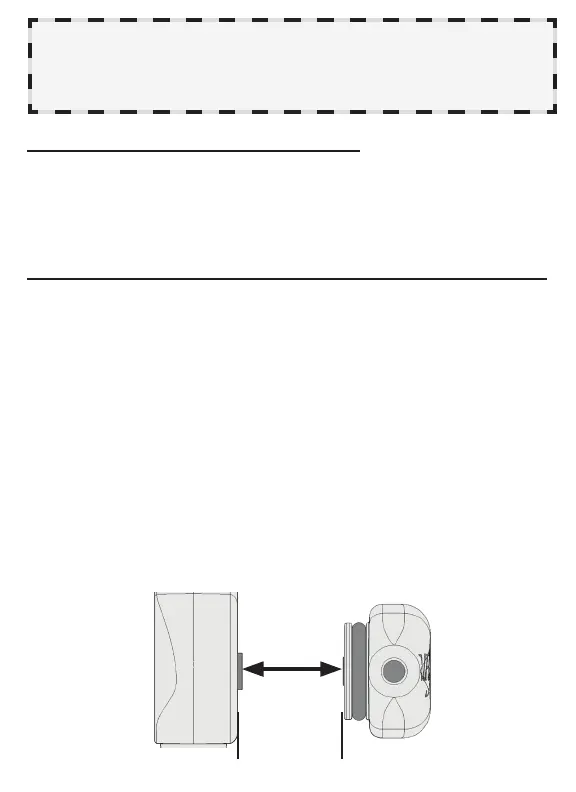
When attaching the Microphone Boom to the Headphone Cable,
care must be taken to ensure the components are correctly
aligned to avoid parts being damaged.
1. Center the tip of the gold plug in the Microphone Boom with
the gold jack inside the Headphone Cable.
2. Keep the Microphone Boom and Headphone Cable parallel
to each other and gently press the two components together
while swiveling the microphone 10 degrees back and forth.
3. The two components will pop together with no gap between,
swivel the Microphone Boom around the pivot axis about 90
degrees in both directions to fully seat it. The microphone
should swivel freely but hold position when untouched.
5
keep these
surfaCes
parallel
Center
ConneCtors



 To Next Page