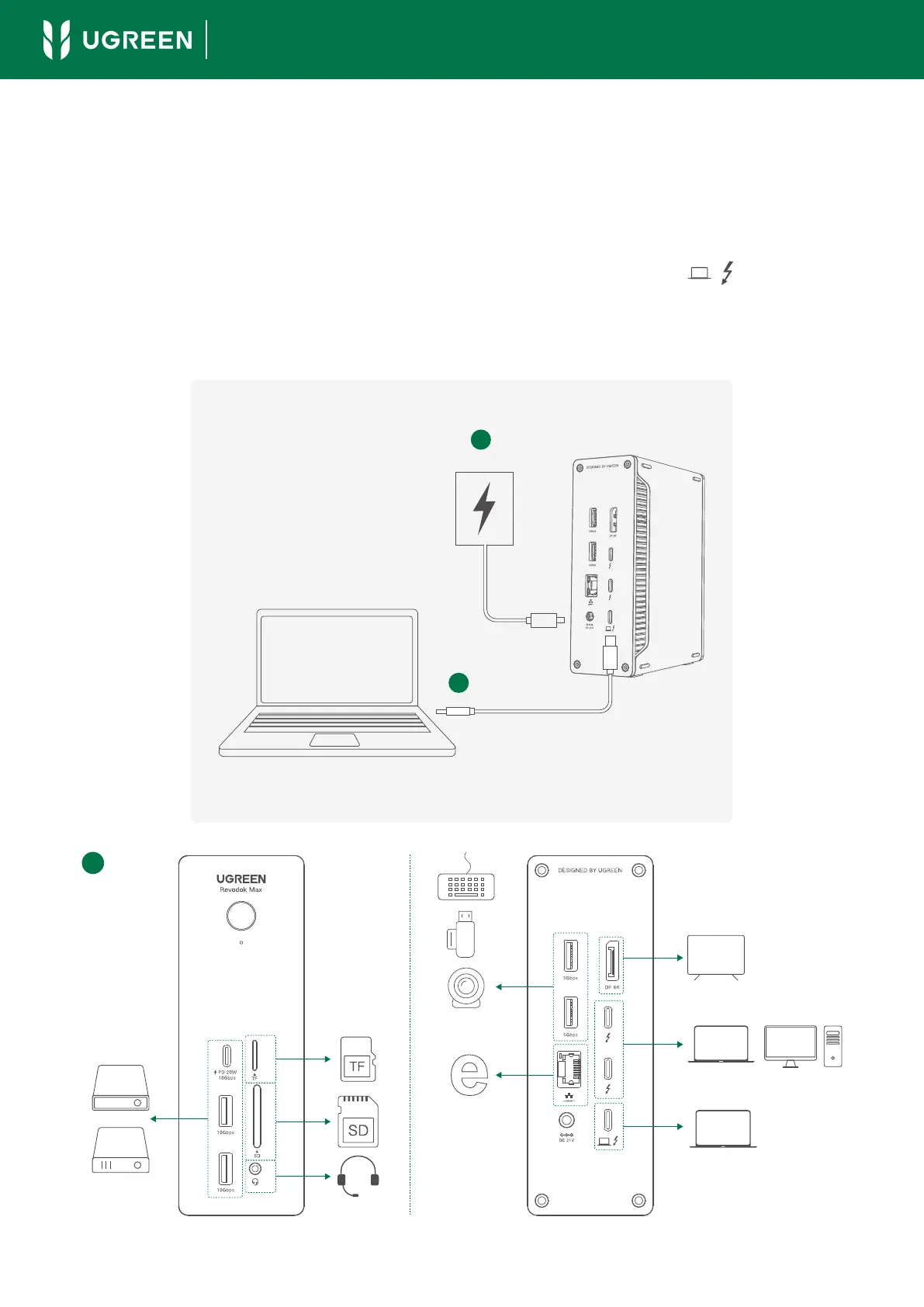
1. Connect the included charger to the docking station. A green LED indicator will
display indicating a normal connection.
2. Use the included cable to connect your laptop's Thunderbolt 4 port (or Thunder-
bolt 3/USB4 port) to the docking station's Thunderbolt 4 port ( ). The dock-
ing station will automatically turn on, and a blue indicator will display.
3. Connect your peripherals to the docking station.
1.Connection
- 01 -
User Guide
1
2
3
90W
Charging



 To Next Page