- 08 -
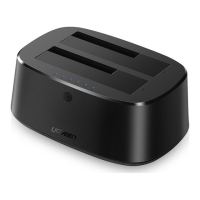
Q12. How many hard drives can be connected to the docking station at
the same time?
It is suggested to connect two 2.5-inch hard drives at max.
3.3 Data Transmission Issues
Q9. What is the max wattage of the docking station to charge the
connected host device?
It can output 90W at max for the connected host device when the
included 180W power adapter is attached.
3.2 Charging Issues
User Guide
Q10. Why does my laptop fail to power charge when attached to the dock?
1) Make sure the external power supply is connected properly and the
laptop is connected correctly to the port ( ) .
2) Make sure the notebook's USB-C port accepts power charging.
3) Disconnect and re-connect the dock cable to your computer.
Q11. Can I charge the device via the USB-A or Thunderbolt 4 ports?
1) The USB-A port is mainly used for data transmission, and the
charging speed will be very slow(7.5W).
2) The charging speed of Thunderbolt 4 is 15W, and only supports
charging some low-power devices.
3) If there is a need for higher power charging, please connect the
device to the port ( ) .



 To Next Page