Q6. The monitor displays correctly after a black screen when plugging and
unplugging the dock, is it normal?
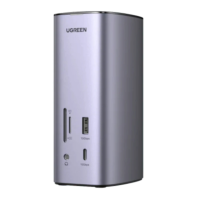
Q8. Can I connect a monitor to the 10Gbps USB C port?
No, you can’t.
The 10Gbps USB C port is intended for charging and data
transmission. If you would like to connect a monitor via a USB C port,
you can connect it to the dock’s Thunderbolt 4 port( ) .
- 07 -
Yes. The monitor will display images after the EDID reading. This usually
takes about 10s.
Q7. How to deal with a black screen and display flickering when connecting
to an external monitor?
1) Please unplug and plug the Thunderbolt ports, and ensure there is an
interval of more than 3 seconds.
2) Please try to lower the resolution and refresh rate.
3) Try another DP/Thunderbolt cable.
4) Restart the laptop.
User Guide



 To Next Page