EasyManua.ls Logo

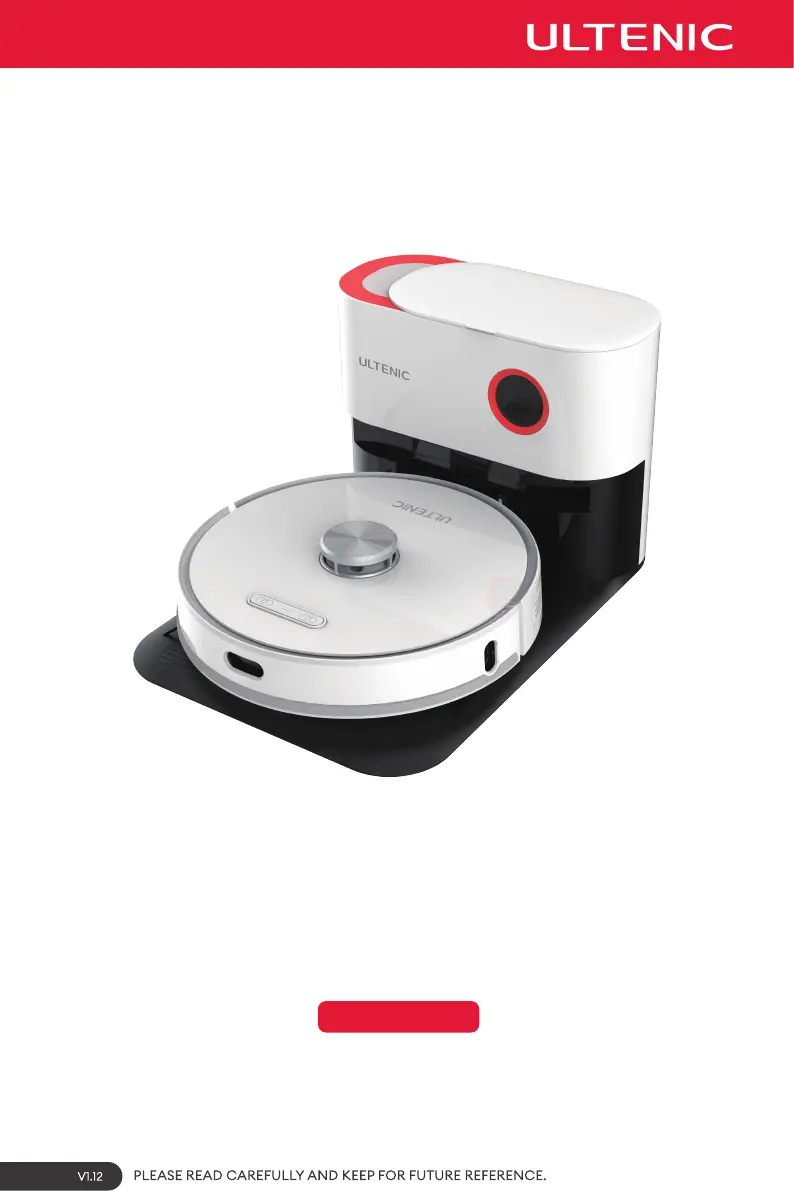
Ultenic T10 PRO - User Manual

Ultenic T10 PRO
22 pages
Print Icon
To Next Page IconTo Next Page
Loading...
Model: T10 PRO
USER MANUAL

Questions and Answers

  • P
    Paige BlairAug 19, 2025
    How to connect Ultenic Vacuum Cleaner to the app?
    • M
      michaeljohnsonAug 19, 2025
      To connect your Ultenic Vacuum Cleaner to the app, ensure you're using a 2.4G network, as 5G is not supported. Verify that you've downloaded the correct app by scanning the QR code on the product or visiting the app market. Also, confirm that you're entering the correct router username and password and that the robot is within the router's network coverage. The robot must also be in network configuration mode to connect to Wi-Fi.
  • L
    Lindsey GonzalezAug 21, 2025
    What to do if Ultenic Vacuum Cleaner can not recharge?
    • M
      macklisaAug 21, 2025
      If your Ultenic Vacuum Cleaner isn't recharging, ensure the charging contacts of both the robot and charging station are fully connected, and the power button is flashing. Check for dirt on the charging contacts and clean them if necessary. Make sure the charging station is correctly positioned with 2 feet of clear space on each side and 5 feet in front, and that it's connected to a power source. If the battery has been inactive for a long period, contact Customer Service. If the robot is out of the charging station range, move it closer.
  • A
    Aaron AdkinsAug 23, 2025
    Why is my Ultenic T10 PRO making excessive noise?
    • P
      perezjohnAug 23, 2025
      Excessive noise during operation of your Ultenic Vacuum Cleaner may be due to entangled side or roller brushes, or a blocked dustbin or filter. Regularly clean and maintain these components. Alternatively, the robot may be in ultra cleaning mode; switch to standard cleaning mode to reduce the noise.
  • A
    Ashley HowardAug 26, 2025
    What to do if Ultenic T10 PRO Vacuum Cleaner became stuck?
    • M
      Manuel WebsterAug 26, 2025
      If your Ultenic Vacuum Cleaner gets stuck, it's likely entangled by wires, curtains, or carpet fringe. The robot will attempt to free itself. If it cannot, manually untangle the robot.
  • M
    maryklineAug 28, 2025
    Why does Ultenic T10 PRO Vacuum Cleaner clean in an unorderly route?
    • D
      Daniel ManningAug 28, 2025
      An unordered cleaning route, deviation, repetitive cleaning, or missing areas with your Ultenic Vacuum Cleaner can be caused by wires or other objects obstructing the robot. Remove scattered wires and objects before cleaning. If the robot misses an area while scanning, it will automatically re-scan. Avoid interfering with its route. Slipping on thresholds or steps can also cause this issue; consider closing doors to clean areas separately. Ensure the robot can access all areas by organizing the environment. Dirty infrared sensors can also cause this; wipe the sensor lens with a soft cloth or remove any blockages.
  • W
    Walter HillAug 30, 2025
    Why does my Ultenic Vacuum Cleaner keep bumping into objects?
    • J
      Jason SummersAug 30, 2025
      If your Ultenic Vacuum Cleaner keeps bumping into objects, the infrared obstacle avoidance sensor lenses may be dirty. Periodically wipe the sensors with a dry cloth. Also, the omnidirectional wheel may be stuck. Regularly check it for entangled hair or other small objects.
  • D
    Derek LeachSep 1, 2025
    Why does my Ultenic T10 PRO Vacuum Cleaner have decreased cleaning ability?
    • K
      Kelsey OliverSep 2, 2025
      If your Ultenic Vacuum Cleaner has decreased cleaning ability or dust is shedding from the dustbin, check if the dustbin is full. If so, empty it. Also, inspect and clean the HEPA filter and check the roller brush for any obstructions.
  • L
    Lisa BlankenshipSep 4, 2025
    Why does my Ultenic T10 PRO start automatically at night?
    • H
      hannahgillSep 4, 2025
      If your Ultenic Vacuum Cleaner starts automatically at night, it is likely due to a set scheduled cleaning function. Cancel the scheduled cleaning in the app. Also, the robot will go back to station when the power reaches 80% when it is not finished cleaning.
  • I
    iadamsSep 6, 2025
    What to do if Ultenic Vacuum Cleaner sensor detection errors occur?
    • E
      Ebony RamirezSep 6, 2025
      If your Ultenic Vacuum Cleaner is showing sensor detection errors, the sensor lenses may be dirty. Wipe the sensor lens with a clean soft cloth or remove any blocked objects. Please contact Customer Service if you can not solve the issue.
  • J
    Jason RodriguezSep 8, 2025
    What to do if Ultenic Vacuum Cleaner water tank can not release water?
    • E
      Eric ParksSep 8, 2025
      If the water tank of your Ultenic Vacuum Cleaner isn't releasing water, the water outlet may be blocked. Avoid adding liquids other than water, such as disinfectant or perfume, to the water tank.

Summary

Safety Warnings

General Safety Instructions

Basic precautions and warnings for safe operation of the robot, including handling by children.

Usage Restrictions

Specifies environments and conditions where the robot should not be used, such as outdoors or for commercial purposes.

Battery and Charging Safety

Inside the Box

Product Description

Robot Components Overview

Detailed identification and labeling of the various parts and sensors on the robot unit.

2-in-1 Dustbin and Water Tank Details

Explanation of the integrated dustbin and water tank system, including inlet and outlet points.

Charging Station Features

Description of the charging station's components, such as the LED panel, dust collector port, and pads.

Robot Indicator Lights Explained

Interpretation of the different LED indicator lights on the robot for status and errors.

Charging Station Indicator Lights

Meaning of the status lights on the charging station, indicating dust bag status and power.

Product Operation

Initial Setup and Charging Guide

Steps for assembling the charging station, connecting power, and performing the initial robot charge.

App Connectivity and Setup

Instructions for downloading the Ultenic app and connecting the robot via Wi-Fi and Bluetooth.

Robot Control Panel Operations

How to operate the robot directly using its physical control panel buttons like Start/Pause.

Remote Control Operation

Detailed guide on using the remote control for navigation, cleaning modes, and recharging.

Mopping System Usage and Care

Instructions for using the mopping function and recommended maintenance for the mop modules.

Dust Collection System Operation

How to use the auto-empty station and procedures for replacing the dust bag.

Cleaning Operation Precautions

Essential safety tips to prevent the robot from getting stuck or damaged during cleaning.

Product Maintenance

Mopping Module Maintenance

Steps for cleaning mop modules, rinsing the water tank, and drying components to prevent odor.

Charging Station Maintenance

Instructions for cleaning the charging station, including clearing potential blockages in the dust duct.

Sensor and Brush Maintenance

Guidance on cleaning mapping sensors, side brushes, and other external parts of the robot.

Dustbin and Filter Cleaning

Procedures for removing, cleaning, and reinstalling the dustbin and HEPA filter.

Main Brush Cleaning and Care

Instructions on how to clean the main brush assembly, potentially using the cleaning brush.

Regular Maintenance Schedule

Recommended frequencies for cleaning and replacing parts to maintain optimal robot performance.

Product Specifications

Troubleshooting

App Connectivity Issues

Solutions for common problems encountered when connecting the robot to the mobile application.

Recharging Problems

Troubleshooting steps for when the robot fails to dock or recharge properly at the station.

Robot Stuck Issues

Guidance on how to resolve situations where the robot becomes entangled or stuck during operation.

Obstacle Avoidance and Navigation

Solutions for issues like bumping into objects or the robot navigating in an unorderly manner.

Error Indicators and Noise Troubleshooting

Addressing flashing red lights, abnormal sounds, and other operational errors.

Cleaning Pattern and Coverage Issues

Resolving problems related to the robot cleaning in an unorderly route or missing areas.

Cleaning Performance Issues

Addressing decreased cleaning ability or dust shedding from the dustbin.

Water System and Drive Wheel Issues

Troubleshooting water tank function and entangled drive wheels.

Sensor and Mapping Problems

Solutions for sensor detection errors, malfunction, or inability to create a home map.

Scheduled Cleaning Issues

Managing and resolving problems with scheduled or automatic cleaning functions.

Pilot Lamp Error Indicators

Diagnosing issues based on flashing red light indicators on the robot or charging station.

Ultenic T10 PRO Specifications

General IconGeneral
BrandUltenic
ModelT10 PRO
CategoryVacuum Cleaner
LanguageEnglish

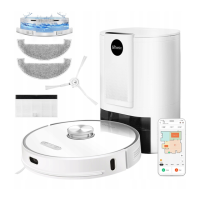
Related product manuals