EasyManua.ls Logo

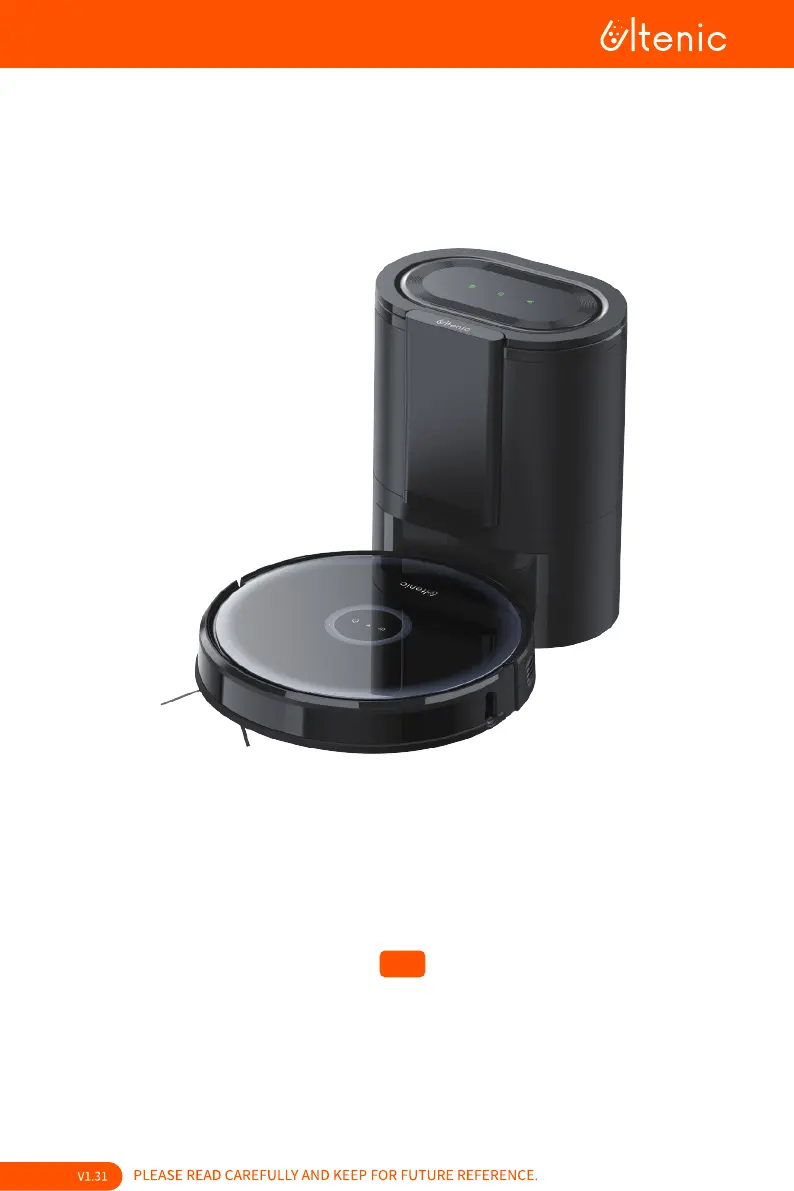
Ultenic D7 - User Manual

Ultenic D7
79 pages
Print Icon
To Next Page IconTo Next Page
Loading...

D7

Questions and Answers

  • T
    trevorwilliamsAug 16, 2025
    What to do if Ultenic Vacuum Cleaner auto empty base doesn't collect dust?
    • R
      Richard AllenAug 16, 2025
      If the auto empty base of your Ultenic Vacuum Cleaner isn't collecting dust, verify the following: * Check if the dust bag is full and replace it if necessary. * Ensure the dust bag is properly installed. * Confirm that you haven't disabled automatic emptying after cleaning in the Ultenic App.
  • T
    tdavisAug 19, 2025
    Why Ultenic Vacuum Cleaner is unable to return to Auto Empty Base?
    • J
      Jodi PachecoAug 19, 2025
      If your Ultenic Vacuum Cleaner is unable to return to the Auto Empty Base, consider the following: * Ensure the Auto Empty Base is connected to a power source. * Check for and remove any obstacles near the base. * Place the base in an open area. * If the robot is out of range, move it closer to the base to re-establish the connection. * Check if the battery level is critically low or empty. It is also recommended to manually return the robot to the dust emptying base before its first cleaning, allowing it to memorize the starting point.
  • T
    Todd JohnsonAug 22, 2025
    What to do if Ultenic D7 Vacuum Cleaner is not releasing water during mopping?
    • R
      Robert HarrisAug 22, 2025
      If water is not being released during mopping with your Ultenic Vacuum Cleaner, make sure there is enough water in the water tank, check if the mopping attachment is correctly installed, and ensure that the water outlets are not blocked.
  • J
    Jose RobertsAug 25, 2025
    Why is the Ultenic D7 Vacuum Cleaner losing cleaning ability or dust falling out?
    • D
      Danielle JohnsonAug 26, 2025
      If you notice a decrease in cleaning ability or dust falling out from the dustbin of your Ultenic Vacuum Cleaner, there are a few things you can check: * The dust bag may be full; if so, replace it with a new one. * Inspect and clean the HEPA filter. * Ensure the brush is free from any obstructions.
  • M
    Manuel JimenezAug 28, 2025
    How to fix Ultenic Vacuum Cleaner that won't power on?
    • G
      glendamillerAug 28, 2025
      If your Ultenic Vacuum Cleaner is unable to power on or start cleaning, it is commonly caused by a low battery. Please charge the device before attempting to use it.
  • D
    Denise HayesAug 31, 2025
    How to stop abnormal noise during cleaning with Ultenic D7 Vacuum Cleaner?
    • S
      Steven CollinsAug 31, 2025
      If your Ultenic Vacuum Cleaner is making abnormal noises during cleaning, check if the main brush, side brush, or left/right wheel are tangled with any objects. If there is an obstruction, clear it and restart the Robot.
  • E
    Erin LoweSep 3, 2025
    Why Ultenic D7 Vacuum Cleaner's movements are abnormal?
    • J
      Justin HarrisSep 3, 2025
      If your Ultenic Vacuum Cleaner's movements or travel path are abnormal, clean the sensors carefully with a dry cloth. If the issue persists, restart the Robot by turning it off and on.
  • C
    Chris ContrerasSep 6, 2025
    Why Ultenic D7 remote doesn't work?
    • A
      Anna BrooksSep 6, 2025
      If the remote for your Ultenic Vacuum Cleaner isn't working, ensure that the batteries in the remote have power and that the robot is powered on. Also, check if the battery level of the robot is critically low or empty, and verify that the distance between the robot and the remote is within the effective range.
  • T
    Teresa SchmidtSep 9, 2025
    Why Ultenic D7 is unable to charge after docking?
    • L
      Leslie HawkinsSep 9, 2025
      If your Ultenic Vacuum Cleaner is unable to charge after docking, make sure there is no obstruction or heavy dust on both the Robot and Auto Empty Base charging contacts.
  • R
    Raymond PalmerSep 12, 2025
    What does flashing red mean on Ultenic D7?
    • M
      Matthew WilliamsSep 12, 2025
      If your Ultenic Vacuum Cleaner is flashing red, it could indicate that the dust bag is not installed or not installed properly. Check whether the dust bag is installed; if not, please install it. Also, ensure that the dust bag is properly installed and fully lower the cardboard handle.

Summary

Important Safety Instructions

General Safety Precautions

Read all safety and operating instructions, pay attention to warnings, follow instructions.

Battery Safety and Handling

Warnings regarding chemical exposure, fire/explosion hazards, and proper battery disposal.

Battery and Charging Information

Lithium-ion Battery Transportation

Instructions for shipping the product with a lithium-ion battery.

Battery Storage and Disposal Guidance

Guidance on storing the robot battery and disposing of electrical appliances.

About Your Robot

Whats in the Box

Lists all the components included with the robot vacuum.

Product Overview

Visual identification of the robot's main parts and features.

Robot Controls and Indicators

Robot Buttons and Status Lights

Explains the functions of the power and home buttons on the robot.

WiFi Indicator Status Meanings

Details the meaning of different WiFi indicator light states.

Robot Components

Dustbin and Water Tank Details

Identifies the parts of the dustbin and water tank.

Auto Empty Base Overview

Details the parts and status lights of the auto empty base.

Using Your Robot

Remote Control Functions and Range

Explains how to use the remote and its effective range.

Setting Up the Auto Empty Base

Instructions for connecting and positioning the auto empty base.

Initial Robot Setup and App Integration

Initial Robot Setup and Charging

Steps to power on, pair, and charge the robot.

App Requirements and Getting Started

Pre-use preparation and requirements for using the Ultenic App.

Robot Operation and Cleaning Modes

Using the Ultenic App for Control

Guide to app installation, account creation, and Wi-Fi setup.

Understanding Cleaning Modes

Details various cleaning modes like Auto, Deep, Edge, Spot, and Mopping.

Manual Robot Navigation

How to manually navigate the robot using the app or remote.

Maintenance and Care

Recommended Maintenance Schedule

Frequency for cleaning and replacing robot parts.

Maintaining Robot Brushes and Dustbin

Instructions for cleaning robot brushes and dustbin/filters/mop.

Maintaining Robot Components

Maintaining Robot Sensors and Contacts

Cleaning procedures for robot sensors, charging contacts, and the omnidirectional wheel.

Maintaining the Auto Empty Base Dust Bag

Steps for replacing the dust bag in the auto empty base.

Auto Empty Base Maintenance

Cleaning Dust Duct, Filters, and Contacts

Cleaning the dust cover, filter, IR lens, and charging contacts.

Product Specifications

Robot Unit Specifications

Technical details for the robot unit.

Auto Empty Base Specifications

Technical details for the auto empty base.

Troubleshooting Common Issues

Robot Operation & Connectivity Issues

Solutions for power, navigation, cleaning performance, WiFi, and charging problems.

Remote, Mopping & Dust Collection Issues

Fixes for remote control, mopping water, and auto empty base dust collection.

Indicator Light Error Definitions

Customer Support and Service

Contacting Ultenic Support by Email

Email addresses for customer support by region.

Ultenic Contact Information and Websites

Ultenic D7 Specifications

General IconGeneral
BrandUltenic
ModelD7
CategoryVacuum Cleaner
LanguageEnglish

Related product manuals