EasyManua.ls Logo

Ultenic T10 - User Manual

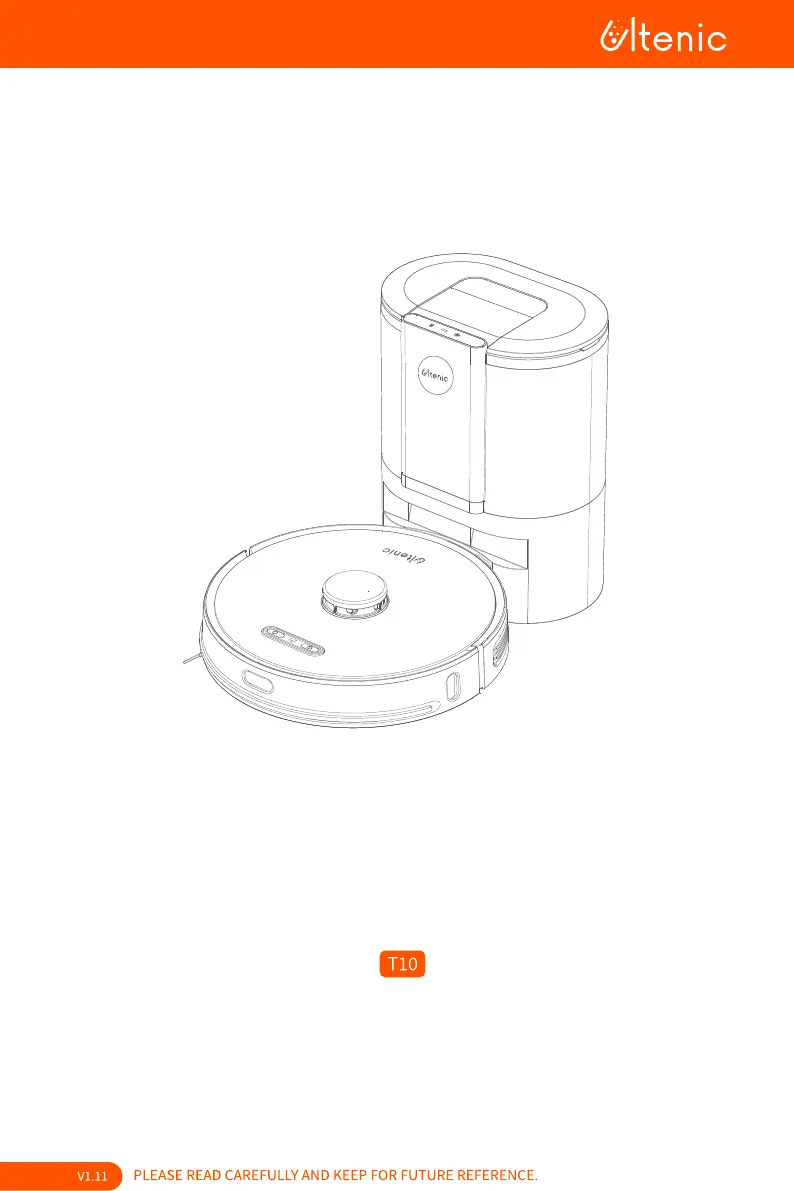
Ultenic T10
32 pages
Print Icon
To Next Page IconTo Next Page
Loading...


Other manuals for Ultenic T10

Questions and Answers

  • R
    rraySep 9, 2025
    Why is the red light flashing on my Ultenic T10 Vacuum Cleaner dust bag?
    • B
      Brian JohnsonSep 9, 2025
      If you see a flashing red light indicating that the dust bag is not installed or installed properly in your Ultenic Vacuum Cleaner: * Check whether the dust bag is installed; if not, please install it. * Ensure that the dust bag is properly installed and fully lower the cardboard handle.
  • S
    Seth CobbAug 23, 2025
    Why doesn't the auto empty base collect dust for my Ultenic T10 Vacuum Cleaner?
    • J
      jillperryAug 23, 2025
      If the auto empty base of your Ultenic Vacuum Cleaner isn't collecting dust, try these steps: * Check if the dust bag is full and replace it with a new one. * Make sure the dust bag is properly installed. * Verify that you haven't disabled automatic emptying after cleaning in the Ultenic App.
  • G
    Gregory GoodwinAug 25, 2025
    Why is water not released during mopping with my Ultenic Vacuum Cleaner?
    • A
      Aaron AndrewsAug 25, 2025
      If water is not being released during mopping with your Ultenic Vacuum Cleaner: * Ensure there's enough water in the water tank. * Check that the mopping attachment is correctly installed. * See if the water outlets are blocked.
  • S
    shannon69Aug 27, 2025
    What to do if Ultenic Vacuum Cleaner is not releasing water when mopping?
    • N
      Nancy TorresAug 27, 2025
      If your Ultenic Vacuum Cleaner is not releasing water during mopping, make sure there is enough water in the water tank. Check if the mopping attachment is correctly installed and ensure the water outlets are not blocked.
  • M
    moyerbruceAug 27, 2025
    How to connect Ultenic Vacuum Cleaner to WiFi?
    • M
      michealrosalesAug 27, 2025
      If you're having trouble connecting your Ultenic Vacuum Cleaner to WiFi, here are a few things to try: * Double-check that you've entered the correct WiFi password. * Ensure that your robot, mobile device, and router are as close as possible to each other. * Verify that you've selected a 2.4GHz WiFi network. * Avoid using a public network. * Try resetting the robot's WiFi by long-pressing the appropriate buttons simultaneously for the specified time. Then, try connecting again. * As a last resort, reinstall the Ultenic App and attempt to connect to WiFi again.
  • R
    Ronald GonzalesAug 29, 2025
    Why is my Ultenic T10 Vacuum Cleaner unable to power on?
    • S
      Susan ReyesAug 29, 2025
      If your Ultenic Vacuum Cleaner is unable to power on or start cleaning, it's commonly due to a low battery. Please charge the device before attempting to use it.
  • D
    Debbie WalkerSep 17, 2025
    Why does my Ultenic Vacuum Cleaner move abnormally?
    • S
      Sydney CrawfordSep 18, 2025
      If your Ultenic Vacuum Cleaner's movements or travel path are abnormal, clean the sensors carefully with a dry cloth and restart the robot by turning it off and on.
  • L
    larmstrongSep 18, 2025
    What to do if my Ultenic Vacuum Cleaner is unable to charge after docking?
    • M
      Mercedes GatesSep 18, 2025
      If your Ultenic Vacuum Cleaner is unable to charge after docking, make sure there is no obstruction or heavy dust on both the Robot and Auto Empty Base charging contacts.
  • C
    cwatsonSep 7, 2025
    What does flashing red on Ultenic T10 mean?
    • E
      ewarnerSep 8, 2025
      If you observe a flashing red light accompanied by a fan error or overheating, or suspect the cover isn't closed properly on your Ultenic Vacuum Cleaner: * Frequent dust collection can lead to fan overheating protection or malfunction. It is recommended to try to collect dust after 30 minutes. * Ensure that the cover of the Auto Empty Base is completely closed.
  • K
    kathy01Sep 4, 2025
    Why is my Ultenic T10 Vacuum Cleaner unable to charge after docking?
    • A
      ana45Sep 4, 2025
      If your Ultenic Vacuum Cleaner is unable to charge after docking, make sure there is no obstruction or heavy dust on both the Robot and Auto Empty Base charging contacts.

Summary

User Manual

Safety Precautions

General Safety Guidelines

Important safety instructions for setup, usage, and maintenance.

FCC Statement

Declaration of Conformity

Trademark Notice

About Your Robot

Whats in the Box

Lists all included accessories and parts with the robot vacuum.

Product Overview

Details the components and parts of the robot vacuum cleaner.

Dustbox and Water Tank

Auto Empty Base

Using Your Robot

Remote Control Functions

Explains the buttons and operations of the remote control for the robot.

Setting up the Auto Empty Base

Guides on positioning and connecting the auto empty base unit.

Robot Setup and Initial Use

Cleaning Modes

Maintenance and Care

Recommended Care and Replacement Frequency

Schedule for cleaning and replacing robot parts for optimal performance.

Maintaining Robot Components

Instructions for cleaning side brush, rolling brush, and dustbin/water tank.

Maintaining Base and Other Parts

Specifications

Troubleshooting

Common Problems and Solutions

Lists common issues and their corresponding solutions for the robot.

Indicator Lights and Definitions

After-Sale Service

Customer Service

Ultenic T10 Specifications

General IconGeneral
TypeRobot Vacuum Cleaner
Suction Power3000 Pa
Battery Capacity5200 mAh
Dustbin Capacity600 ml
Water Tank Capacity300 ml
NavigationLDS Laser Navigation
Dimensions350 x 350 x 98 mm
Weight3.6 kg
Filter TypeHEPA Filter
ControlApp, Voice Control
Charging Time300-360 minutes
FeaturesMulti-floor Mapping

Related product manuals