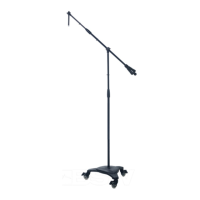
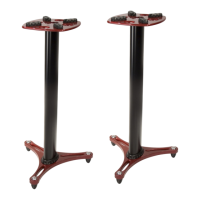
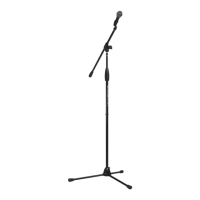
The Ultimate Support Pro Series Mic Stands are a range of professional microphone stands designed for musicians, DJs, and sound engineers, emphasizing durability, stability, and ease of use. The series includes various models such as Pro-T, Pro-T-T, Pro-T-F, Pro-T-Short-T, Pro-T-Short-F, Pro-SB, and Pro-ST, each with specific configurations to suit different needs.
Function Description:
These mic stands are designed to securely hold microphones in various positions, providing stable support for live performances, studio recordings, and other audio applications. They feature robust construction and intuitive adjustment mechanisms to ensure reliable performance and quick setup.
Important Technical Specifications:
The manual lists specific model numbers:
- Pro-T/17198
- Pro-T-T/17213
- Pro-T-F/17214
- Pro-T-Short-T/17212
- Pro-T-Short-F/17211
- Pro-SB/17201
- Pro-ST/17200
The stands are built with high-quality materials, reflecting Ultimate Support's commitment to durability and reliability. While specific material types (e.g., steel, aluminum) are not detailed, the "THE STRENGTH OF INNOVATION®" tagline and "finest materials" claim suggest robust construction. The design incorporates patented features like the Quarter-Turn Clutch and ONE-TOUCH ADJUSTMENT for enhanced functionality.
Usage Features:
General Setup (Pro Series):
- Tripod Base Models (Pro-T-F, Pro-T-T, Pro-T-Short-T, Pro-T-Short-F, Pro-T):
- STEP 1 (Base Setup): To set up the tripod base, the Z-knob at the base must be loosened. The base then slides down, allowing the legs to extend. Once the legs are in place, the Z-knob is tightened to lock them securely.
- Weighted Base Models (Pro-SB): The shaft screws directly into the weighted base for stability.
- Stackable Base Models (Pro-ST): The shaft screws into the stackable base, which may offer space-saving storage or modularity.
- STEP 2 (Height Adjustment - Quarter-Turn Clutch): All models featuring the ergonomic, patented Quarter-Turn Clutch allow for quick and precise height adjustments. To adjust, the clutch is turned counter-clockwise a quarter turn. The stand's height can then be moved up or down. To secure the desired height, the clutch is retightened by turning it clockwise.
- STEP 3 & 4 (Universal Mic Attachment): The mic attachment system is universal, accommodating both U.S. and Metric threads.
- Thread Conversion (STEP 3): If converting from U.S. to Metric threads, a 1.5 Allen Wrench is used to unlock the threads. The U.S. threads are turned counter-clockwise until removed, along with the U.S. lock nut.
- Mic Clip Attachment (STEP 4): After selecting the desired thread type (U.S. or Metric), the microphone clip is placed onto the universal mic attachment. The lock nut is then turned counter-clockwise to securely lock the mic clip in place.
Ulti-Boom Pro Specific Features:
The Ulti-Boom Pro (Fixed & Telescoping) offers advanced boom arm adjustments:
- Patented ONE-TOUCH ADJUSTMENT: This feature allows for simultaneous control of tilt, pan, depth, and rotation of the boom arm using a single ergonomic Z-knob. This simplifies positioning and provides quick, precise adjustments.
- STABLELOCK™ LEVER (Telescoping Ulti-Boom Pro): For telescoping boom models, the StableLock lever provides fast and secure adjustment of the boom's length, ensuring non-slip security once set.
Maintenance Features:
- Limited Lifetime Warranty: Ultimate Support offers a limited lifetime warranty, indicating confidence in the product's durability. This warranty covers manufacturing defects and applies to the original purchaser.
- Repair or Replacement: In the event of a product failure due to a manufacturing defect, Ultimate Support is committed to repairing or replacing the product.
- Online Resources: Users are encouraged to visit www.ultimatesupport.com to read full warranty details and to register their warranty. This online portal likely provides additional support, troubleshooting guides, and product information.
Exclusions from Warranty:
The warranty explicitly states that it does not cover damage resulting from:
- Normal wear and tear
- Accident
- Misuse
- Improper installation or operation
- Unauthorized repair or alterations
This comprehensive set of features highlights the Pro Series Mic Stands as a professional-grade solution, focusing on robust design, user-friendly adjustments, and long-term reliability backed by a strong warranty.

 Need help?
 General



 To Next Page