6
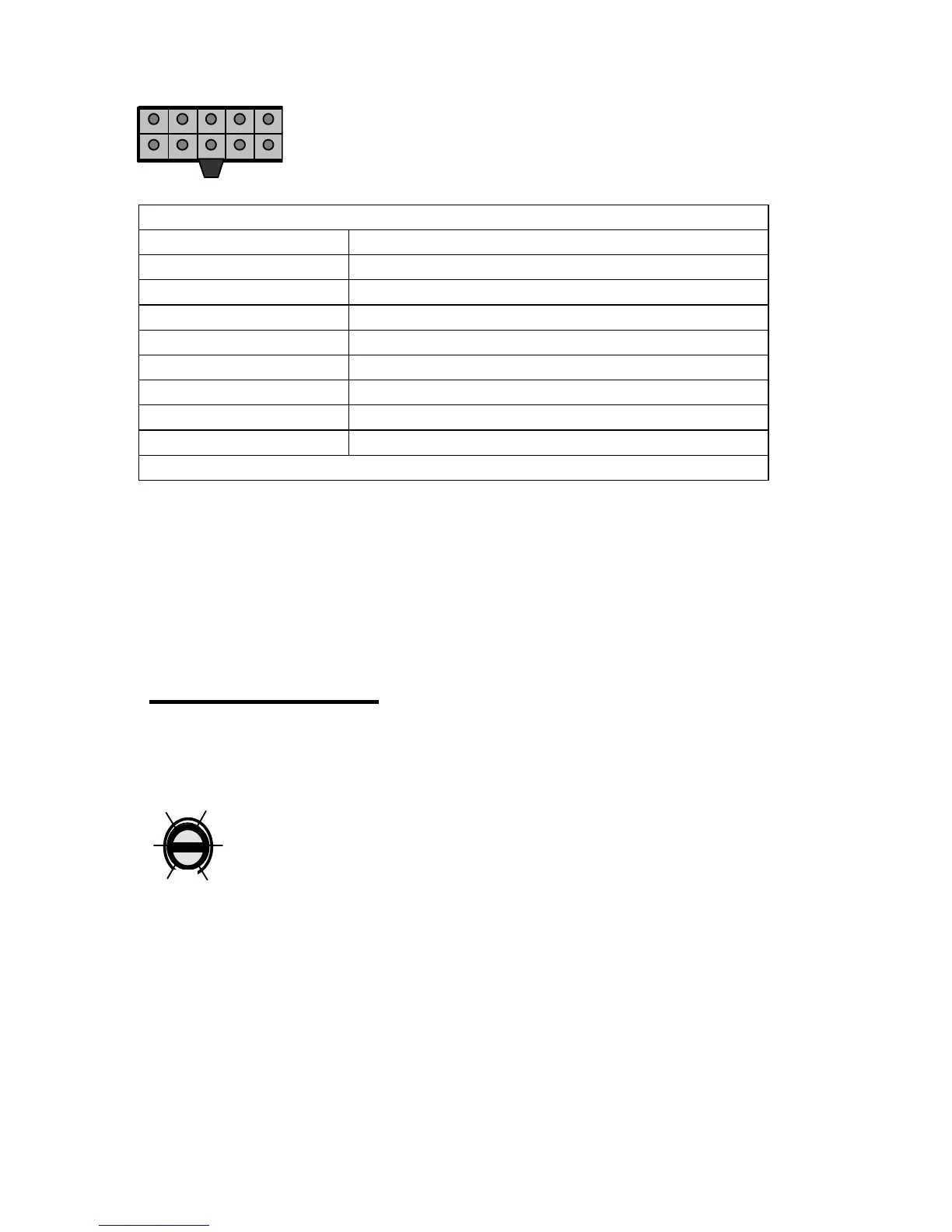
Wiring Harness Color Code- 4 Channel
White Wire Channel A Positive( + )
White/Black Wire Channel A Negative( - )
Gray Wire Channel B Positive( + )
Gray/Black Wire Channel B Negative( - )
Green Wire Channel C Positive( + )
Green/Black Wire Channel C Negative( - )
Violet Wire Channel D Positive( + )
Violet/Black Wire Channel D Negative( - )
Black Wire Ground
No Other Connection
1.6 Installation- Check all Connections
Recheck all connections before reconnecting the negative(-) battery cable.
Insert the correct value fuse in the fuse holder at the battery before
attempting to turn on the system.
2. Operation
2.1 Operation- Input Level adjustments
Adjust the input level for the marked channel(s) with a small
screwdriver through the opening marked “LEVEL”. Turn
CW(clockwise) to increase the level, CCW(counterclockwise)
to decrease. Amplifiers will run cooler and produce less
system noise at lower level settings.
Consult an experienced installation specialist for assistance in balancing
the levels in multi-amplifier systems, or systems with signal processing
accessories.



 To Next Page