EasyManua.ls Logo

Ultimate UHC4 - User Manual

Ultimate UHC4
16 pages
Print Icon
To Next Page IconTo Next Page
Loading...
HIGH CURRENT POWERHIGH CURRENT POWER
AMPLIFIERSAMPLIFIERS
ULTIMATE
®
138 University Parkway
Pomona, CA 91768
Toll Free: 888-909-9988
Telephone: 909-594-2604
Fax: 909-594-0191
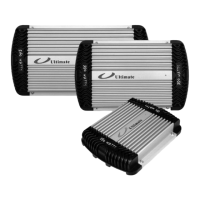
UHC5UHC5
1 X 150 + 4 X 60W RMS
5 CHANNEL AMPLIFIER
4 X 60W RMS
4 CHANNEL AMPLIFIER
2 X 60W RMS
2 CHANNEL AMPLIFIER
UHC4UHC4
UHC2UHC2

Questions and Answers

  • D
    Derek SingletonJul 31, 2025
    Why does my Ultimate Amplifier have no sound?
    • M
      Megan HallJul 31, 2025
      If your Ultimate Amplifier isn't producing any sound, there could be several reasons: * The remote turn-on connection might be faulty, or the voltage may be insufficient. Check the remote turn-on connection and voltage at both the amplifier and the source unit. * A fuse might have blown. Inspect all system fuses. * There may be wiring issues, such as loose connections or short circuits. Recheck all connections and look for any shorts. * The speakers could be blown. Test the speakers on another amplifier to confirm.
  • T
    timothystephensonAug 5, 2025
    What to do if my Ultimate Amplifier shuts down?
    • S
      Sara YoungAug 5, 2025
      If your Ultimate Amplifier shuts down, it's likely due to the protection circuit activating to prevent overheating or overload. To resolve this: * Ensure the amplifier has adequate ventilation. * Check the load impedance (2 ohm stereo, 4 ohm bridged). * Inspect the speaker wiring for any shorts to the vehicle chassis. * Reduce the input level.
  • W
    William WarrenAug 10, 2025
    How to fix distortion on my Ultimate Amplifier?
    • C
      Cheyenne CopelandAug 11, 2025
      If you're experiencing distortion with your Ultimate Amplifier, it could be due to: * Improperly adjusted input level. Readjust the amplifier's input level. * Damaged speakers. Test the speakers on another amplifier to see if they are the cause.
  • L
    laurenharrisAug 16, 2025
    Why is my Ultimate Amplifier making a whining noise?
    • W
      williamsdanielAug 16, 2025
      If you notice a whining noise from your Ultimate Amplifier, it's often caused by alternator noise resulting from poor grounding. Here's how to address it: * Check all ground connections for the amplifier, source, other components, battery, and alternator. * Install a noise filter on the source unit's power cable. * Install a coupling transformer in the signal path to improve ground isolation. * Adjust ENR™.
  • A
    Adam SpencerAug 20, 2025
    Why does my Ultimate UHC4 have poor bass response?
    • A
      Annette PhamAug 20, 2025
      If your Ultimate Amplifier has poor bass response, the speakers might be out of phase. Recheck the speaker wiring and reverse the polarity of one channel.
  • B
    Benjamin StewartAug 26, 2025
    How to eliminate ticking noise from Ultimate UHC4?
    • E
      Eric MooreAug 26, 2025
      If you're hearing a ticking noise from your Ultimate Amplifier, it's likely radiated noise from the spark plug wires. To resolve this: * Reroute the amplifier input wiring. * Install a noise filter. * Adjust ENR™.

Summary

INTRODUCTION

Description

Explains the purpose and intended use of the high-power audio amplifier for vehicles.

About This Manual

Provides guidance on reading instructions, installation recommendations, and manual retention for optimal use.

Safety and Operating Precautions

Details safety warnings and symbols used in the manual to prevent hazards.

Installation

Mounting the Amplifier

Step-by-step guide on how to securely mount the amplifier in a vehicle, considering air circulation and hazards.

Power Connections

Instructions for connecting the power supply, including fuse ratings, cable gauges, and remote turn-on.

Speaker Connections

Details how to connect speakers, including wiring diagrams for different models and terminal preparation.

Multiple Speaker Connections

Explains parallel and series wiring for multiple speakers and their impact on impedance.

Bridging and 2+1 Mode

Describes how to bridge the amplifier and set up the 2+1 tri-mode operation for flexible audio output.

Input Connections

Guide to connecting audio sources via RCA jacks, emphasizing cable routing for different amplifier models.

Operation

Input Level Adjustments

How to adjust input signal levels for optimal performance, cooler operation, and reduced system noise.

Optional Remote Subwoofer Level Control

Instructions for connecting and using the accessory remote control for subwoofer volume adjustment.

Electronic Noise Reduction (ENR)

Details on using the ENR feature to fine-tune input circuits for maximum noise rejection.

Built-in Crossovers

Explains selection and frequency adjustment of built-in low-pass and high-pass crossovers for bi-amplifying systems.

Protection Circuits and LED Indicators

Describes amplifier protection mechanisms (thermal, overload, DC offset) and status indicator LEDs.

Terminal, Control, and LED Locations

Diagrams and labels for all terminals, controls, and indicator LEDs on the UHC5 and UHC4 models.

Appendix B: Troubleshooting

Ultimate UHC4 Specifications

General IconGeneral
BrandUltimate
ModelUHC4
CategoryAmplifier
LanguageEnglish

Related product manuals