3
Step 7- Connect the remote turn on cable to the screw terminal labeled
“POWER, (REM)”.
1.3 Installation- Speaker Connections
Step 1- Run #16 AWG or larger connecting wire from your speakers to
the amplifier mounting location. Keep speaker wires away from power
cables and amplifier input cables. Use grommets anywhere the wires have
to pass through holes in the metal frame or sheet metal. Connect to the
speakers according to the type of terminals on each speaker.
Step 2- Strip 3/8" of insulation from the end of each wire and twist the
wire strands together tightly. Make sure there are no stray strands that
might touch other wires or terminals and cause a short circuit.
Step 3- Crimp spade lugs over the wire ends or tin the ends with solder to
provide a secure termination.
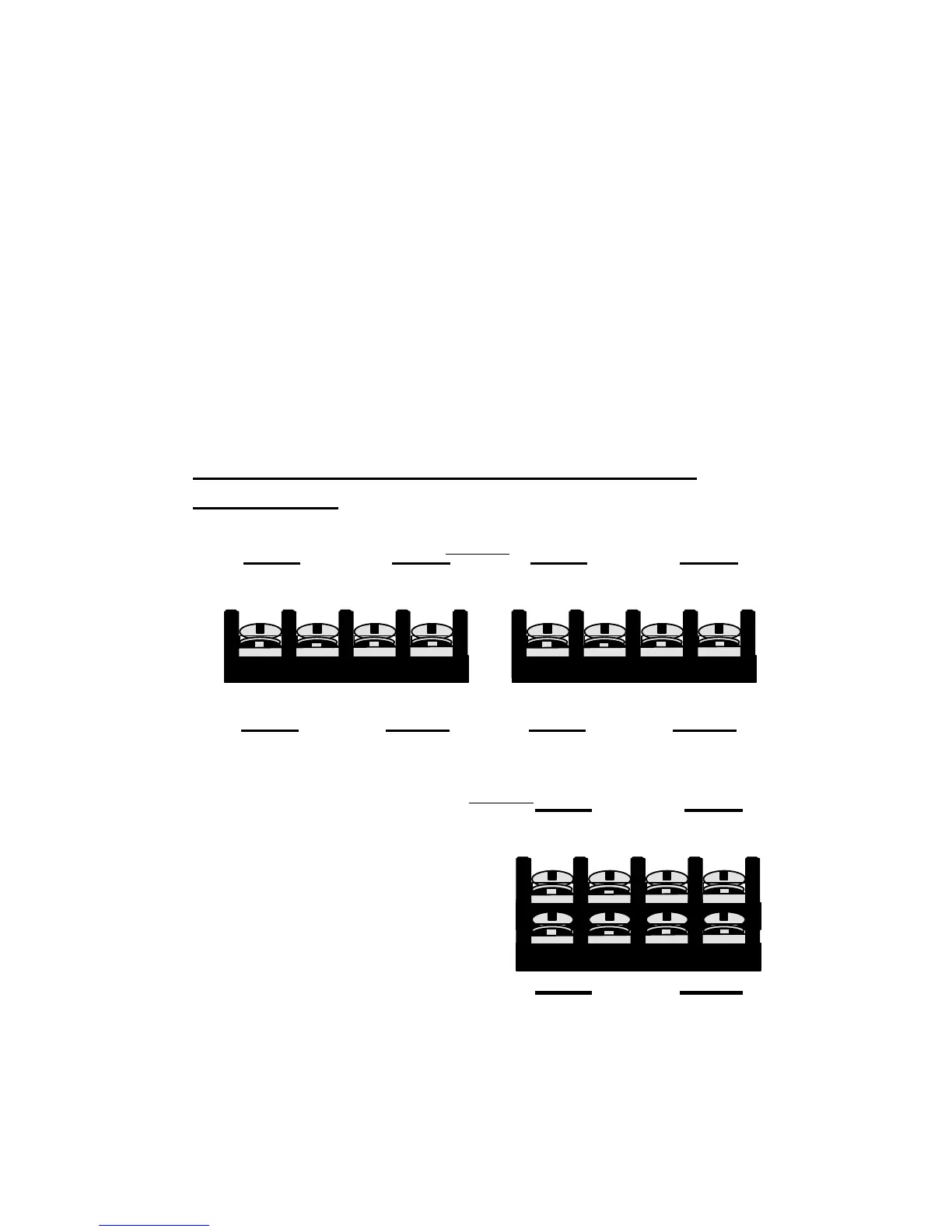
Step 4- Connect the wire ends to your amplifier as follows:
UHC5UHC5, , UHC4UHC4- "FRONT" and "REAR" SPEAKER
TERMINALS
Follow the left, (L+) (L-),
and right, (R+) (R-),
channel and polarity
markings, making sure they
match the channel and
polarity of the connections
at the speakers.
(L+) (L-) (R+) (R-)
( + ) ( - )
BRIDGE
FRONT
SPEAKER
(L+) (L-) (R+) (R-)
( + ) ( - )
BRIDGE
REAR
SPEAKER
(L+) (L-) (R+) (R-)
( + ) ( - )
BRIDGE
SPEAKER
FRONT
REAR



 To Next Page