EN
12
① Plug in the USB storage device.
② Press the button on remote control to
select [USB] and press .
③ Select a le you plan to play from the le and
folder menu.
④ Press to start playback.
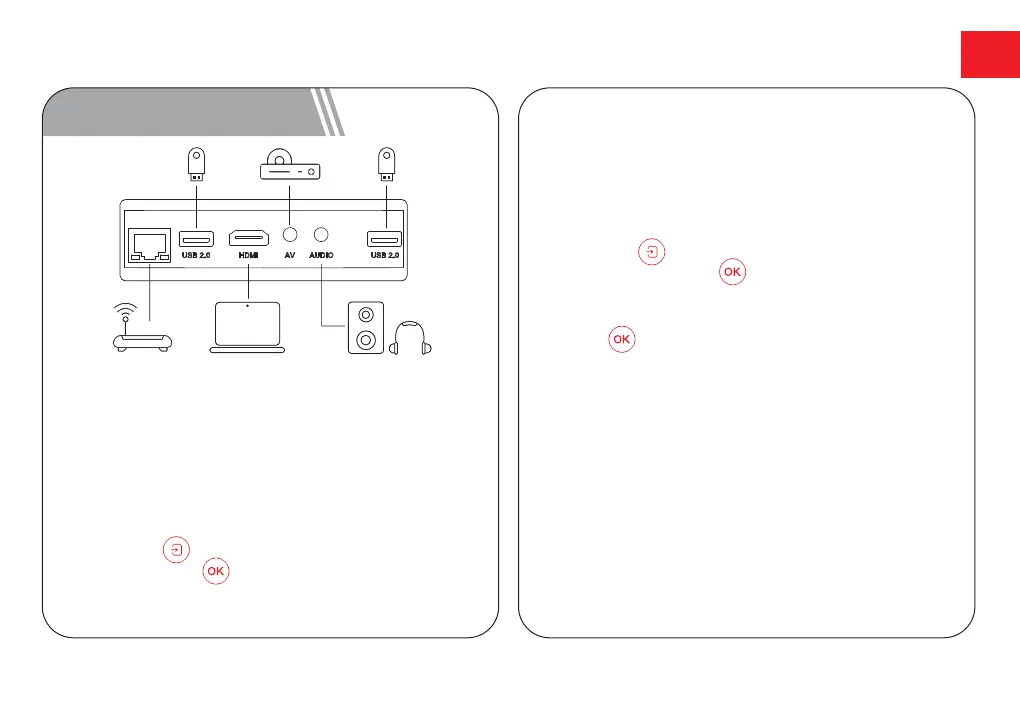
9 Wired Connections
Play from a USB Storage Device
Play Through External Sound Devices
Via AUX Cable
① Connect one end of the 3.5mm AUX cable
to the AUX port on this projector.
② Connect the other end of the 3.5mm AUX
cable to the AUX port on headphones or
external speakers.
③ Playback on the projector.
With Apollo P50, you can enjoy music, video,
andpictures, or install apps that are stored on
a USB storage device.
Play from an HDMI Playback Device
This Apollo P50 supports connections with various
HDMI playback devices, such as PC, DVD player,
set-top box (STB), game console or other devices.
① Connect this projector to an HDMI playback device
with an HDMI cable.
② Press the button on remote control to select
[HDMI] and press .



 To Next Page