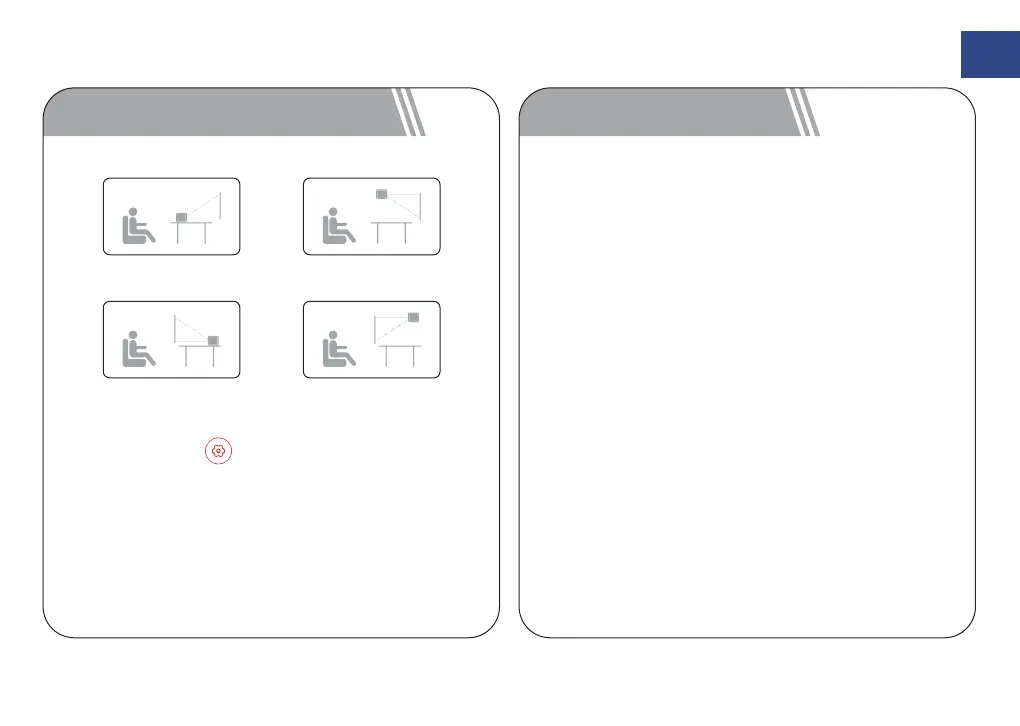
Premi il pulsante ,[Altre impostazioni]->[Im-
postazioni di proiezione]->[Modalità di proiezione],
Selezionare Projection orthographique de bureau
avant / Projection de bureau arrière / Projection
orthographique de levage / Projection arrière de
levage.
FR
44
6 Réglages de projection 7 Connexion Bluetooth
Projection orthographique
de bureau avant
Projection orthographique
de levage
Projection de bureau arrière Projection arrière de levage
Si vous souhaitez connecter le projecteur à votre
téléphone via Bluetooth, sélectionnez [Source de
signal] -> [Haut-parleur Bluetooth], puis suivez les
instructions.
Enceinte Bluetooth
Connectez à un haut-parleur/écouteurs Bluetooth à
domicile, sélectionnez [Paramètres] -> [Paramètres
avancés] -> [Bluetooth], puis choisissez l'appareil
auquel vous souhaitez vous connecter.
Connexion Bluetooth



 To Next Page