7 CONNECT TO BLUETOOTH'
EN
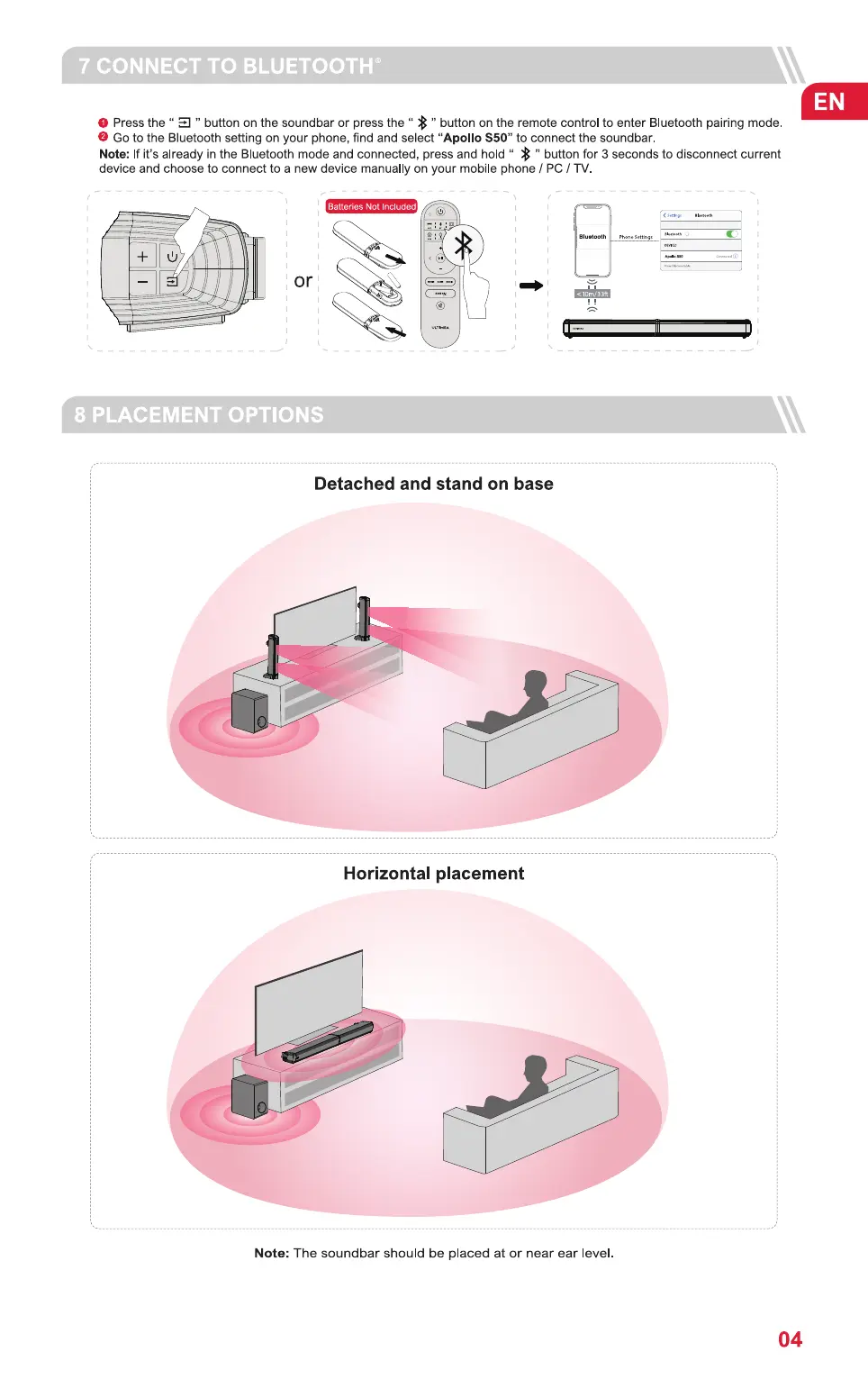
O Press the " " button on the soundbar or press the " " button on the remote control to enter Bluetooth pairing mode.
O Go to the Bluetooth setting on your phone, find and select "Apollo S50" to connect the soundbar.
Note: If it's already in the Bluetooth mode and connected, press and hold " " button for 3 seconds to disconnect current
device and choose to connect to a new device manually on your mobile phone / PC / TV
Batteries Nut Included
Bluetooth
or
8 PLACEMENT OPTIONS
Detached and stand on base
Horizontal placement
Note: The soundbar should be placed at or near ear level
04


 To Next Page