Poseidon D80
Model No.: U2620
User Manual
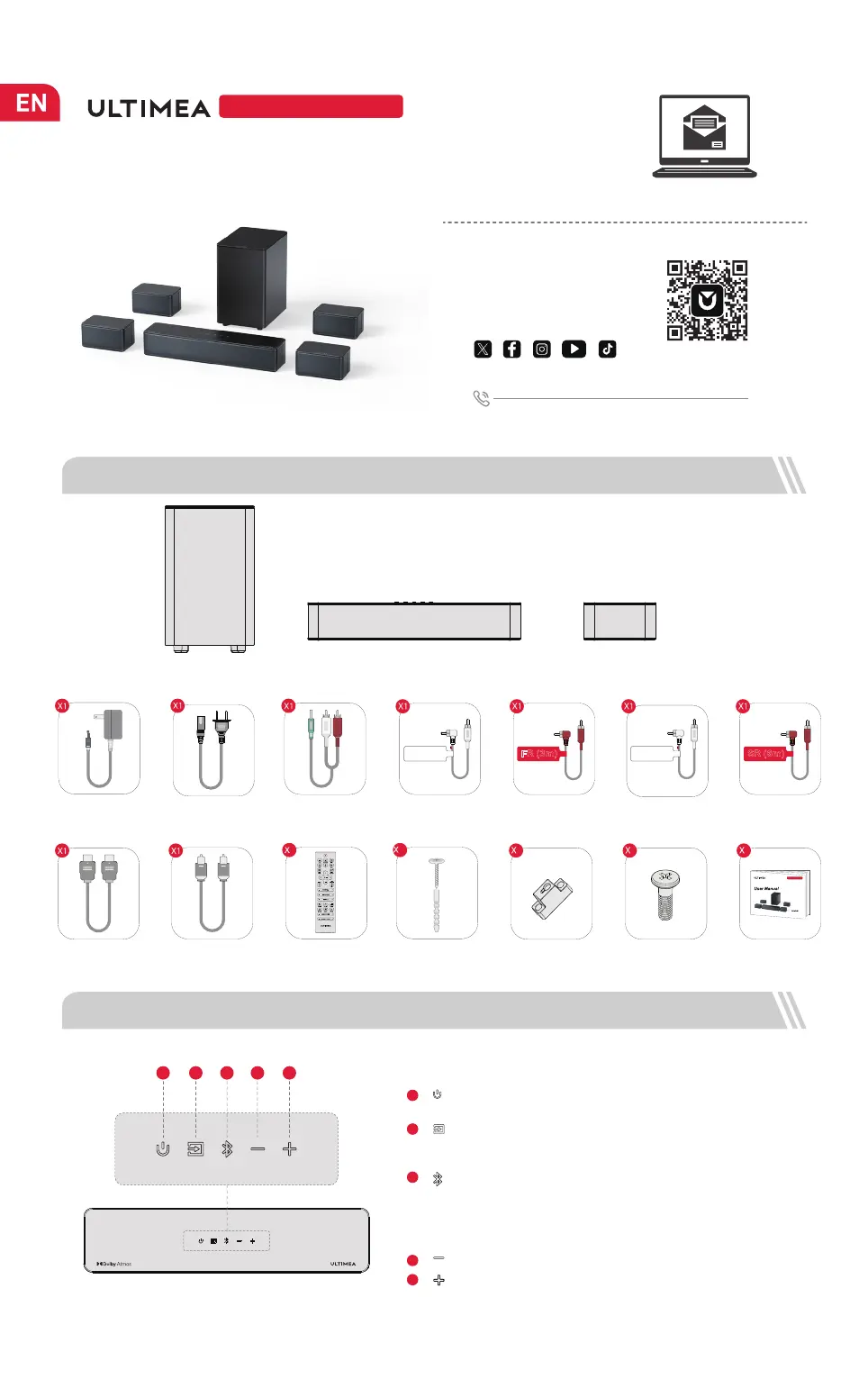
“ ”: Volume Down
1 ACCESSORIES LIST
Soundbar
Control Panel
“ ”: Power Button
Press to power on / off.
1
“ ”: Source
Press to switch channels: eARC-HD IN(HDMI IN)-OPT
(OPTICAL)-BT-AUX-USB.
2
3
“ ”: Bluetooth
“ ”: Volume Up
4
5
2 SOUNDBAR CONTROLS
4321
5
Subwoofer Surround Speaker × 4
Press to switch to BT channel and enter pairing mode.
Hold for 3 seconds to disconnect current device and
choose to connect to a new device manually on your
mobile phone / PC / TV (BT ID: Poseidon D80).
+1 888-598-8875 (US) Mon-Fri 9am-5pm (PST)
+49 89-628-25828 (EU) Mon-Fri 9am-5pm (CET)
Scan code to
download app
WE ARE
READY
TO HELP
support@ultimea.com
You can also search for "ULTIMEA"
on Google Play or Apple Store
to download the app.
@ultimea_official
support.ultimea.com
1
Remote Control
Digital Optical
Cable
Wall Mounted Kit
12
Wall Bracket
6
Mounting Screw
on Speakers
User Manual
Power Adaptor
HDMI Cable
Subwoofer Power
Cable
Stereo 3.5mm to RCA
Audio Cable
Fount Left Surround
Cable (3m)
Fount Right Surround
Cable (3m)
Rear Left Surround
Cable (6m)
Rear Right Surround
Cable (6m)
1
2600
Poseidon D70
6
FR (3m)
FL (3m)
SR (6m)
SL (6m)



 To Next Page