Connections
- 10 -
- 11 -
21 3 4 5 6 7 8 9
Safety
Precautions
Before
You Begin
Guide of
Functions
Guide of
Main Menu
Troubleshooting
Specifications
Multi-Brand
IR Remote
Controller
Hardware
Descriptions
4
Connections
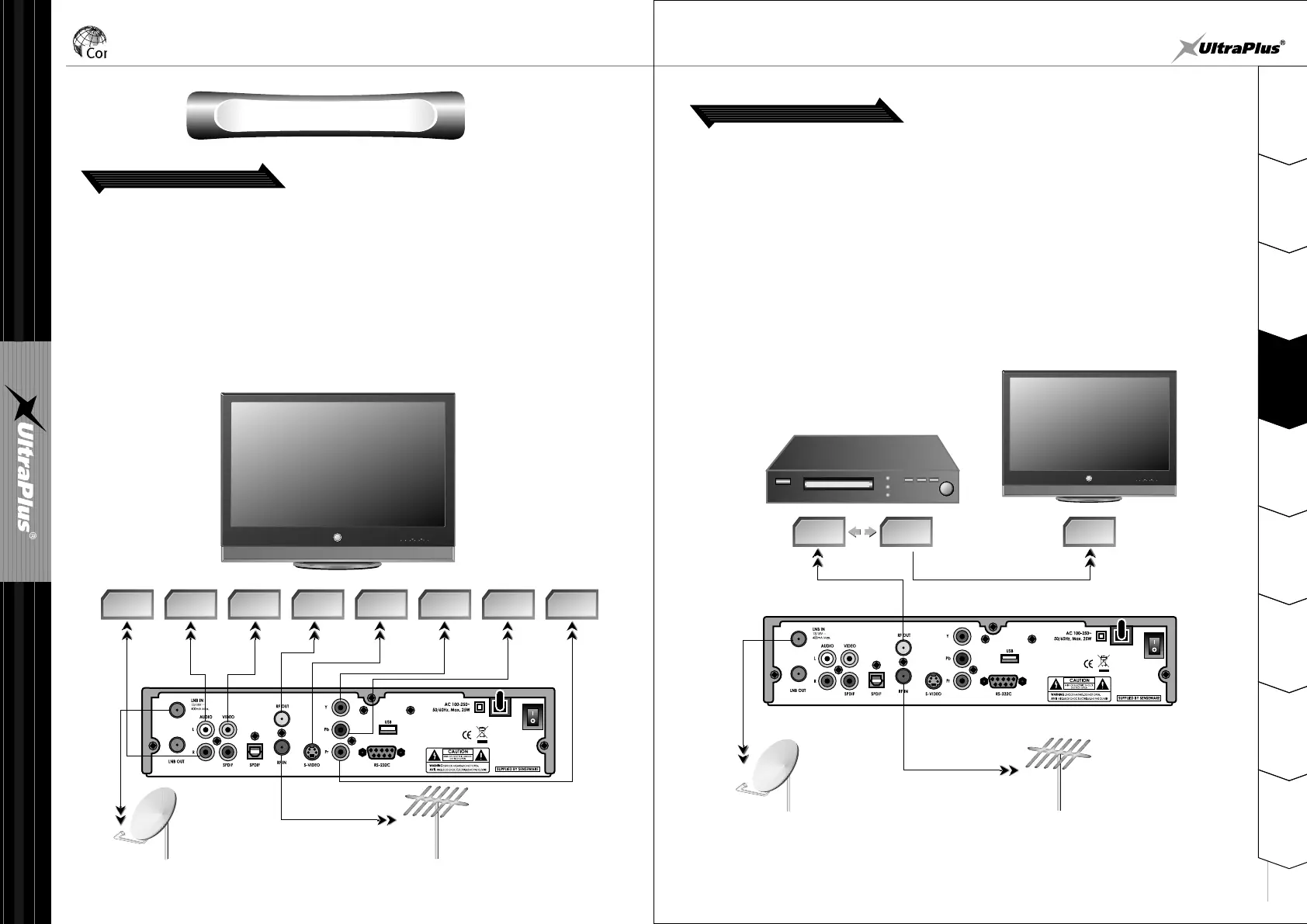
Connections Diagram
1. Receiver to TV with RF
AUDIO
R
VIDEO RF IN
S-
VIDEO
Y Pb Pr
AUDIO
L
SATELLITE DISH
TV ANTENNA
TV
Connect the satellite antenna cable to LNB IN.
Connect the TV antenna to RF IN.
Connect the RF OUT to RF IN of TV.
Connect the VIDEO and AUDIO L, R to VIDEO IN and AUDIO L, R IN of TV.
Connect the S-VIDEO to S-VIDEO IN of TV (If necessary).
Connect the Y, Pb, Pr to Component input(Y, Pb, Pr) of TV (If necessary).
2. Receiver to TV and VCR
RF IN RF IN RF OUT
VCR
TV
SATELLITE DISH
TV ANTENNA
Connect the satellite antenna cable to LNB IN.
Connect the TV antenna to RF IN.
Connect the RF OUT to RF IN of VCR.
Connect RF OUT of VCR to RF IN of TV.
Connect other jacks to the appropriate jacks of TV refer to above section,
1. Connect to TV.


 To Next Page