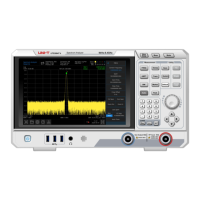
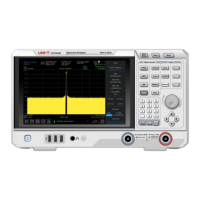
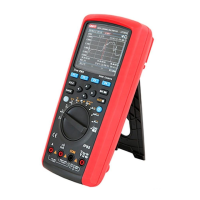
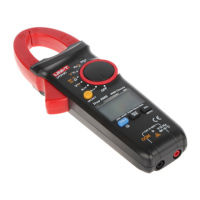
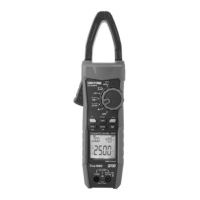
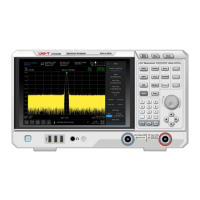
The UNI-T UTS3000B Series Spectrum Analyzer is a sophisticated instrument designed for RF analysis, vector signal analysis, EMI, and analog demodulation, offering a frequency range of 9kHz to 3.6GHz. It features a 10.1-inch multipoint touch screen for intuitive operation and a comprehensive set of functions for signal measurement and analysis.
Function Description:
The spectrum analyzer's primary function is to analyze the frequency spectrum of signals. It allows users to measure and visualize signal characteristics such as frequency, amplitude, and bandwidth. Key measurement functions include:
- Frequency (FREQ): Enables setting the center frequency and accessing the frequency setup menu.
- Amplitude (AMPT): Allows for setting the reference level and accessing the amplitude setup menu.
- Bandwidth (BW): Provides control over resolution bandwidth and visualization proportions.
- Automatic Tuning Control (Auto): Automatically searches for signals and places them at the center of the screen.
- Sweep/Trigger: Configures sweep time, sweep type, trigger type, and demodulation type.
- Trace: Manages trace lines, demodulation modes, and trace line operations. Up to six trace lines can be displayed, each with configurable type (refresh, average, max hold, min hold) and detector type (sampling, peak, normal, average, trace operation).
- Marker: Selects marker numbers, types, attributes, tag functions, and lists, and controls their display.
- Peak: Places a marker at the amplitude peak value of a signal and enables functions related to this marked point.
Advanced measurement capabilities include:
- Measurement Setup: Configures average/hold time, average type, display line, and limiting values.
- Advanced Measurement: Accesses functions for measuring transmitter power, adjacent channel power, occupied bandwidth, and harmonic distortion.
- Mode: Enables advanced measurement modes.
Utility functions include:
- File Store (Save): Allows saving various file types such as state, trace line + state, measurement data, limit, correction, and export.
- System Information: Provides access to system menus and relevant parameters.
- Reset (Default): Resets settings to default.
- Tracking Source (TG): Configures the tracking source output terminal, including signal amplitude and offset. This key illuminates when the trace source output is active.
- Single/Cont: Initiates a single sweep or continuous sweep.
- Touch/Lock: Activates or deactivates the touch screen.
Important Technical Specifications:
- Frequency Range: 9kHz-3.6GHz.
- Input Impedance: 50Ω (N-Female connector).
- Maximum RF Input Power: +30dBm.
- Maximum DC Voltage Input: 50V.
- Tracking Generator Output Impedance: 50Ω.
- Reference Frequency: Can use internal 10MHz source or external 10MHz signal.
- Power Supply: 100-240VAC (Fluctuations±10%) at 50/60Hz, or 100-120VAC (Fluctuations±10%) at 400Hz.
- Operating Temperature: 0°C to +40°C.
- Storage Temperature: -20°C to +70°C.
- Operating Humidity: ≤90% relative humidity below +35°C; ≤60% relative humidity between +35°C and +40°C.
- Altitude: Up to 3000 meters in operation, up to 15000 meters in non-operation.
- Protection Grade: 4KV for contact discharge, 8KV for air discharge.
Usage Features:
- Display Screen: A 10.1-inch touch screen serves as the primary display and input interface.
- Data Controller: Includes a direction key, rotary knob, and numeric keypad for adjusting parameters like center frequency, start frequency, and resolution bandwidth.
- Connectivity:
- RF Input Terminal (RF Input 50Ω): For connecting external input signals.
- Tracking Source (TG SOURCE) (Gen Output 50Ω): Output for the built-in tracking generator.
- Trigger IN: BNC connector for external trigger signals.
- 10MHz Reference Input/Output: For external reference synchronization or outputting internal reference.
- HDMI Interface: For video signal output.
- LAN Interface: TCP/IP port for remote control.
- USB Device Interface: For connecting to a PC for remote control.
- USB Interface: For external USB devices, keyboard, and mouse.
- Headphone Jack: 3.5 mm for analog demodulation signal and warning tones.
- Power Switch: A short press activates the spectrum analyzer; another short press enters standby mode.
- Touch Operation: Supports various gestures including tapping for menu access, sliding for frequency/amplitude adjustment, pinch-to-zoom for sweep width, and cursor control.
- Remote Control: Supports communication via USB and LAN interfaces using SCPI commands for programming and control.
- Help System: Built-in help provides information for each function button and menu control key.
- External Reference Signal: The device automatically detects and uses an external 10MHz clock signal if connected to the "REF IN 10MHz" port.
- Option Activation: Options can be activated by inputting a secret key via USB.
Maintenance Features:
- Calibration: Recommended calibration period is one year, to be performed by qualified personnel.
- Cleaning:
- Use a soft cloth to wipe dust from the instrument's exterior.
- Protect the LCD screen during cleaning.
- The dust screen can be removed for cleaning by unscrewing it.
- Disconnect power before wiping with a damp (not dripping) soft cloth. Avoid abrasive chemical cleaning agents.
- Ensure the instrument is completely dry before use to prevent electrical shorts.
- Ventilation: Ensure adequate ventilation by keeping the rear and side panel vents clear. Regularly clean the instrument housing to prevent dust buildup.
- Electrostatic Protection: Components are sensitive to electrostatic discharge. It is recommended to test in an antistatic area, ground conductors before connecting power, and ensure all instruments are properly grounded.
- Fuse Replacement: Use power fuses of specified specifications (Class T, rated current 5A, rated voltage 250V), to be replaced by authorized maintenance personnel.
- Disassembly: No user-serviceable components inside. Maintenance must be performed by qualified personnel.
- Troubleshooting: The manual provides steps for common issues like blank screens, un-updated spectral lines, and inaccurate measurements. If issues persist, contact UNI-T support.


 To Next Page
 General