EasyManua.ls Logo

Uniden BC 248CLT - User Manual

Uniden BC 248CLT
42 pages
Print Icon
To Next Page IconTo Next Page
Loading...
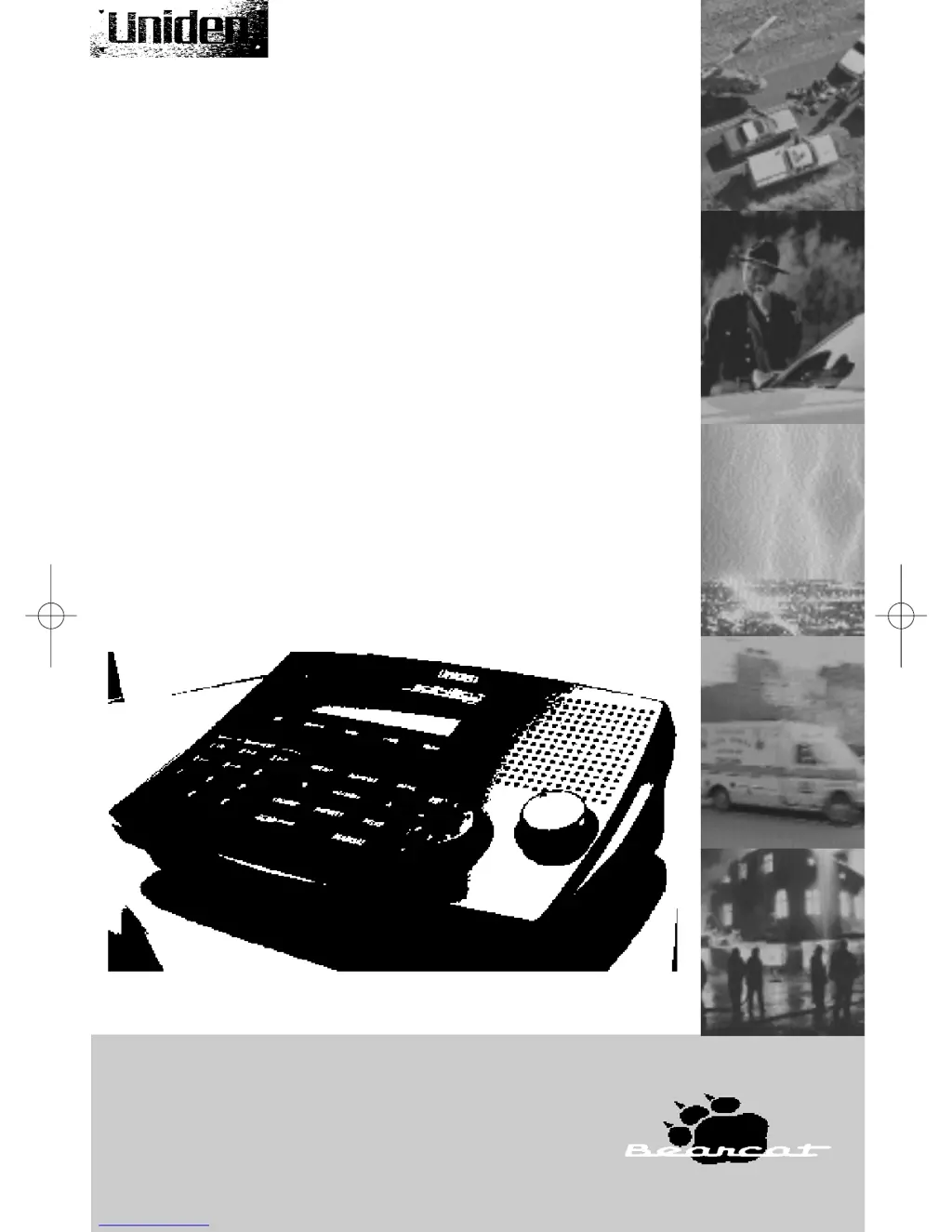
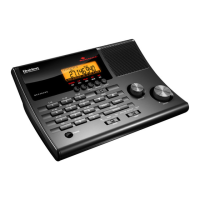
BC 248CLT
• FULLY PROGRAMMABLE
• FULL FREQUENCY LCD READOUT
• ALARM CLOCK
• AM/FM RADIO
• ONE TOUCH WEATHER
• CHANNEL LOCKOUT
• PRIORITY CHANNEL
• SCAN DELAY
• MEMORY BACKUP
• EMERGENCY WEATHER ALERT
10 BAND, 50 CHANNEL SCANNER
Reference Guide
BC248clt.qxd 3/8/00 7:19 PM Page 101

Questions and Answers

  • D
    Daniel VegaJul 30, 2025
    How to fix a Uniden Radar Detector that won’t power up?
    • J
      jeremychristianJul 30, 2025
      If your Uniden Radar Detector isn’t powering up, check the connections at both ends of the AC Adapter. Ensure the wall switch of your room is turned on, as you might be using an outlet controlled by it. Try moving the AC Adapter to another wall outlet.
  • R
    Richard CollinsAug 5, 2025
    What to do if Weather Scan won’t work on my Uniden Radar Detector?
    • C
      cummingsmicheleAug 5, 2025
      If Weather Scan won’t work on your Uniden Radar Detector, adjust squelch to the threshold and check the antenna connection. It is also possible that there are no active stations within range.
  • C
    Courtney RiversAug 10, 2025
    Why is the reception so poor on my Uniden Radar Detector?
    • D
      Dennis AyersAug 11, 2025
      If your Uniden Radar Detector experiences poor reception, first check the antenna connection and try moving the antenna. If the programmed frequency is higher than 406MHz, using a shorter antenna may improve reception. Relocating the scanner might also help. If you are in a fringe area, you might need an optional multi-band antenna.
  • C
    Chad BlakeAug 17, 2025
    What to do if the scan won’t start on my Uniden Radar Detector?
    • W
      weatonAug 17, 2025
      If your Uniden Radar Detector scan won't start, try pressing the SCAN key again. Also, adjust the Squelch control. If 50 channels are locked out, unlock the channels as needed.
  • S
    Summer SavageAug 23, 2025
    Why won’t the scan stop on my Uniden Radar Detector?
    • B
      Billy NixonAug 23, 2025
      If the scan on your Uniden Radar Detector won't stop, adjust the squelch to the threshold. Check the antenna connection. If many channels are locked out, the scanner has less chance of finding an active channel. Review each channel’s frequency to ensure it is correct and no memory has been lost. It is also possible that none of the programmed frequencies are active at this time.

Summary

Precautions

Introduction

About Scanning

Explains what scanning is and how the BC248CLT performs it.

Taking Proper Care of Your Scanner

Provides guidelines for maintaining the scanner's condition and longevity.

Unpacking

Lists the items included in the scanner package and instructions.

Getting Started

Installing the BC248 CLT

Step-by-step guide for connecting the scanner and its accessories.

Operation

Controls and Functions

Details the purpose and operation of each button and display element.

Scanning Overview

Explains how the scanner searches for active frequencies and handles transmissions.

Clock Set-Up

Initial Clock Set-up

Instructions for setting the current time on the scanner.

Using the Scanner

Set the Squelch

Guides users on adjusting the squelch for optimal reception and noise reduction.

Programming Tips for Scanner

Offers advice and strategies for efficient channel programming.

Programming Scanner Frequencies

Step-by-step instructions for entering frequencies into scanner channels.

Deleting a Scanner Frequency

Explains how to remove stored frequencies from channels.

About Memory Back-up

Describes the scanner's ability to retain programmed data during power loss.

Scanning Mode

Details how to initiate and operate the scanner's scanning function.

Bank Scanning

Instructions on how to select specific banks of channels for scanning.

Manual Mode

Explains how to manually step through channels or select a specific one.

Direct Channel Access for Scanner

Guides on how to quickly select and monitor a specific channel.

Priority Scanning

Describes the feature that monitors a priority channel while scanning others.

To Set the Priority Channel

Step-by-step process to designate a channel as the priority channel.

Channel Lockout

Instructions on how to exclude specific channels from the scanning process.

Restore All Locked Out Channel

Explains how to re-enable all previously locked-out channels.

DELAY

Details the delay feature, which pauses scanning after a transmission.

Weather Channel

Instructions for accessing and using the NOAA weather channels.

Weather Alert

Explains how to set up and use the severe weather alert function.

Additional Features

LCD Backlight

Information about the scanner's display backlight behavior.

Programming Radio AM;FM Frequencies

Steps to program AM/FM radio stations into the scanner.

Deleting a Stored Radio Frequency

How to remove programmed radio frequencies.

Direct Channel Access for Radio Stations

Instructions for quickly selecting programmed radio channels.

Reset the Clock Time

Guide on how to adjust or reset the scanner's clock.

Set the Alarm Time

Steps to set the desired alarm time for tone or radio alarms.

Set Alarm to Tone Mode

How to configure the scanner for a tone-based alarm.

Turn the Alarm Off

Instructions for deactivating the alarm function.

Set Alarm to Radio Mode

How to set the scanner to wake up to a radio station.

About the Unit

Helpful Hints

Practical advice for general use, location, cleaning, and repairs.

Troubleshooting

Technical Specifications

One-Year Extended Warranty

Warranty Details

Covers warranty duration, terms, remedies, and legal aspects.

Uniden BC 248CLT Specifications

General IconGeneral
TypeHandheld Scanner
Scan Speed100 channels per second
Battery LifeApproximately 10 hours
Power SupplyAC adapter
FeaturesPriority Scan
ModeFM
Frequency Range25-54 MHz, 108-174 MHz, 406-512 MHz
Bands25-54 MHz, 108-174 MHz, 406-512 MHz, 806-960 MHz, 1240-1300 MHz

Related product manuals