EasyManua.ls Logo

Uniden BCT8 - User Manual

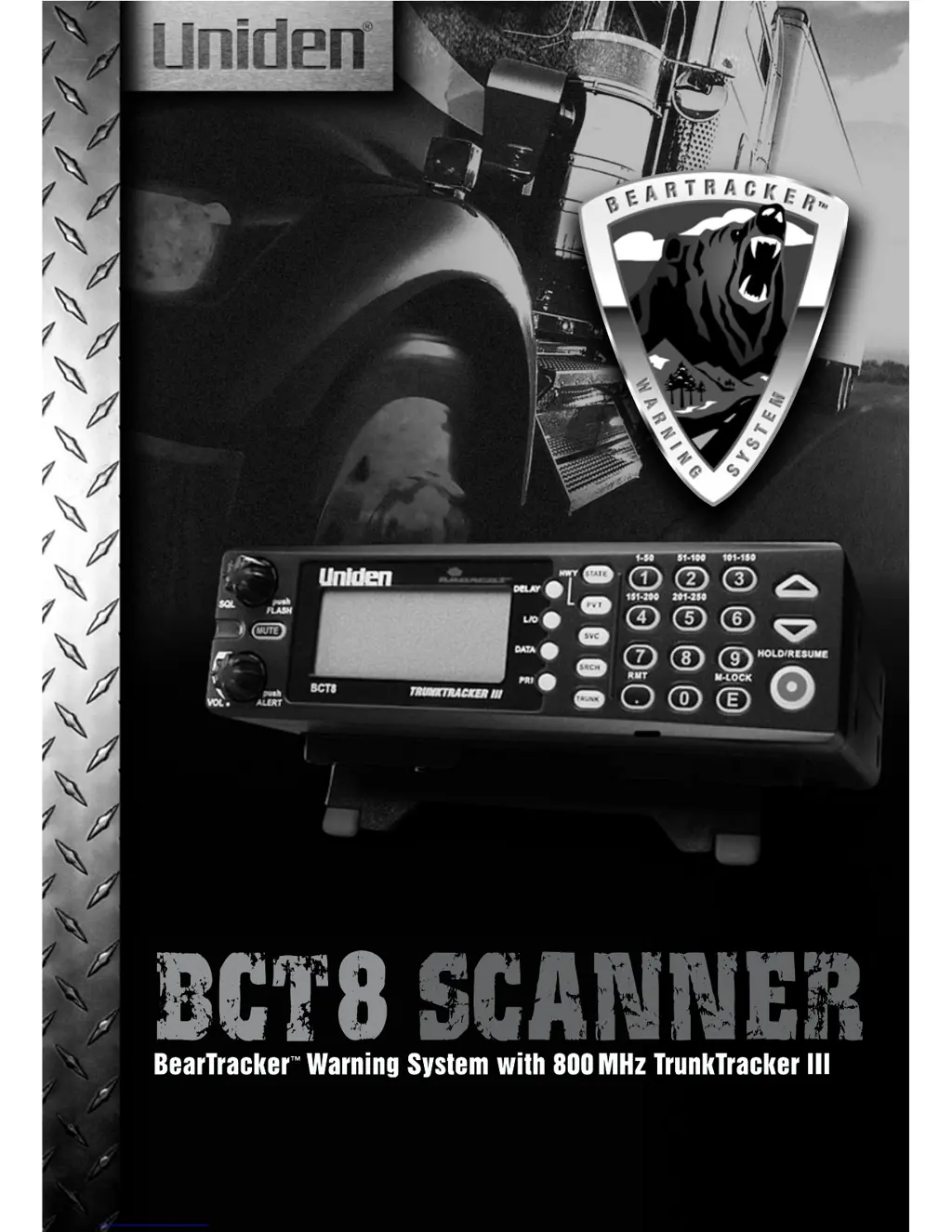
Uniden BCT8
68 pages
Print Icon
To Next Page IconTo Next Page
Loading...

Table of Contents

Other manuals for Uniden BCT8

Questions and Answers

  • J
    James KnoxAug 17, 2025
    Why won't my Uniden BCT8 stop scanning?
    • A
      Amanda RoseAug 17, 2025
      If your Uniden Scanner won't stop scanning, you should adjust the squelch threshold. Check the antenna connection and make sure many of the channels are not Locked Out, as this reduces the chance of finding an active channel. Review each channel's frequency to see if it is still stored in Memory and is correct. It's also possible that none of the programmed frequencies are currently active.
  • D
    Dylan WilliamsAug 20, 2025
    How to improve reception on Uniden BCT8?
    • M
      mnealAug 20, 2025
      If you are experiencing improper reception with your Uniden Scanner, check the antenna connection and try moving the scanner to a different location. If you are in a remote area, you might need an optional multi-band antenna.
  • D
    Deborah OrtizAug 22, 2025
    What to do if Uniden BCT8 Scanner scan won't start?
    • T
      Traci BlairAug 23, 2025
      If your Uniden Scanner scan won't start, press the PVT key again. Adjust the SQL control. Check to see if all channels are Locked Out.
  • N
    nancyloveAug 25, 2025
    Why is my Uniden BCT8 Scanner going by patrol cars and not receiving alarms?
    • T
      Tanya ShafferAug 26, 2025
      If your Uniden Scanner goes by patrol cars and you're not receiving alarms, ensure you are scanning in Highway Mode. Also, check antenna connections. The conditions to activate the alarm are variable and depend on the timing of the dispatcher transmissions and proximity of patrol car to your vehicle. Terrain and other factors may also be involved. An officer has the ability to turn off the mobile extender when off-duty, or when going to court, etc., but will normally leave the extender operating when on traffic duty. If you’re monitoring user-programmed frequencies, switch to one of the preprogrammed frequency banks. Check to see if MUTE and FLASH are both turned off. Some priority frequencies may be locked out.
  • J
    Joseph FlemingAug 27, 2025
    What to do if Uniden BCT8 will not acquire data channel?
    • J
      jacksonrichardAug 27, 2025
      If your Uniden Scanner will not acquire a data channel, you may need to adjust the squelch for Trunking mode. Another possible reason is that you are missing the frequency used for the data channel, so check your frequency list.
  • C
    Corey BarnesAug 30, 2025
    Why is Uniden BCT8 not tracking an EDACS system properly?
    • J
      Joshua AndrewsAug 30, 2025
      If your Uniden Scanner is not tracking an EDACS system properly, the logical channel numbers (frequencies) for the system may not be programmed in the correct order. Check frequency resources and reprogram. Also, ensure that all frequencies for the system are programmed by checking frequency resources.
  • C
    Catherine CarpenterSep 2, 2025
    Why am I missing replies to conversations on my Uniden BCT8?
    • D
      danielgutierrezSep 2, 2025
      If you are missing replies to conversations on your Uniden Scanner, try changing to a Type 1 scanner setup. You can also try another Preset Fleet Map or Program your own Fleet Map. Ensure that all of the system's frequencies have been entered.
  • V
    victoriavelezSep 4, 2025
    Why won't my Uniden Scanner track?
    • J
      Jeffrey FergusonSep 4, 2025
      If your Uniden Scanner won't track, it might be missing the Data Frequency. Try changing to a Type 1 Scanner setup.
  • T
    ttoddSep 6, 2025
    Why are Channel Activity Indicators flashing on Uniden Scanner but no sound is heard?
    • G
      Gregory KleinSep 6, 2025
      If the Channel Activity Indicators are flashing on your Uniden Scanner but no sound is heard, it may be a telephone interconnect call, which are intentionally blocked by your scanner. Also, the ID on your display might not be active.
  • S
    Sean CooperSep 9, 2025
    What to do if Weather Scan won't work on Uniden Scanner?
    • T
      Tiffany JacksonSep 9, 2025
      If your Uniden Scanner's Weather Scan won't work, adjust the squelch threshold. Also, check the antenna.

Summary

Precautions

Feature Highlights

Installing the BCT8

For Home Use (Desktop Installation)

Step-by-step guide for setting up the scanner for home use.

For Mobile Use (In-Car Installation)

Instructions for installing the scanner in a vehicle.

Applying Power for Vehicle Installation

DC power Installation

Specifics on connecting the scanner to a vehicle's DC power source.

Applying Power Using Standard AC Power

Scanning Overview

Turn the Scanner On

Basic steps to power on and initialize the scanner.

Highway Patrol Scanning

Selecting the State

How to choose a specific state for Highway Patrol scanning.

Scanning Highway Patrol Frequency

Steps to initiate scanning of pre-programmed Highway Patrol frequencies.

Trunked Highway Frequency

Private Bank Scanning

Programming Frequencies into Channels

Step-by-step guide to storing frequencies into scanner channels.

Duplicate Frequency Alert

Scanning Private Bank

How to initiate scanning of programmed private channels.

Band Search

Setting a Search Band

How to select a specific frequency range for searching.

Trunk Tracking

Programming Trunking Frequencies

STEP 1: Selecting Trunking System Type

First step to program a trunking system by selecting its type.

STEP 2: Programming Trunking Frequencies

Second step to program the actual frequencies for a trunking system.

Programming Talk Group ID;Scan Lists

Guide to programming talk group IDs and organizing them into scan lists.

Receiving Trunked Systems

ID Scan Mode

How to scan programmed talkgroup IDs within trunked systems.

ID Search Mode

How to search for all active IDs within a trunked system.

ID Lockout

Multi-Track

Multi-Track Operational Details

Explains how the scanner handles multiple trunked systems simultaneously.

EDACS Reception

EDACS Tracking

How TrunkTracker III handles EDACS trunked radio systems.

Programming EDACS System Frequencies

Critical steps for correctly programming EDACS frequencies for tracking.

LTR Reception

LTR Tracking

How the scanner tracks LTR (Logic Trunked Radio) systems.

Motorola Reception

Motorola Tracking

Explains the differences and tracking methods for Motorola Type I and Type II systems.

Fleet Map Programming

Selecting Preset Fleet Map

How to choose from pre-programmed fleet maps for Type I/Hybrid systems.

Programming a User Fleet Map

Steps to create and program custom fleet maps.

Programming a Hybrid System

Setting the Base, Spacing Frequencies and Offset Channel for Motorola VHF;UHF Trunked Systems

Essential parameters for accurately tracking Motorola VHF/UHF trunked systems.

Remote Interface

Care and Maintenance

Troubleshooting

Specifications

One Year Limited Warranty

Uniden BCT8 Specifications

General IconGeneral
Belt clipNo
Weight and Dimensions IconWeight and Dimensions
Weight1360 g
Dimensions (WxDxH)228 x 101 x 330 mm

Related product manuals