Introduction
Welcome
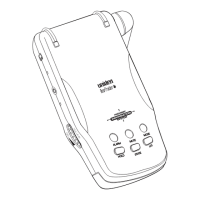
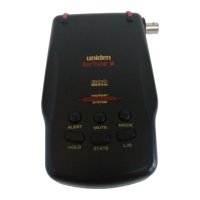
Congratulations on your purchase of the BCT-12 Highway
Information System & Pre-programmed Warning Scanner!
State-of-the-art engineering and advanced electronics provide you
with a pre-programmed information radio designed for easy
operation and dependability.
With the BCT-12 Scanning Radio, you can listen to hundreds of
highway patrol, local police, sheriff’s department, department of
transportation, and news media frequencies as well as NOAA
weather channels.
The frequencies in your BCT-12 have been uniquely selected on a
State-by-State basis to provide you with the highest level of
scanning quality. Plus, new built-in technology sounds an alarm
when a priority channel is detected!
Best of all, you don’t have to program any frequencies. Just set the
BCT-12 for your state, and the scanner will do the rest. Please
read this Operating Guide thoroughly before attempting to operate
the unit.
Features
• Priority Alert • Windshield Mountable
• Local Police Coverage • Instant Weather
• Highway Patrol Coverage • Built-in Speaker
• 9-Level Strength Meter • DOT Coverage
• Weather Alert • News Media Coverage
• Highway Patrol Detection • Pre-programmed Scanner
Covers All 50 States Plus
Canada
Visit our Internet site at http://www.uniden.com.
1
G:...Bct12 pdf.vp
Wed Dec 03 11:27:55 1997
Color profile: Disabled
Composite Default screen


 To Next Page
 General