EasyManua.ls Logo

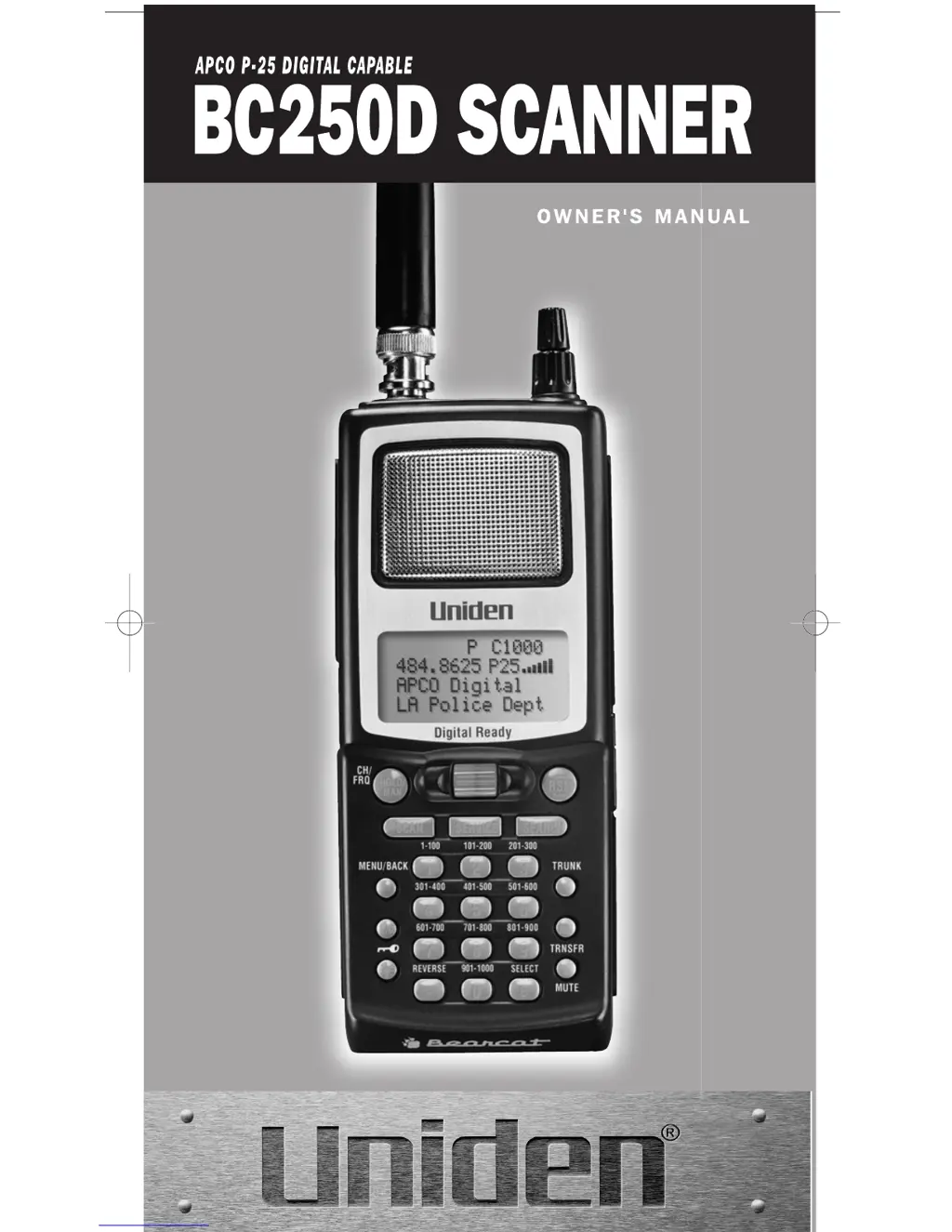
Uniden BC250D - User Manual

Uniden BC250D
110 pages
Print Icon
To Next Page IconTo Next Page
Loading...
BC250D 11/6/2 11:36 AM Page i

Table of Contents

Questions and Answers

Summary

Front View

Terminology

What is Trunk Tracking?

Explains the trunk tracking feature for monitoring radio systems.

What is APCO Project 25 Digital Communications?

Explains APCO Project 25 as a digital voice communication modulation process.

Setup

Installing the Battery Pack

Guides on how to insert and secure the battery pack.

Charging the Battery Pack

Instructions for charging the scanner's battery pack.

Basic Operation

Turn the Scanner On

Steps to power on the scanner.

Setting the Squelch

Procedure for adjusting the squelch control for clear reception.

Understanding the Menu System

Explains how to navigate the scanner's menu system and options.

Programming

Storing Frequencies into Channels

Step-by-step guide to entering frequencies into scanner channels.

Scanning

Scanning Operations

Instructions on how to initiate and control the scanning process.

Priority Scan

Scanner checks priority channels at set intervals.

Searching

Setting a Search Range

Configuring frequency ranges for the scanner to search.

Frequency Skip

Squelch (SQ) Mode

Service Search

Service Search Function

Scanning through preprogrammed service frequencies.

Digital and Trunked Systems Overview

APCO Project 25 Systems

Monitoring digital communication systems using APCO Project 25.

MOTOROLA Systems

Tracking Motorola trunked radio systems (Type I, II, Hybrid).

EDACS Systems

Monitoring EDACS trunked radio systems.

Programming and Receiving Digital and Trunked Systems

STEP 1: Selecting Trunking System Type

Setting the trunking system type (Motorola, EDACS, LTR) for a bank.

STEP 2: Programming Trunking Frequencies

Storing trunked system frequencies into scanner channels.

STEP 3: Programming ID Scan Lists

Creating lists of Talk Group IDs for trunked systems.

Receiving Trunked Systems

Trunked Reception Basics

Overview of methods for monitoring trunked systems.

ID Scan Mode Operations

Scanning programmed lists of talkgroup IDs.

Trunked Search Operations

Immediately start hearing transmissions from a programmed trunked system.

ID Lockout Procedures

Preventing lockout of unwanted traffic in trunked systems.

Setting Priority in Trunking Mode

Setting priority for trunking lists and IDs.

Multi-Track Feature

Tracking multiple systems simultaneously.

EDACS Reception

EDACS Tracking

Following EDACS trunked systems with TrunkTracker III.

Programming EDACS Frequencies

Storing EDACS frequencies in the correct order for tracking.

Motorola Reception

Motorola Tracking

Monitoring Motorola trunked radio systems (Type I/II).

Fleet Map Programming

Setting up fleet maps for Type I/Hybrid Motorola systems.

Base, Spacing, Offset Channel Setup

Entering essential system parameters for Motorola VHF/UHF tracking.

Control Channel Only Mode

Trunking using only control channel data for Motorola systems.

APCO Project 25 Reception

Installing the APCO P-25 Card

Step-by-step guide for installing the optional APCO P-25 card.

Additional Features

Care and Maintenance

Troubleshooting

General Troubleshooting Steps

Steps to resolve common scanner operational issues.

TrunkTracker Mode Troubleshooting

Resolving problems specific to trunk tracking functionality.

Specifications

Summary

Front View

Terminology

What is Trunk Tracking?

Explains the trunk tracking feature for monitoring radio systems.

What is APCO Project 25 Digital Communications?

Explains APCO Project 25 as a digital voice communication modulation process.

Setup

Installing the Battery Pack

Guides on how to insert and secure the battery pack.

Charging the Battery Pack

Instructions for charging the scanner's battery pack.

Basic Operation

Turn the Scanner On

Steps to power on the scanner.

Setting the Squelch

Procedure for adjusting the squelch control for clear reception.

Understanding the Menu System

Explains how to navigate the scanner's menu system and options.

Programming

Storing Frequencies into Channels

Step-by-step guide to entering frequencies into scanner channels.

Scanning

Scanning Operations

Instructions on how to initiate and control the scanning process.

Priority Scan

Scanner checks priority channels at set intervals.

Searching

Setting a Search Range

Configuring frequency ranges for the scanner to search.

Frequency Skip

Squelch (SQ) Mode

Service Search

Service Search Function

Scanning through preprogrammed service frequencies.

Digital and Trunked Systems Overview

APCO Project 25 Systems

Monitoring digital communication systems using APCO Project 25.

MOTOROLA Systems

Tracking Motorola trunked radio systems (Type I, II, Hybrid).

EDACS Systems

Monitoring EDACS trunked radio systems.

Programming and Receiving Digital and Trunked Systems

STEP 1: Selecting Trunking System Type

Setting the trunking system type (Motorola, EDACS, LTR) for a bank.

STEP 2: Programming Trunking Frequencies

Storing trunked system frequencies into scanner channels.

STEP 3: Programming ID Scan Lists

Creating lists of Talk Group IDs for trunked systems.

Receiving Trunked Systems

Trunked Reception Basics

Overview of methods for monitoring trunked systems.

ID Scan Mode Operations

Scanning programmed lists of talkgroup IDs.

Trunked Search Operations

Immediately start hearing transmissions from a programmed trunked system.

ID Lockout Procedures

Preventing lockout of unwanted traffic in trunked systems.

Setting Priority in Trunking Mode

Setting priority for trunking lists and IDs.

Multi-Track Feature

Tracking multiple systems simultaneously.

EDACS Reception

EDACS Tracking

Following EDACS trunked systems with TrunkTracker III.

Programming EDACS Frequencies

Storing EDACS frequencies in the correct order for tracking.

Motorola Reception

Motorola Tracking

Monitoring Motorola trunked radio systems (Type I/II).

Fleet Map Programming

Setting up fleet maps for Type I/Hybrid Motorola systems.

Base, Spacing, Offset Channel Setup

Entering essential system parameters for Motorola VHF/UHF tracking.

Control Channel Only Mode

Trunking using only control channel data for Motorola systems.

APCO Project 25 Reception

Installing the APCO P-25 Card

Step-by-step guide for installing the optional APCO P-25 card.

Additional Features

Care and Maintenance

Troubleshooting

General Troubleshooting Steps

Steps to resolve common scanner operational issues.

TrunkTracker Mode Troubleshooting

Resolving problems specific to trunk tracking functionality.

Specifications

Uniden BC250D Specifications

General IconGeneral
TypeHandheld Scanner
Memory Banks10
Priority ChannelsYes
DisplayLCD
KeypadYes
PC ProgrammableYes
Modulation TypesAM, FM
Power SupplyBattery or AC adapter
BandsVHF, UHF
Power6V DC
Trunking SystemsMotorola, EDACS, LTR

Related product manuals