Need help?
Do you have a question about the Uniden DECT 3236 and is the answer not in the manual?
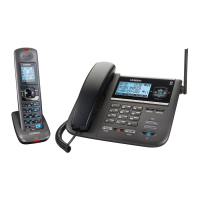
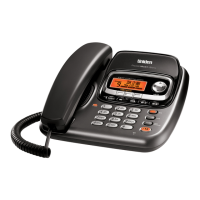
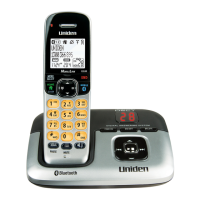
The Uniden DECT 3236 is a cordless telephone system designed for home and office use, offering a range of features for communication and convenience. The system includes a base unit with an answering system and one or more cordless handsets.
The DECT 3236 functions as a digital enhanced cordless telecommunications (DECT) phone system. It allows users to make and receive calls, manage contacts, and utilize an integrated answering machine. A key feature is its MobileLink Bluetooth connectivity, enabling the system to pair with mobile phones. This allows users to make and receive mobile phone calls through the DECT 3236 handsets, effectively integrating mobile communication with the home phone system. The answering system records incoming messages, which can be played back from both the base unit and the handsets. It also includes features like Caller ID, Call Waiting, and a phonebook for storing contacts.
Installation and Setup: The phone system is straightforward to install. This involves unpacking all components, connecting the battery to the handset, plugging the base unit's AC adaptor into a power outlet, and connecting the telephone cord to the TEL LINE jack on the base. The handset needs to be placed in the base to charge. The system supports up to 5 additional handsets (DECT 3236+1 to DECT 3236+5).
MobileLink Bluetooth Connection: This is a standout feature. Users can pair their mobile phones with the DECT 3236 system. Once paired, the DECT 3236 handsets can be used to make and receive calls from the paired mobile phone. The system supports pairing with up to two different Bluetooth phones. Call waiting and transfer features are also available for mobile calls.
Making and Receiving Calls: Calls can be made using the earpiece or speakerphone. To make a call, dial the number and press HOME/FLASH or SPEAKER. To answer a call, press HOME/FLASH or SPEAKER. Calls can be put on hold, transferred, and muted.
Caller ID and Redial Lists: The phone stores the last 50 received calls in the Caller ID list, allowing users to view call information and redial numbers. The redial list stores the last 10 numbers dialed.
Phonebook: The phonebook can store up to 100 entries. Users can add, edit, and delete entries. A unique feature is the ability to download up to 700 names from a paired cellular phonebook via Bluetooth.
Answering System: The integrated answering system records messages when calls are not answered. Users can turn the answering system on or off, set the ring time before the answering system picks up, and record a personal greeting. Messages can be played back, skipped, or deleted from both the base unit and the handsets. The system also features a "Call Screen" function, allowing users to listen to callers leaving a message before deciding to answer.
Special Features:
Customization: Users can personalize various settings, including ringer tones, personal ring settings, auto talk, and banner display on the handset. The date and time can also be set.
Battery Management: The manual provides information on the battery pack, including capacity, talk time, standby time, and expected battery life. It advises users to replace the battery when talk or standby time noticeably reduces. When the battery gets low, the handset beeps and shows a low battery alert, prompting the user to place the handset in the cradle for recharging.
Troubleshooting: The manual includes a comprehensive troubleshooting section for common problems such as inability to make/receive calls, handset not ringing, handset not working, phone keeps ringing, weak/soft audio, noise/static on the line, Caller ID issues, multi-handset problems, and voice mail issues. Possible solutions are provided for each problem, including checking connections, resetting the handset, and contacting customer service.
Resetting Handsets: Instructions are provided for resetting handsets and deregistering them from the base, which can be useful for troubleshooting or replacing a handset. Registering new handsets is also covered.
Cleaning and Care: The manual implicitly advises against liquid damage, stating that if liquid is leaking from any vent or hole, the phone should be turned off and the battery removed. It also recommends drying the phone for at least 3 days if liquid gets inside.
Wall Mounting: The base unit can be wall-mounted using the supplied wall-mount bracket. Detailed instructions are provided for routing the telephone cord, connecting the AC adaptor, and securing the bracket to the wall.
Warranty: Uniden provides a one-year limited warranty against defects in materials and craftsmanship. The warranty covers repairs or replacements for defects under normal use. It does not cover damages caused by misuse, alterations, or unauthorized repairs.

 To Next Page
 General