EasyManua.ls Logo

Uniden TRU9480 Series - User Manual

Uniden TRU9480 Series
88 pages
Print Icon
To Next Page IconTo Next Page
Loading...
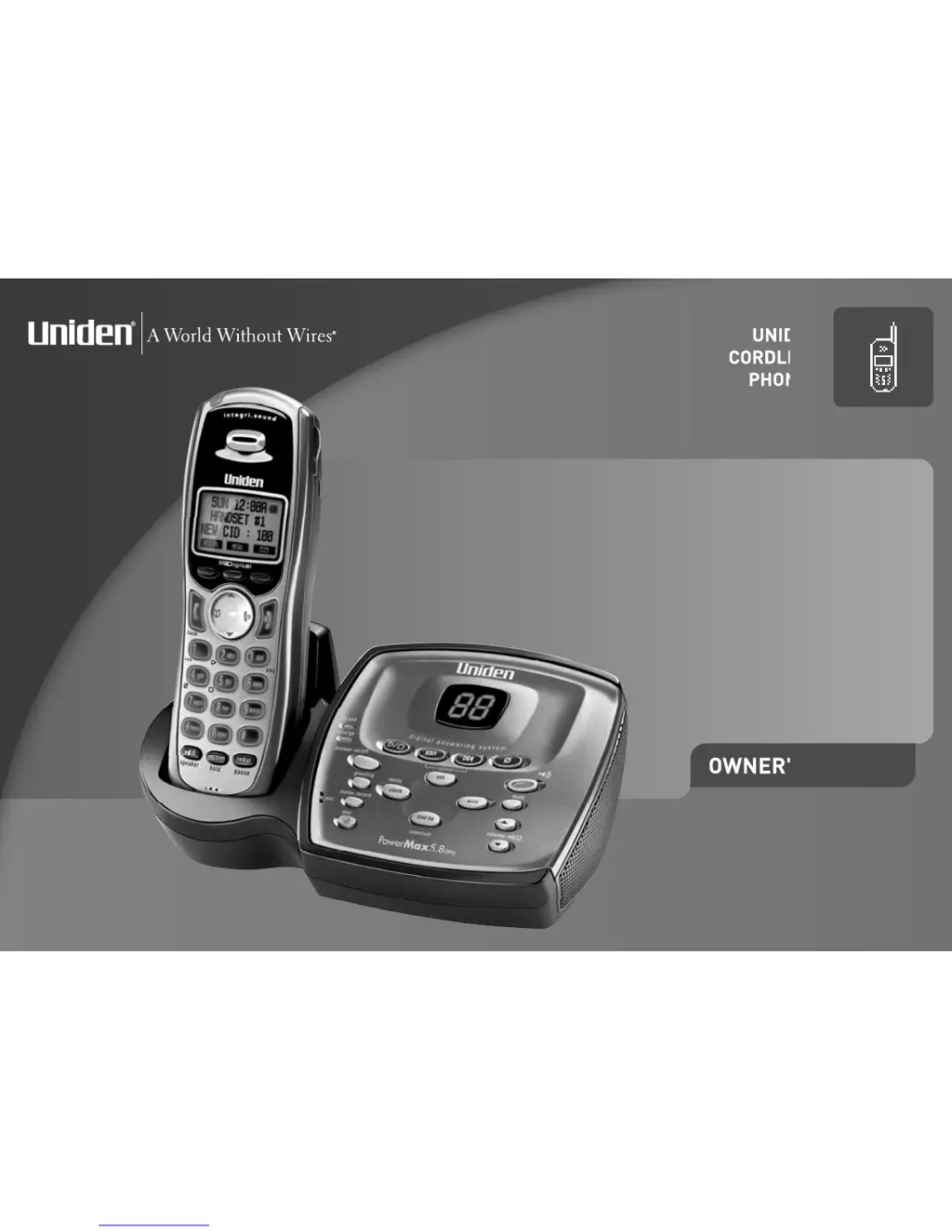
OWNER'S MANUAL
UNIDEN
CORDLESS
PHONES
TRU9480
SERIES

Table of Contents

Questions and Answers

  • B
    Brenda MckenzieAug 18, 2025
    What to do if Uniden Cordless Telephone handset doesn’t ring or receive a page?
    • R
      Rachel LynchAug 18, 2025
      If the handset doesn’t ring or receive a page, make sure that you are not too far from the base. Charge the battery in the handset for at least 15-20 hours by placing the handset on the base or charging cradle. You can also try to change the Digital Security Code.
  • J
    jacksondonaldAug 20, 2025
    Why can't my Uniden Cordless Telephone make or receive calls?
    • W
      wlongAug 20, 2025
      If your Uniden Cordless Telephone can't make or receive calls, ensure you're within the base's range and that the line isn't already in use for an outside call. Check the telephone line cord connections at both ends and verify the AC adapter is correctly plugged into the base and the wall outlet. Try disconnecting and reconnecting the AC adapter. You can also try changing the Digital Security Code.
  • J
    John McdowellAug 23, 2025
    What to do if Uniden TRU9480 messages are incomplete?
    • A
      ablackburnAug 23, 2025
      If messages on your Uniden Cordless Telephone are incomplete, it could be that incoming messages are too long; remind callers to leave brief messages. Alternatively, the memory might be full, so try deleting some or all of the saved messages.
  • D
    Donna BerryAug 26, 2025
    Why won’t the charge LED illuminate on my Uniden TRU9480 Cordless Telephone when the handset is in the cradle?
    • J
      Jose SandovalAug 26, 2025
      If the charge LED doesn’t illuminate when the handset is placed in the cradle, ensure the AC adapter is plugged into the base or charger and the wall outlet. Make sure the handset is properly seated in the cradle and that the charging contacts on the handset are clean.
  • S
    Stephen FreemanAug 27, 2025
    Why can't I register the handset at the base of my Uniden TRU9480 Cordless Telephone?
    • A
      Amy CarneyAug 27, 2025
      If you cannot register the handset at the base, charge the battery pack in the handset for 15-20 hours. You can also try changing the Digital Security Code. Make sure you have not already stored 10 handsets.
  • C
    Christopher GriffinAug 29, 2025
    What to do if Uniden Cordless Telephone handset doesn’t communicate with other handsets?
    • S
      Sarah LloydAug 30, 2025
      If the handset doesn’t communicate with other handsets, try changing the Digital Security Code. Also, make sure that you have registered all handsets.
  • M
    melissa26Sep 1, 2025
    Why doesn't the answering machine on my Uniden Cordless Telephone work?
    • A
      Allen EdwardsSep 1, 2025
      If the answering machine on your Uniden Cordless Telephone isn't working, ensure the base is plugged in and the answering machine is turned on. Also, check that the message record time isn't set to 'Announce only'.
  • J
    James SchultzSep 3, 2025
    Why does the audio sound weak on my Uniden TRU9480?
    • S
      Sarah AllenSep 4, 2025
      If the audio sounds weak on your Uniden Cordless Telephone, move the handset and/or base away from metal objects or appliances and try again. Also, make sure that you are not too far from the base.
  • C
    Crystal MooreSep 6, 2025
    How to fix severe noise interference on Uniden Cordless Telephone?
    • S
      Sarah SmithSep 6, 2025
      To fix severe noise interference on your Uniden Cordless Telephone, keep the handset away from microwave ovens, computers, remote control toys, wireless microphones, alarm systems, intercoms, room monitors, fluorescent lights, and electrical appliances. You can also move to another location or turn off the source of interference.
  • C
    Cheyenne WagnerSep 8, 2025
    Why can’t an extra handset join the conversation on my Uniden TRU9480 Cordless Telephone?
    • K
      Karen CastroSep 8, 2025
      If an extra handset can’t join the conversation, make sure there are not 2 handsets already using the conference feature. Also, make sure that another station is not in privacy mode.

Summary

Product Overview and Manual Terminology

Product Overview

Lists key features of the TRU9480 phone and its answering machine.

TRU9480 Phone Features

Detailed list of features for the phone, including system, phonebook, and intercom.

Answering Machine Features

Lists features of the integrated digital answering machine.

Phone Components

Handset Components

Identifies and labels all parts of the cordless handset.

Answering Machine Base Components

Identifies and labels all parts of the answering machine base unit.

Using the Phone Interface

Installing Your Phone

Choosing the Best Location

Advice on selecting an optimal location for the phone base for reception and range.

Mounting the Base

Instructions for wall mounting the phone base, including direct mounting.

Connecting Power and Phone Line

Steps for connecting the base to power, charging the handset, and connecting the phone line.

Basic Setup

Adding Accessory Handsets

Registering Extra Handsets

Steps to register new handsets to the base unit.

Resetting and Base Unavailable

Resetting the Handsets

Procedures for clearing registration data and resetting handsets.

Setting up the Phonebook

Creating Phonebook Entries

Step-by-step guide to adding new contacts to the phonebook.

Entering Phone Numbers

Instructions for entering contact phone numbers, including pauses.

Managing Phonebook Entries

Phonebook Operations

Customizing Your Phone

Using Your Phone

Using Caller ID and Call Waiting

Redialing and Deleting Numbers

Adjusting Volume Settings

Finding a Lost Handset

Call Management

Advanced Phone Features

Setting up the Answering Machine

Using the Answering Machine Interface

Base Operation

Steps for setting up answering machine features using the base unit.

Handset Operation

Steps for operating the answering machine remotely using the handset.

Answering Machine Settings

Setting Security Code and Time

How to set a PIN for remote access and set the date/time.

Answering Machine Operations

Turning Answering Machine On;Off

Steps to activate or deactivate the answering machine system.

Reviewing and Managing Messages

How to play, repeat, skip, and delete messages.

Remote Answering Machine Operation

Remote Commands

Lists commands and keys for remote operation of the answering machine.

Maintenance and Specifications

Troubleshooting

Resetting the Handset

Procedures for resetting the handset to its default state.

Resetting Handset Without Base

How to reset a handset if the original base is unavailable.

Common Issues

A table listing common problems and their suggested solutions.

Liquid Damage Handling

Precautions and Warnings

General Safety Instructions

General safety instructions for using telephone equipment.

One Year Limited Warranty

Customer Support and Contact

Having Trouble? (Customer Service)

Contact information for customer service for troubleshooting.

Need A Part? (Accessories)

Contact information for ordering accessories and replacement parts.

Help For Customers with Special Needs

Contact information for accessibility assistance.

Uniden TRU9480 Series Specifications

General IconGeneral
Number of Handsets1
Talk TimeUp to 10 hours
Standby TimeUp to 5 days
Caller IDYes
Answering SystemYes
DisplayLCD
SpeakerphoneYes
Call WaitingYes
Answering System Recording Time14 minutes
Headset Jack Size2.5mm
Backlit DisplayYes
Power SourceAC adapter
TypeCordless Phone
Phonebook Capacity50 entries

Related product manuals