EasyManua.ls Logo

Uniden UBC73XLT - User Manual

Uniden UBC73XLT
60 pages
Print Icon
To Next Page IconTo Next Page
Loading...
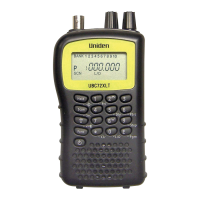
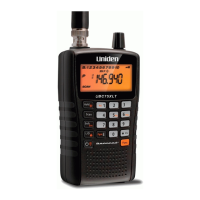
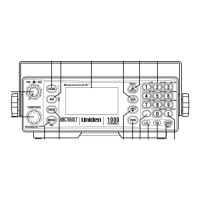
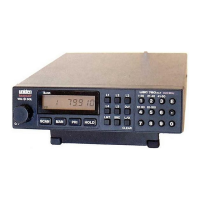
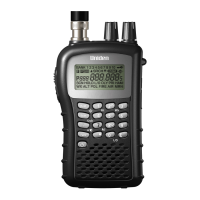
UBC73XLT SCANNER
100 Channels
6 Pre-Programmed Service Banks
with Close Call
RF Capture
For more exciting new products please visit our website:
Australia: www.uniden.com.au
New Zealand: www.uniden.co.nz
UBC73XLT OM.indd 1 23/9/11 1:50:17 PM

Other manuals for Uniden UBC73XLT

Questions and Answers

  • S
    sophia45Jul 30, 2025
    Why my Uniden UBC73XLT Scanner doesn't work?
    • T
      Terrance BerryJul 30, 2025
      Your Uniden Scanner might not be working because it is not receiving power. Check the batteries or ensure the AC adapter is properly connected to both the AC outlet and the scanner itself. Also, if the AC outlet is controlled by a wall switch, make sure the switch is turned on.
  • M
    Madison DominguezAug 5, 2025
    What to do if Uniden UBC73XLT Scanner won't start scanning?
    • L
      Laura RussellAug 5, 2025
      If your Uniden scanner won't start scanning, try the following: * Press the Scan button. * Adjust the squelch threshold. * Ensure that the channels you want to scan are not locked out. * Check the antenna connection.
  • L
    Laura EllisAug 11, 2025
    How to improve Uniden UBC73XLT reception?
    • A
      Amanda RubioAug 11, 2025
      To improve the reception on your Uniden Scanner, try the following: * Check the antenna connection or try moving or repositioning the antenna. * Move the scanner to a different location. * If you are in a remote area, you might need to use an optional multi-band antenna. Check with your dealer or local electronics store.
  • D
    delgadojordanAug 17, 2025
    Why won't my Uniden UBC73XLT Scanner stop scanning?
    • J
      Jason DuncanAug 17, 2025
      If your Uniden Scanner won't stop scanning, it could be due to a few reasons: * The squelch might need adjustment. Adjust the squelch threshold. * The antenna might need adjustment. Check the antenna connection. * One or more channels might be locked out. Make sure the channels you want to scan are not locked out. * The channel’s frequency might not be stored in memory. Make sure the channel’s frequency is stored in the scanner’s memory. * The channel might not be active. Wait for a transmission on the channel.
  • S
    Shelly ParkerAug 22, 2025
    What to do if Uniden UBC73XLT keeps scanning?
    • U
      uscottAug 23, 2025
      If your Uniden Scanner keeps scanning, consider these potential causes: * The antenna may require adjustment; therefore, check the antenna connection. * One or more channels may be locked out; ensure that the channels you intend to scan are not locked out. * The channel’s frequency might not be stored in memory. Make sure the channel’s frequency is stored in the scanner’s memory. * The channel might not be active, so wait for a transmission on the channel.

Summary

Precautions

UBC73 XLT Controls and Display

Introduction

Feature Highlights

Understanding Scanning

Scanning Basics

Explains what scanning and searching are, and conventional scanning concepts.

Radio System Types

Describes simplex and repeater operation in radio communication systems.

Finding Information

Guides users on where to find frequency information, including online resources.

Included With Your Scanner

Setting Up Your Scanner

Using Internal Batteries

Instructions for powering the scanner using internal AA batteries.

Using DC Power

Using AC Power

Connecting the Antenna

Connecting Audio Accessories

Attaching the Belt Clip

About Your Scanner

Scanner Keypad Overview

Detailed explanation of the scanner's keypad functions and layout.

Scanner Display Indicators

Explains the various icons and indicators shown on the scanner's display.

Understanding Banks

Explains the service banks and channel-storage banks for organizing frequencies.

Operation

Initial Setup and Frequency Storage

Steps for turning on the scanner, setting squelch, and storing frequencies.

Scanning and Searching

How to search for active frequencies and scan stored channels.

Manual Channel Monitoring

How to manually select and listen to a specific channel.

Special Features

Close Call RF Capture Technology

How to use the feature to detect and identify nearby radio transmissions.

Search Features

Details on Chain Search, Direct Entry Search, and Search Skip Memory functions.

Channel and Bank Management

Explains Delay, turning banks on/off, locking channels, and priority settings.

Other Device Features

Information on Keylock and Display Backlight functionality.

Troubleshooting

Common Problems and Solutions

Table of issues like no power, poor reception, and scan not stopping with possible causes and suggestions.

Resetting the Scanner

Procedure to reset the scanner if it locks up or malfunctions.

Care and Maintenance

General Care and Usage

Guidelines for keeping the scanner dry, clean, and in good working order.

Maintenance and Issues

Information on repairs, handling "birdies" (undesired signals), and cleaning.

Specifications

Optional Accessories

One Year Limited Warranty

Obtaining Warranty Service

Instructions on how to get warranty service and contact information for Uniden.

Uniden UBC73XLT Specifications

General IconGeneral
BrandUniden
ModelUBC73XLT
CategoryScanner
LanguageEnglish

Related product manuals