EasyManua.ls Logo

Uniden UBC785XLT - User Manual

Uniden UBC785XLT
60 pages
Print Icon
To Next Page IconTo Next Page
Loading...
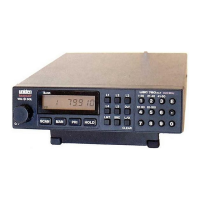
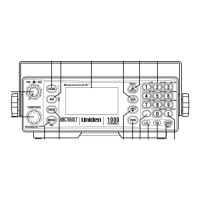
UBC785XLT
SCANNER
1000 Channel
memory State of the art Base station scanner
UB343ZH_UBC785XLT_OM_0628 6/28/06 10:27 AM Page i

Table of Contents

Questions and Answers

  • J
    Joseph NicholsonJul 31, 2025
    What to do if my Uniden UBC785XLT scan won't stop?
    • C
      Christopher JacobsJul 31, 2025
      If your Uniden Scanner scan won't stop, consider the following: 1. Adjust the squelch threshold. 2. Check the antenna connection. 3. Ensure that not too many channels are locked out, as this reduces the scanner's ability to find an active channel. 4. Verify that each channel's frequency is correctly stored in memory. 5. It's possible that none of the programmed frequencies are currently active.
  • S
    Sarah AndersonAug 10, 2025
    Why is my Uniden UBC785XLT Scanner reception improper?
    • G
      griceAug 11, 2025
      If you're experiencing improper reception on your Uniden Scanner: * Check the antenna connection. * Try moving the scanner to a different location. * If you are in a remote area, you might need a multi-band antenna. Check with your dealer or a local electronics store.
  • N
    Nicholas HarrisSep 10, 2025
    What to do if Uniden Scanner scan won't start?
    • C
      cnguyenSep 12, 2025
      If the scan function won't start on your Uniden Scanner: 1. Press the SCAN key again. 2. Adjust the SQUELCH control. 3. Make sure that not all channels are locked out.

Summary

UBC785 XLT SHORTCUTS

Feature Highlights

Setup

Connecting an Antenna

Instructions for connecting the scanner's antenna, including types and cable use.

Mounting the Scanner in Your Vehicle

Step-by-step guide for securely mounting the scanner within a vehicle.

Applying Power for Vehicle Installation

Details on powering the scanner using a vehicle's DC power source or cigarette lighter.

Applying Power Using Standard AC Power

Explains how to power the scanner using the provided AC adapter.

Basic Operation

Understanding the Menu System

Programming

Scanning

Searching

Setting a Search Range

Guides users on setting frequency ranges for effective searching.

Starting Chain Search

Details how to perform continuous scanning across multiple search ranges.

Air Service Search

Remote Interface

Additional Features

Care and Maintenance

Troubleshooting

Specifications

Uniden UBC785XLT Specifications

General IconGeneral
BrandUniden
ModelUBC785XLT
CategoryScanner
LanguageEnglish

Related product manuals