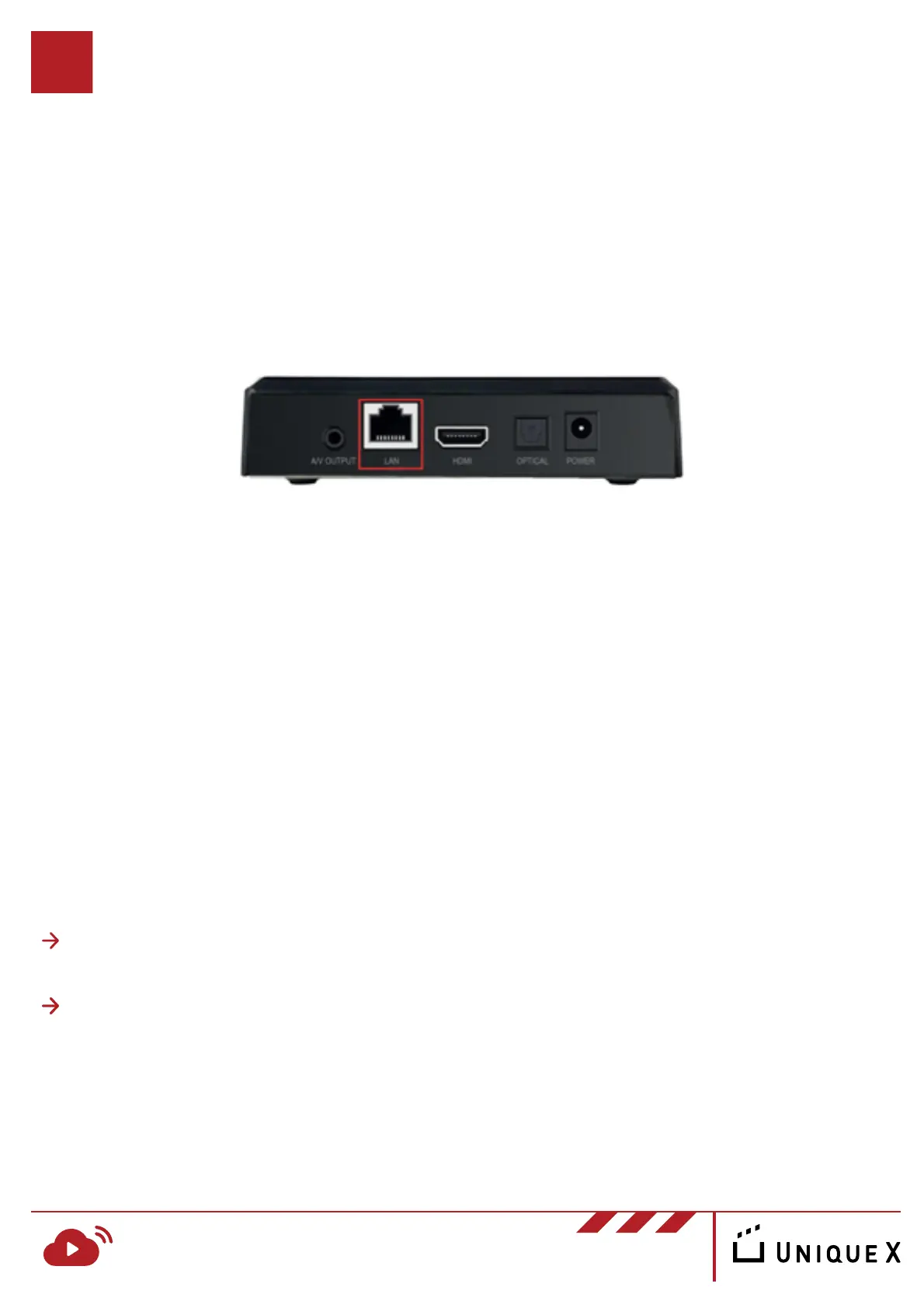
To connect your RosettaLive device to the internet, insert your LAN cable into
the “LAN” port and see below for further instructions.
Note: LAN cable is not supplied with the RosettaLive start-up
package.
There are two different configuration scenarios you may encounter:
If you already have a MovieTransit device installed, it is recommended that you
connect your RosettaLive device to the same network.
MovieTransit System is Already Installed
RosettaLive Installation Guide v.1
www.uniquex.com/rosettalive/
RL
RosettaLive
TM
Broadband Event Streaming
For pre-existing EdgeRouter: connect the ethernet cable directly from the
device into “Port 3” (“eth 3” in the diagram)
For pre-existing SonicWall: connect the ethernet cable from the device to
your ISP router (see technical support section if assistance is required)
Connecting the Device
5


 To Next Page