EasyManua.ls Logo

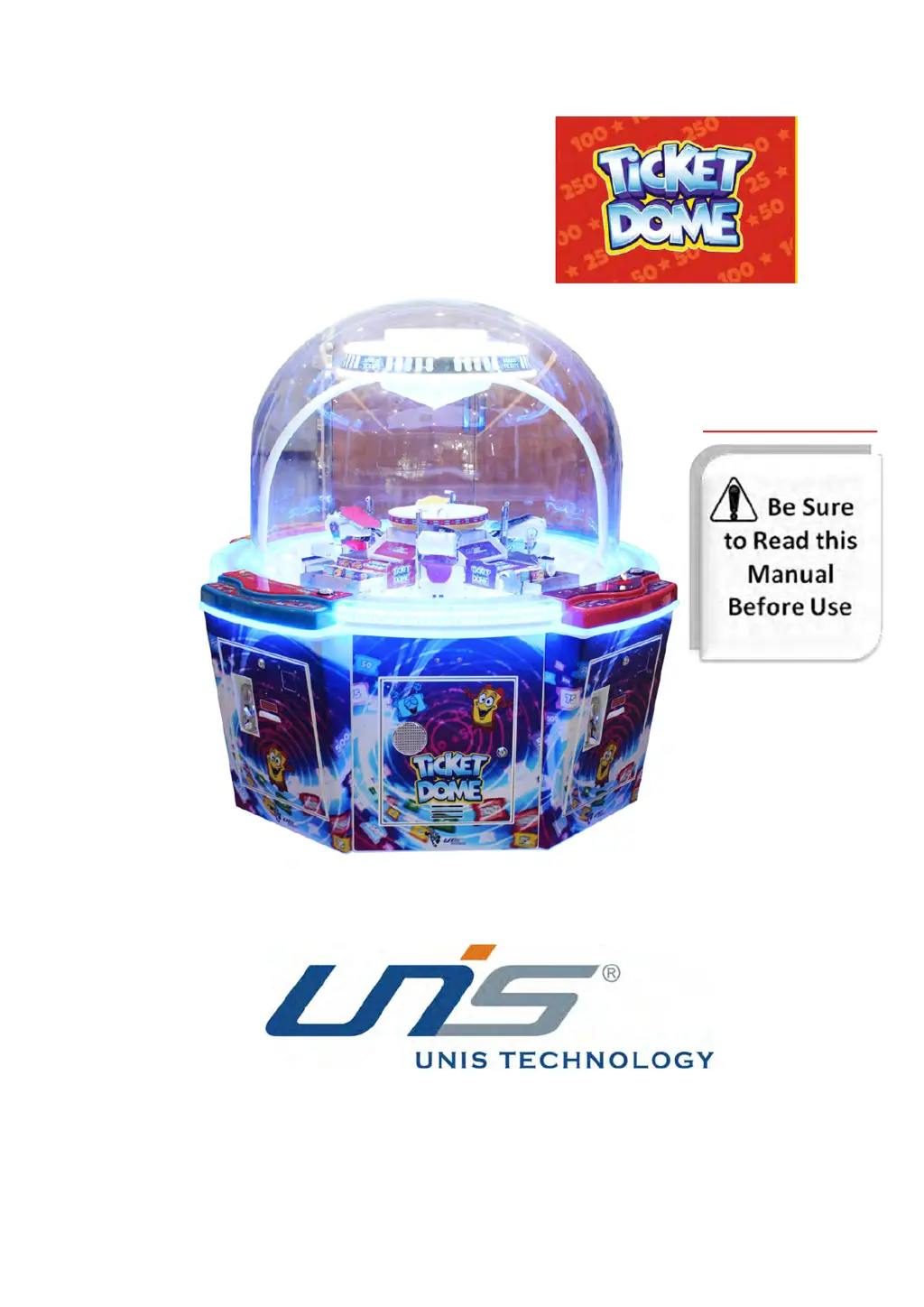
UNIS TICKET DOME - User Manual

UNIS TICKET DOME
41 pages
Print Icon
To Next Page IconTo Next Page
Loading...
Operation Manual
IMPORTANT

Questions and Answers

  • J
    Jordan WatersAug 5, 2025
    Why is there no sound in my UNIS Arcade Game Machines?
    • J
      josephbrendaAug 6, 2025
      The sound might be off due to several reasons. It could be that the volume is set too low, so try raising it. Check if all connectors are properly plugged in. Other potential causes include a faulty PCB, speaker, POT installation error, faulty POT, audio cable issue, or a driver problem. Try reconnecting or changing the audio cable, or restarting the audio driver. If these steps don't resolve the issue, consider replacing the PCB, speaker, or POT.
  • W
    wnunezAug 13, 2025
    What to do if my UNIS Arcade Game Machines power is cutting off?
    • J
      Jared ZimmermanAug 13, 2025
      If the power is cutting off, it might be because the circuit protector has put the power switch in a cutting state. Try turning the power switch on again. If the issue persists, it indicates an anomaly with the machine, and you should contact UNIS Service.
  • C
    chelseasmithAug 21, 2025
    What to do if my UNIS Arcade Game Machines game will not start?
    • C
      Carrie FloydAug 21, 2025
      If the game won't start, a possible cause is a loose frame assembly connector. Ensure it is plugged in tightly. If the problem continues, there might be a frame assembly fault, in which case you should contact UNIS Service.
  • S
    Sean SmithAug 28, 2025
    How to fix UNIS Arcade Game Machines that will not coin up?
    • D
      David MerrittAug 28, 2025
      If the game isn't accepting coins, it could be due to a faulty coin mechanism or missing sample coin; try changing the coin mechanism or sample coin. Also, check if the coin mechanism signal cable is loose. If the IO control board has no signal, you may need to replace the IO board.

Summary

Important Safety Instructions

Hazard Warnings

Details potential dangers like high voltage, high temperature, and shock hazards.

Installation Environment Guidelines

Specifies suitable indoor locations and precautions to prevent damage or malfunction.

Specifications

Contents of the Accessory Kit

Part Name

Key Components Identification

Identifies and labels the main physical parts of the game machine.

Set Up & Installation

Game Transportation

Instructions on how to safely move and transport the game machine.

Level Adjustment

Procedure for ensuring the machine is level on the floor for proper operation.

Play Zone Requirements

Specifies the recommended clear space around the machine for play and maintenance.

Marquee Installation

Step-by-step guide for installing the marquee components onto the machine.

Machine Installation: Connections

Details on connecting internal components like the marquee assembly and RFID reader.

Final Installation Steps

Completing the installation process by tightening screws and connecting final components.

How to Play

Game Option

Troubleshooting

Maintenance & Inspection

Safety Check Procedures

Daily and monthly checks to ensure safe machine operation and component condition.

Handling Precautions

Guidelines for safe installation, inspection, and general handling to prevent injury or damage.

Overall Construction

Electrical Component Identification

Lists and visually identifies various electrical components used in the machine's construction.

Wiring Diagram

FCC Statement

UNIS TICKET DOME Specifications

General IconGeneral
BrandUNIS
ModelTICKET DOME
CategoryArcade Game Machines
LanguageEnglish

Related product manuals