EasyManua.ls Logo

UNIS Ultra Moto VR - User Manual

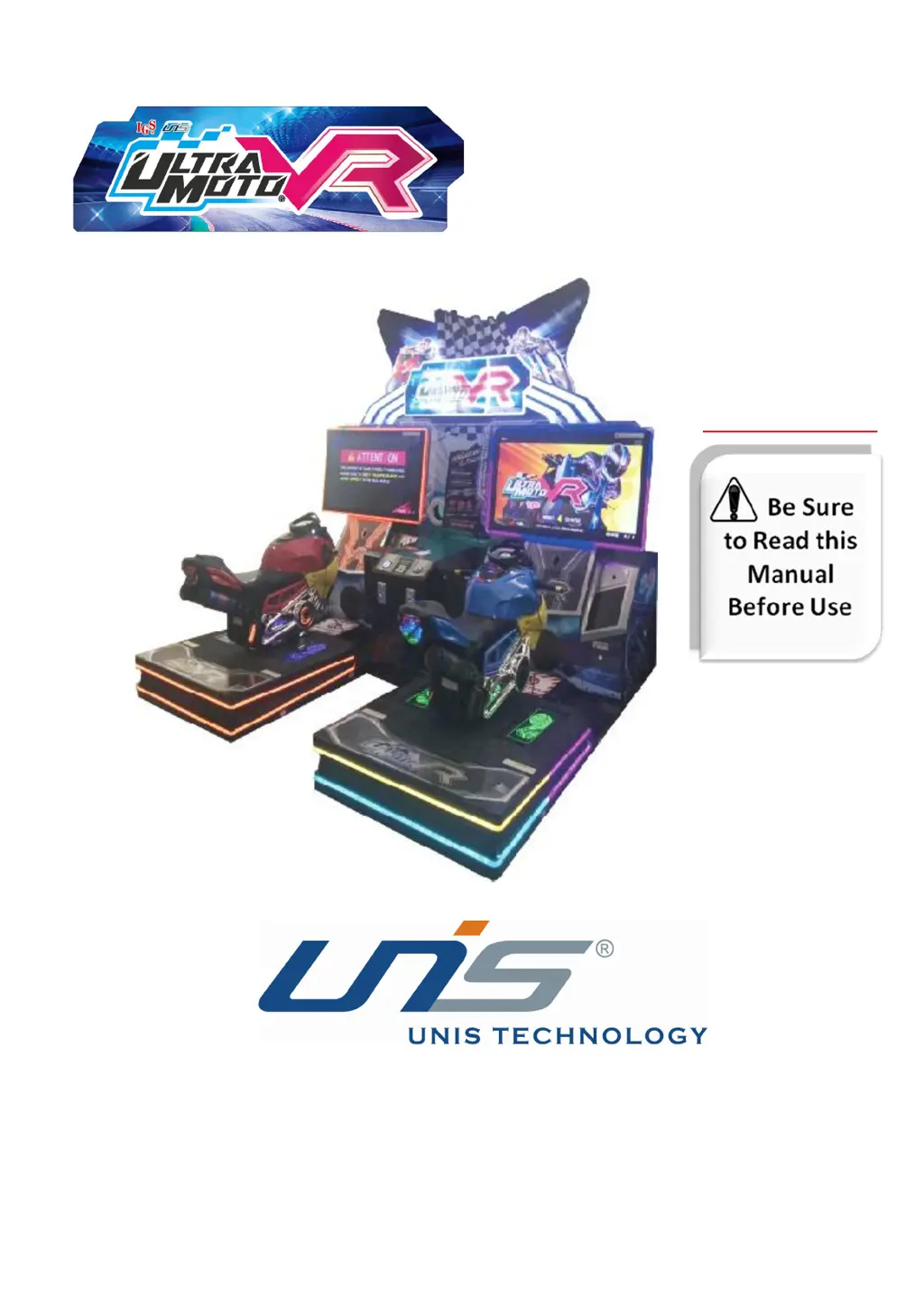
UNIS Ultra Moto VR
99 pages
Print Icon
To Next Page IconTo Next Page
Loading...
IMPORTANT
Operation Manual

Questions and Answers

  • A
    Andrew GreenSep 4, 2025
    What does adjustment error mean on UNIS Ultra Moto VR?
    • S
      Steven WarrenSep 4, 2025
      If your UNIS Arcade Game Machines are showing an adjustment error: 1. Press Test to enter the Main menu and select [System Settings] ?[VR Headset Environment Setting]. 2. Check whether the solenoid valve is faulty. 3. Check whether the height sensor is faulty. This error can be caused by the air compressor power supply being off, the STOP button being on, the air pressure of the air compressor not being at 0.25MPa, or a faulty air compressor cable.
  • T
    torreskarenSep 18, 2025
    What does I/O2-1 error mean on UNIS Arcade Game Machines?
    • A
      adam33Sep 18, 2025
      If your UNIS Arcade Game Machines are showing an I/O2-1 error, check whether the I/O 2-1 board is faulty and check whether the fuse board is faulty.
  • M
    mitchelltonySep 16, 2025
    What does I/O1 error mean on UNIS Arcade Game Machines?
    • J
      Joseph WilliamsSep 16, 2025
      If your UNIS Arcade Game Machines are showing an I/O1 error, check whether the I/O 1 board is faulty and check whether the fuse board is faulty.
  • S
    Steven PayneSep 14, 2025
    What to do if gas, brakes, or tilt axis don't work on UNIS Ultra Moto VR?
    • A
      Alexander BlackwellSep 14, 2025
      If the gas, brakes, or tilt axis function is not working on your UNIS Arcade Game Machines, enter [Main Menu] > [Hardware Test] >[I/O Test] to run the testing. If the testing does not respond, contact your local distributor to replace the corresponding VR.
  • M
    Melanie JacksonSep 12, 2025
    How to turn on the motion platform on UNIS Ultra Moto VR?
    • K
      kathleen35Sep 12, 2025
      If your UNIS Arcade Game Machines display 'MOTION PLATFORM OFF', it means the motion is off. Press the STOP button to enable motion.
  • Y
    yvalenciaSep 12, 2025
    What does AC IS OFF mean on UNIS Arcade Game Machines?
    • A
      amber02Sep 12, 2025
      If your UNIS Arcade Game Machines display 'AC IS OFF', the air compressor power supply is likely off. Check and reconnect any loose cables on the middle cabinet. If you still don't hear a jet sound when powering on the machine, replace the air compressor power supply.
  • T
    Thomas TorresSep 9, 2025
    How to resolve ID conflict error on UNIS Ultra Moto VR?
    • D
      Denise GraySep 9, 2025
      If your UNIS Arcade Game Machines are showing an ID conflict, it means that two machines have the same ID number. To resolve this, press Test to enter the Main menu and select [System Settings] ?[Connection Settings].
  • R
    Regina CareySep 7, 2025
    What to do if there is an electric jack error on UNIS Ultra Moto VR Arcade Game Machines?
    • V
      Vincent DunnSep 7, 2025
      If your UNIS Arcade Game Machines are showing an electric jack error: 1. Press Test to enter the Main menu and select [System Settings]?[Electric Jack Settings]. 2. Check whether the jack mechanism is on the right position. This error may be caused by a wrong jack position or a faulty jack mechanism.
  • N
    ngoodwinSep 6, 2025
    What does platform error mean on UNIS Ultra Moto VR?
    • B
      brittanyroblesSep 6, 2025
      If your UNIS Arcade Game Machines are displaying a platform error, check whether the height sensor is faulty. This error can be caused by the air compressor power supply being off, the STOP button being on, the air pressure of the air compressor not being at 0.25MPa, or a faulty air compressor cable.
  • B
    balljoseAug 21, 2025
    How to troubleshoot no sound on UNIS Ultra Moto VR Arcade Game Machines?
    • L
      Lisa AllenAug 21, 2025
      If there is no sound coming from your UNIS Arcade Game Machines, there could be several reasons. First, ensure that the volume isn't set too low. Next, check all connectors to make sure they are properly connected. It may also be a speaker, POT, or audio cable fault. In this case, check the speaker and POT, reconnect the audio cable, or replace it. A PC crash or audio driver problem can also cause this. Try restarting the system or audio driver.

Summary

Operation Manual

Important Safety Instructions

Essential safety guidelines for operating the game machine to prevent hazards.

Specifications

Technical details including dimensions, power, weight, and model numbers.

Contents of the Accessory Kit

List of all included accessories with part numbers and quantities.

Part Name

Identification of key components of the game machine.

Set Up & Installation

Transporting the Game

Guidelines for safely moving the game machine during setup.

Level Adjustment

Procedure for ensuring the machine is level for proper operation.

Play Zone

Recommended space required around the game for play and maintenance.

Machine Installation

Step-by-step instructions for assembling the machine components.

How to Play

Game Option

Adjustment Button Instruction

Explanation of the buttons used to navigate the game's settings menu.

Setting Menu

Overview of the various test and configuration menus available for the game.

Troubleshooting

Common Problem

A table listing common symptoms, their possible causes, and recommended solutions.

Error Code and Solution

Specific error codes encountered and the procedures to resolve them.

System Recovery Operation

Maintenance & Inspection

Safety Check

Daily and monthly checks to ensure safe and proper machine operation.

Monitor Replacement Instruction

Step-by-step guide for replacing the machine's monitor.

Software Installation Instruction

Detailed instructions for installing game software and decompressing files.

VR Headset Calibration Instruction

Procedures for calibrating the VR headset for optimal performance.

Overall Construction

General Assembly

Overview of the main parts and their general assembly configuration.

Monitor Assembly

Detailed breakdown of the monitor component and its parts.

1 P Bottom Cabinet

List and diagram of parts for the 1P bottom cabinet.

Air Compressor Cabinet

List and diagram of parts for the air compressor cabinet.

Air Compressor Instruction

Product Specifications

Technical specifications for different air compressor models.

Malfunction Analysis And Preserve

Guide to diagnosing and resolving common air compressor malfunctions.

Wiring Diagram

UNIS Ultra Moto VR Specifications

General IconGeneral
BrandUNIS
ModelUltra Moto VR
CategoryArcade Game Machines
LanguageEnglish

Related product manuals