EasyManua.ls Logo

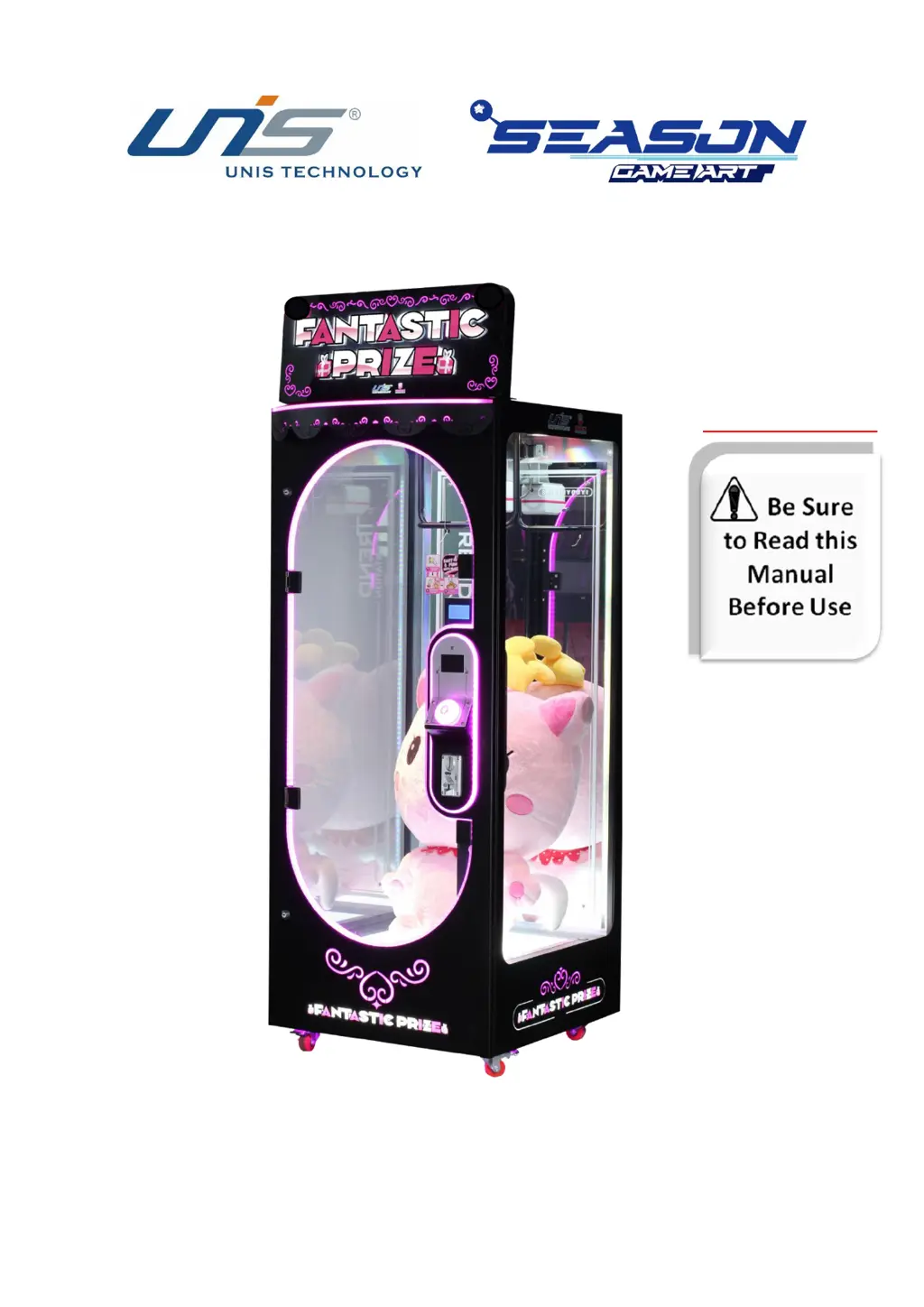
UNIS Fantastic Prize - User Manual

UNIS Fantastic Prize
34 pages
Print Icon
To Next Page IconTo Next Page
Loading...
Operation Manual
IMPORTANT

Other manuals for UNIS Fantastic Prize

Questions and Answers

  • W
    William WalkerSep 18, 2025
    What to do if the prize door on UNIS Fantastic Prize Arcade Game Machines won’t open?
    • T
      Tiffany SandersSep 22, 2025
      If the prize door on your UNIS Arcade Game Machine won’t open, it could be due to a faulty door lock, the door holder being stuck, or the door being stuck with the cabinet frame. You may need to replace the door lock or remove the door holder. If the door is stuck with the cabinet frame, use the key to open it.
  • S
    stephanieburkeAug 25, 2025
    What to do if my UNIS Fantastic Prize Arcade Game Machines power off?
    • B
      bhurleyAug 25, 2025
      If your UNIS Arcade Game Machines power off, it could be due to the circuit protector switching the power off. Try turning the power switch back on. However, if this happens repeatedly, it indicates an anomaly with the machine.
  • B
    brandonmillerAug 25, 2025
    How to fix UNIS Arcade Game Machines when game will not start?
    • C
      cooperstaceyAug 26, 2025
      If your UNIS Arcade Game Machines game will not start, it could be due to a loose frame assembly connector. Check the connector to ensure it is properly connected.
  • C
    crystal83Aug 27, 2025
    What to do if the card reader is not working on UNIS Arcade Game Machines?
    • E
      Elizabeth GonzalesAug 27, 2025
      If the card reader on your UNIS Arcade Game Machines is not working, the connector might be loose. Check the connector.
  • S
    scharlesSep 23, 2025
    What does 'E2 No Prize Hanging' mean on UNIS Fantastic Prize Arcade Game Machines?
    • T
      Todd MorrisSep 23, 2025
      If your UNIS Arcade Game Machine displays 'E2 No Prize Hanging', it indicates that there is no prize on the cabinet, the prize is too light, or the hook sensor is faulty. Add a prize to the cabinet, ensure the prize weight is over 0.5kg, or replace the hook sensor.
  • T
    Tiffany DouglasSep 23, 2025
    What does 'E1 Coin Error' mean on UNIS Fantastic Prize Arcade Game Machines?
    • V
      vjohnsonSep 23, 2025
      If your UNIS Arcade Game Machine displays 'E1 Coin Error', it means the coin mechanism signal is faulty or the coin mechanism itself is faulty. Turn the NO/NC switch to the NO position. If the problem persists, replace the coin mechanism.
  • E
    emooreSep 10, 2025
    What to do if UNIS Fantastic Prize Arcade Game Machines shows '2 Door is Open'?
    • J
      Jason GordonSep 12, 2025
      If you are getting a '2 Door is Open' error on your UNIS Arcade Game Machines, ensure that the prize door is completely closed. If the problem persists, the prize door lock may be faulty and needs to be replaced.
  • D
    Daniel BurnettSep 12, 2025
    Why does my UNIS Arcade Game Machines show '7 No present'?
    • M
      Marvin RoweSep 12, 2025
      If your UNIS Arcade Game Machines displays a '7 No present' error, ensure there is a prize inside the cabinet and that it weighs over 0.5kg. If the issue remains, the hook sensor may be faulty and require replacement.
  • M
    michaelwoodwardSep 3, 2025
    What to do if UNIS Fantastic Prize Arcade Game Machines game will not start?
    • G
      ggreeneSep 4, 2025
      If the game won't start on your UNIS Arcade Game Machines, check if the frame assembly connector is loose and ensure it is properly connected. If the frame assembly is faulty, contact UNIS Service.
  • A
    Amanda WilliamsSep 1, 2025
    What does 'E1 Coin Error' mean on UNIS Fantastic Prize, and how can I fix it?
    • S
      Samantha HoltSep 1, 2025
      The 'E1 Coin Error' on UNIS Arcade Game Machines indicates that the coin mechanism signal is faulty. Turn the NO/NC switch to the NO position. If the issue persists, the coin mechanism itself might be faulty, and you should replace it.

Summary

Support and Service Information

Important Safety Instructions

Safety Hazards and Precautions

Details hazards like high voltage, temperature, and shock with safety guidelines.

Machine Specifications

Key Machine Specifications

Details machine's power supply, consumption, and physical dimensions.

Accessory Kit Contents

Accessory List and Quantities

Lists all included accessories with their respective part numbers and quantities.

Component Identification

Key Components Identification

Diagram showing main parts like marquee, scissor, button, and coin mechanism.

Setup and Installation Guide

Transporting and Leveling Guidelines

Procedures for safely moving and leveling the game machine.

Machine Installation Steps

Step-by-step guide for installing the marquee and main components.

Operation and Location Guidelines

Initial Power On and Parameter Settings

Guide for first-time power-up and basic parameter configuration.

Prize Hanging Procedure

Prize Hanging Steps

Detailed steps for correctly attaching prizes to the hook using string.

How to Play the Game

Game Play Sequence

Step-by-step instructions for operating the game as a player.

Game Configuration and Options

Keyboard and Menu Navigation

Explanation of the control panel keyboard and accessing game settings.

Setup Parameters

Details on configuring basic and advanced game settings like coin/game and free play.

System Test and Information

Procedures for testing machine functions and viewing system details.

Troubleshooting Common Issues

Common Problems and Solutions

Table of common issues, causes, and recommended fixes.

Error Codes and Resolutions

Guide to interpreting display error signs and their solutions.

System Update Procedure

Maintenance and Inspection Guide

Safety Checks and Handling Precautions

Guidelines for daily safety checks and careful handling during maintenance.

Prize Supplement and Motor Testing

Instructions for refilling prizes and testing the scissor motor.

Scissors Calibration Procedure

Steps for calibrating the scissor mechanism for optimal prize retrieval.

Front Door Glass Replacement

Steps for safely removing and replacing the front glass panel.

Overall Machine Construction

General Assembly and Parts List

Diagram showing the machine's overall assembly and a list of all parts.

Decal Information

Decal Identification and Placement

Visual guide to various decals and their locations on the machine.

Electrical Components

Electrical Component Identification

Images and list of various electrical parts within the machine.

Linking Instructions

Linking and Single Machine Setup

Procedures for linking multiple machines or configuring a single unit.

UNIS Fantastic Prize Specifications

General IconGeneral
BrandUNIS
ModelFantastic Prize
CategoryArcade Game Machines
LanguageEnglish

Related product manuals