EasyManua.ls Logo

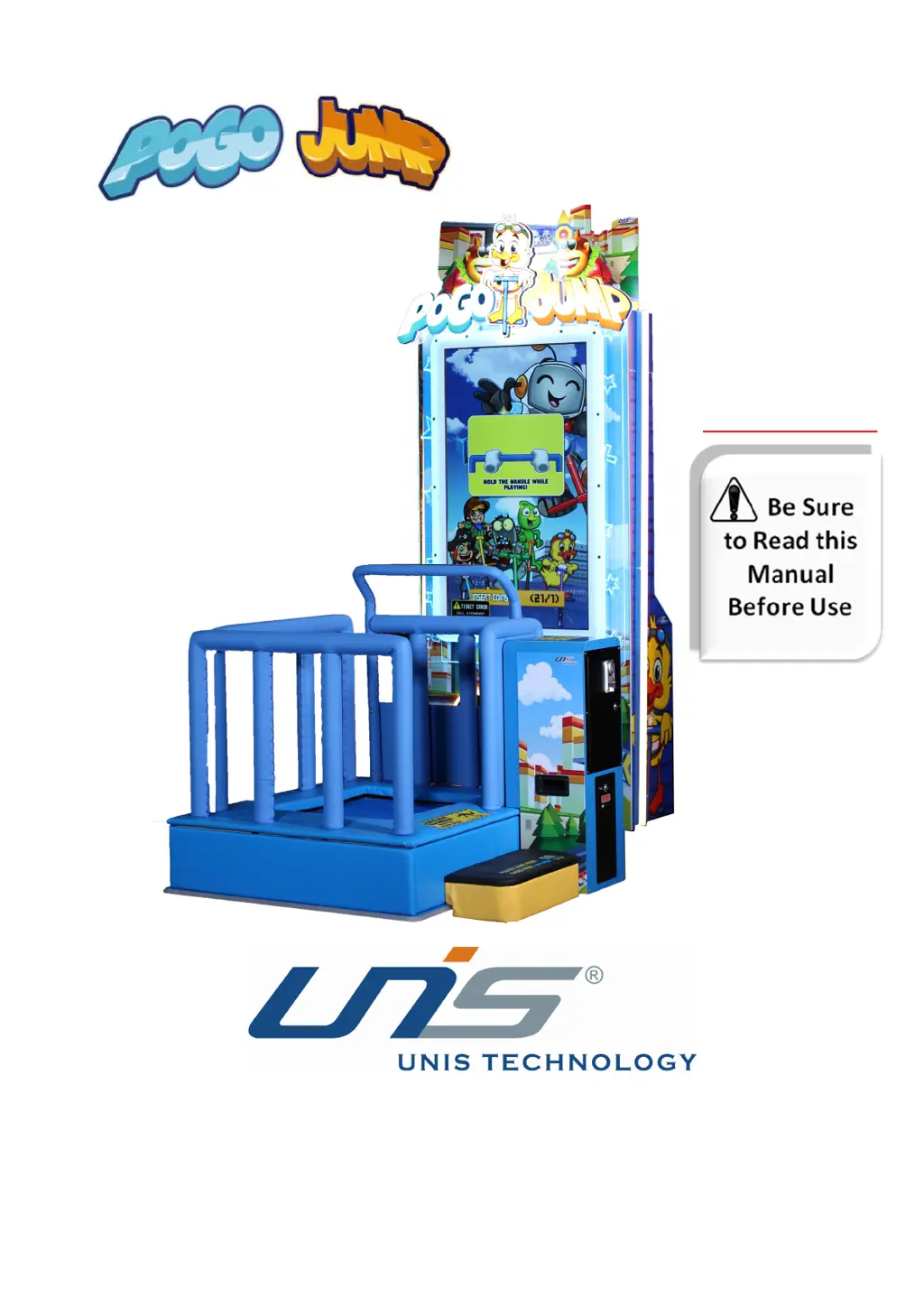
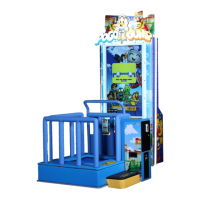
UNIS POGO JUMP - User Manual

UNIS POGO JUMP
25 pages
Print Icon
To Next Page IconTo Next Page
Loading...
Operation Manual
IMPORTANT

Questions and Answers

  • S
    Samantha GibsonSep 23, 2025
    What to do if 2 UNIS POGO JUMP ID number are the same?
    • I
      iwebbSep 23, 2025
      If two UNIS Arcade Game Machines have the same ID number, enter the Main menu, select [Customized Setting] ?[Cabinet number], and change the machine ID number. Ensure each machine has a unique ID.
  • B
    Billy MedinaAug 23, 2025
    What to do if UNIS Arcade Game Machines power is off?
    • C
      Carla EvansAug 23, 2025
      If the UNIS Arcade Game Machines power is off, it could be that the circuit protector has set the power switch to the off state. Try turning the power switch on again. If this happens repeatedly, it indicates a problem with the machine, and you should contact UNIS Service.
  • D
    Daniel NguyenAug 25, 2025
    What to do if UNIS Arcade Game Machines display a black screen?
    • J
      James KnightAug 26, 2025
      If the UNIS Arcade Game Machines display a black screen, ensure the connector is plugged in tightly. If the issue persists, the display might be faulty. Use another source, such as a PC, to verify if the display is operational.
  • J
    Jay BryanAug 26, 2025
    What to do if UNIS POGO JUMP Arcade Game Machines are not dispensing tickets?
    • J
      Jordan WilsonAug 27, 2025
      If your UNIS Arcade Game Machines are not dispensing tickets: * Check if it is out of tickets. If so, add tickets and press the reset button. * There may be a ticket jam. Remove the jammed tickets and press the reset button. * A connector may be loose. Ensure the connector is plugged in tightly.
  • W
    Willie DavisAug 27, 2025
    What to do if UNIS POGO JUMP game will not start?
    • A
      Alicia MartinAug 28, 2025
      If the UNIS Arcade Game Machines game will not start, check the frame assembly connector to ensure it is not loose. If the frame assembly is faulty, contact UNIS Service.
  • E
    elizabethgarciaSep 18, 2025
    What to do if UNIS POGO JUMP Arcade Game Machines have a network error in linking mode?
    • B
      Bruce StevensonSep 18, 2025
      If the UNIS Arcade Game Machines experience a network error in linking mode, reset the game or reset the machine.
  • E
    Elizabeth AguirreSep 15, 2025
    What to do if UNIS Arcade Game Machines PC number is incorrect?
    • A
      Amanda MasseySep 15, 2025
      If the UNIS Arcade Game Machines PC number is incorrect, enter the setting menu to set the correct number.
  • H
    hobbsstevenSep 16, 2025
    What to do if there is a switch or router problem with UNIS Arcade Game Machines?
    • M
      Mary CruzSep 17, 2025
      If there is a switch or router problem with UNIS Arcade Game Machines, check if the switch and router are working normally, and check the ports. If the problem persists, change the switch and router.
  • F
    fsuttonSep 6, 2025
    What to do if the cable became loose during transportation of UNIS Arcade Game Machines?
    • D
      Donna ThompsonSep 7, 2025
      If the cable became loose during transportation of UNIS Arcade Game Machines, check and reconnect the loose cables of the PC or IO board.
  • K
    Kenneth MorrisSep 4, 2025
    What to do if UNIS Arcade Game Machines are out of tickets?
    • A
      Amanda MorrisSep 4, 2025
      If the UNIS Arcade Game Machines are out of tickets, refill the ticket.

Summary

IMPORTANT SAFETY INSTRUCTIONS

1. SPECIFICATIONS

2. CONTENTS OF THE ACCESSORY KIT

3. PART NAME

4. SET UP & INSTALLATION

4.1 Transporting the Game

Instructions for moving the game machine safely during setup and relocation.

4.2 Level Adjustment

Procedures for leveling the game machine on its base for proper operation and stability.

4.3 Play Zone

Specifies required space for playing and maintenance around the game unit.

4.4 Machine Installation

Step-by-step guide for assembling and installing the main components of the game machine.

5. HOW TO PLAY

5.1 Insert card to play

Instructions on how to start the game by inserting a payment or play card.

5.2 Select Character

Guide on choosing a character before starting the gameplay session.

5.3 Player can increase speed

Details on how players can achieve higher speeds using in-game mechanics.

5.4 Win more coins

Tips on how to earn more coins within the game to enhance the player experience.

6. GAME OPTION

6.1 Adjustment button instruction

Explanation of the function and usage of the adjustment buttons on the machine's control panel.

6.2 Setting menu

Overview of the game's configuration settings accessible through the main menu interface.

7. TROUBLESHOOTING

7.1 Common Problem

Lists common issues encountered during operation and their respective troubleshooting steps.

7.2 System Recovery Operation

Procedure for performing a system recovery using a recovery stick to fix software errors.

8. MAINTENANCE & INSPECTION

8.1 Safety Check

Essential checks to perform before operating the machine to ensure safety and functionality.

8.2 Handling Precautions

Guidelines for safe handling and inspection of the machine to prevent injury or damage.

UNIS POGO JUMP Specifications

General IconGeneral
BrandUNIS
ModelPOGO JUMP
CategoryArcade Game Machines
LanguageEnglish

Related product manuals