Page 10 eVscope eQquinox V1.1
o
Set up the eVscope using the 1. INSTALL and 2. CONNECT and
3. FOCUS & TRACK sections of the Quick Start Guide.
o
Point toward a bright star by selecting a visible one in the list of proposed stars.
o
Center the target using the joystick.
Note: the joystick of the app can be used in 2 different ways: drag the yellow dot for fast
movement or simply touch the edge of the disc for slow movement. The short touches allow
a slow movement. In the « eVscope » tab, display the settings by touching the icon at the
top right and activate the « Auto » mode.
o
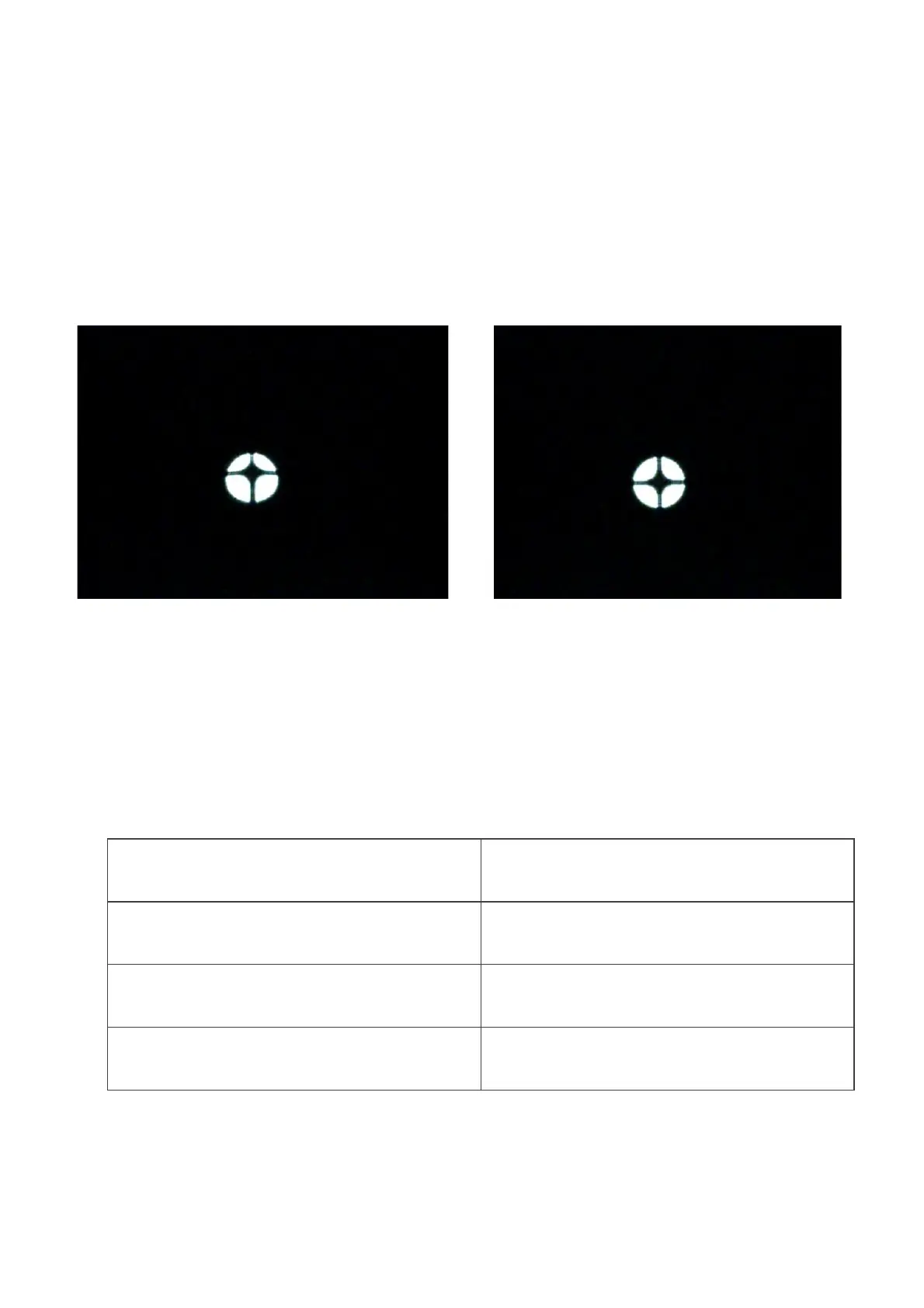
Fully rotate the large focus wheel clockwise without forcing. You should see this:
Bad alignment
(the cross is not centered)
Good alignment
(the cross is centered)
o
If the dark cross is not centered (as shown in the above image on the left), you
need to realign your mirror.
o
Find the smallest hex key (S2 3mm) in the toolbox.
o
First, move the telescope with the in-app joystick (touch the edge of the circle
quickly) to put the star at the edge in the direction indicated in the table below:
Move the star to the top of the
image
Move the star to the bottom of
the image
The cross is off-centered on
the left
Move the star to the left of the
image
The cross is off-centered on
the right
Move the star to the right of
the image



 To Next Page