Page 11 eVscope eQquinox V1.1
o
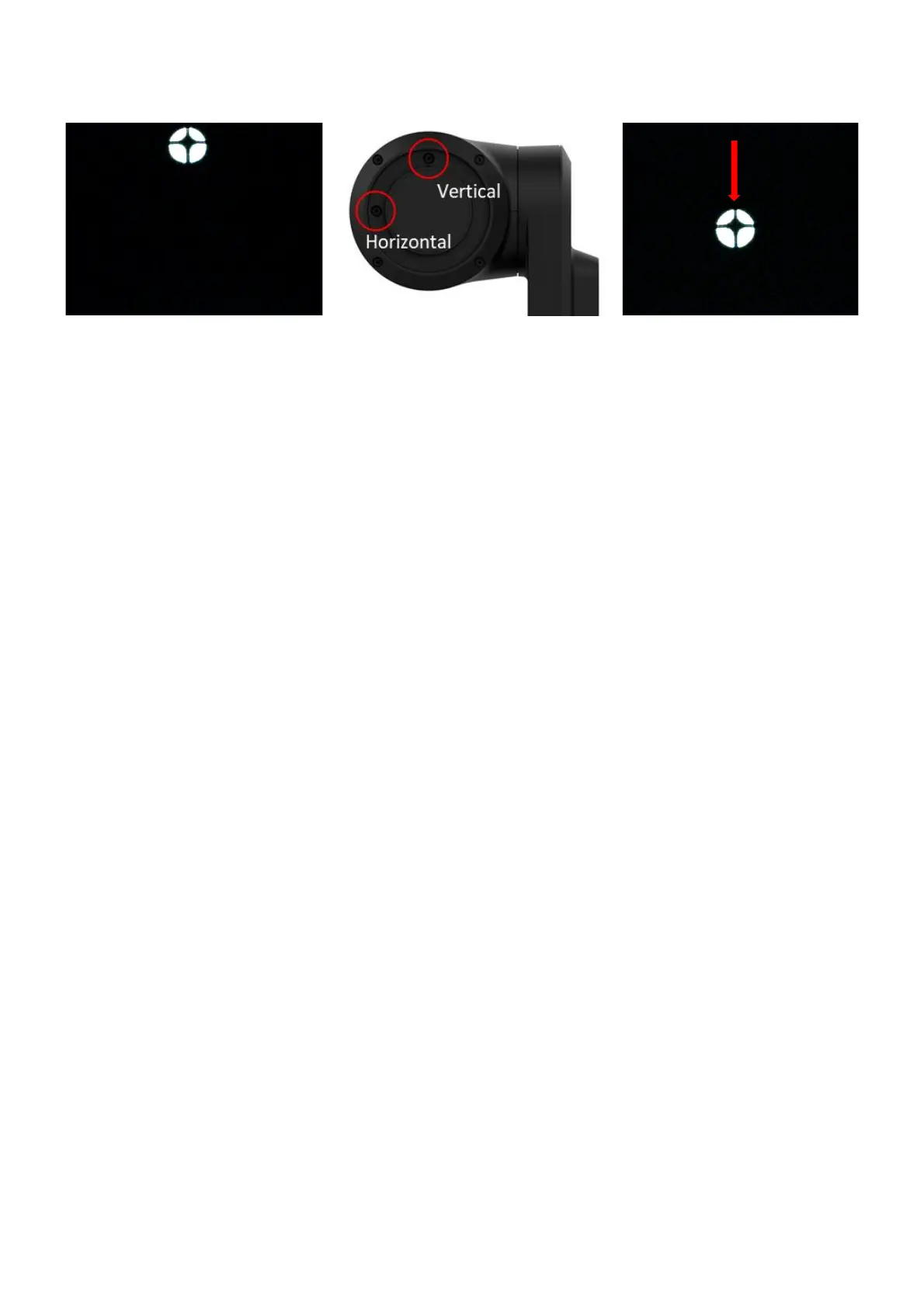
Then turn the vertical or horizontal screw in the mirror mount to put the star back
at the center. For example, if the cross is too high:
3. Put back the star at the
center of the screen. The
cross will recenter itself
o
Repeat the procedure until the cross looks centered. You might have to do it
several times.
o
Move back the focus to the default position by aligning the visual cue with the top
screw (Section 3 in the Quick Start Guide).
o
Move toward a target and enjoy. The image should look better now.
11. Charge/Discharge
o
The eVscope eQuinox can be used while charging.
o
It can take from 7 to 8 hours to fully charge it.
o
When the eVscope is charging, you will see a blue flashing LED that will go from
six flashes to none. Flashes decrease as the battery gets more charged.
o
We strongly advise not to recharge your eVscope below 10°C.
o
When the battery is low, the performance of the eVscope can be compromised.
You can see the battery charge level in the "User" tab of the app. A fully charged
battery is all yellow, a fully discharged battery is black with a yellow border.
o
We advise to only use the USB-C charger provided by Unistellar.
o
You can also use an external battery to recharge your eVscope.
o
You can charge your smartphone with the eVscope. Plug it to the USB-A port, next
to the USB-C port.



 To Next Page