17
Copyright 2013 Unitech Electronics Co., Ltd. All rights reserved. Unitech is a registered trademark of Unitech Electronics Co., Ltd.
4. Select the RS-232 host type by scanning the appropriate bar code from RS-232
Host Types.
5. To modify any other parameter options, scan the appropriate bar codes in this
chapter.
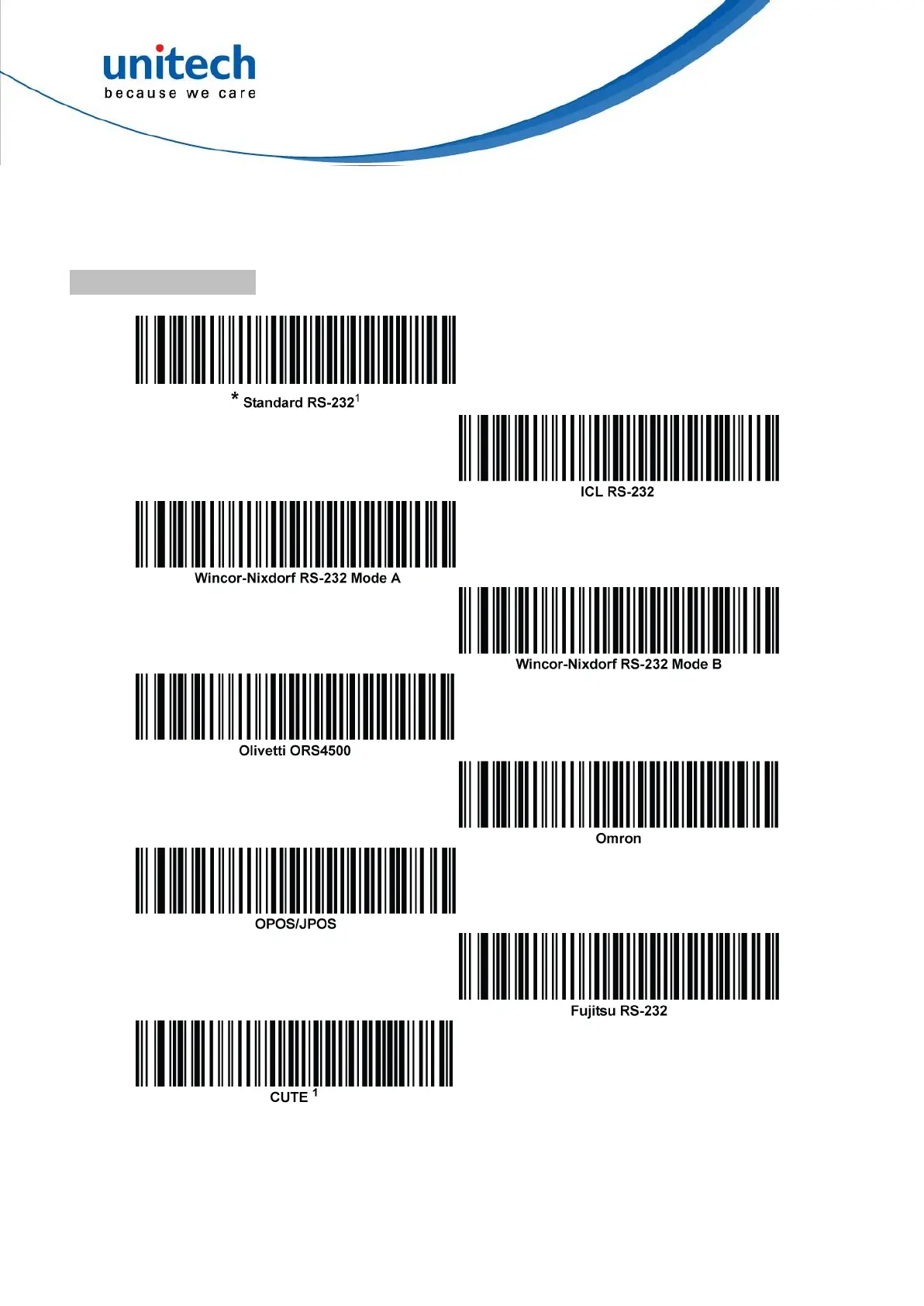
RS-232 Host Types
To select an RS-232 host interface, scan one of the following bar codes.
1
Scanning Standard RS-232 activates the RS-232 driver, but does not change port settings
(e.g., parity, data bits, handshaking). Selecting another RS-232 host type bar code changes
these settings. The CUTE host disables all parameter scanning, including Set Defaults. If
you inadvertently select CUTE, scan *Enable Parameter Bar code Scanning, and then
change the host selection.


 To Next Page