15
Setting and using Unitree App on Tablet/Phone
1、 Download and install the app from https://www.unitree.com/app/
2、 Connect to the GO1 via WiFi - UnitreeRoboticsGO1-XXX, with the following network configuration:
Password:00000000
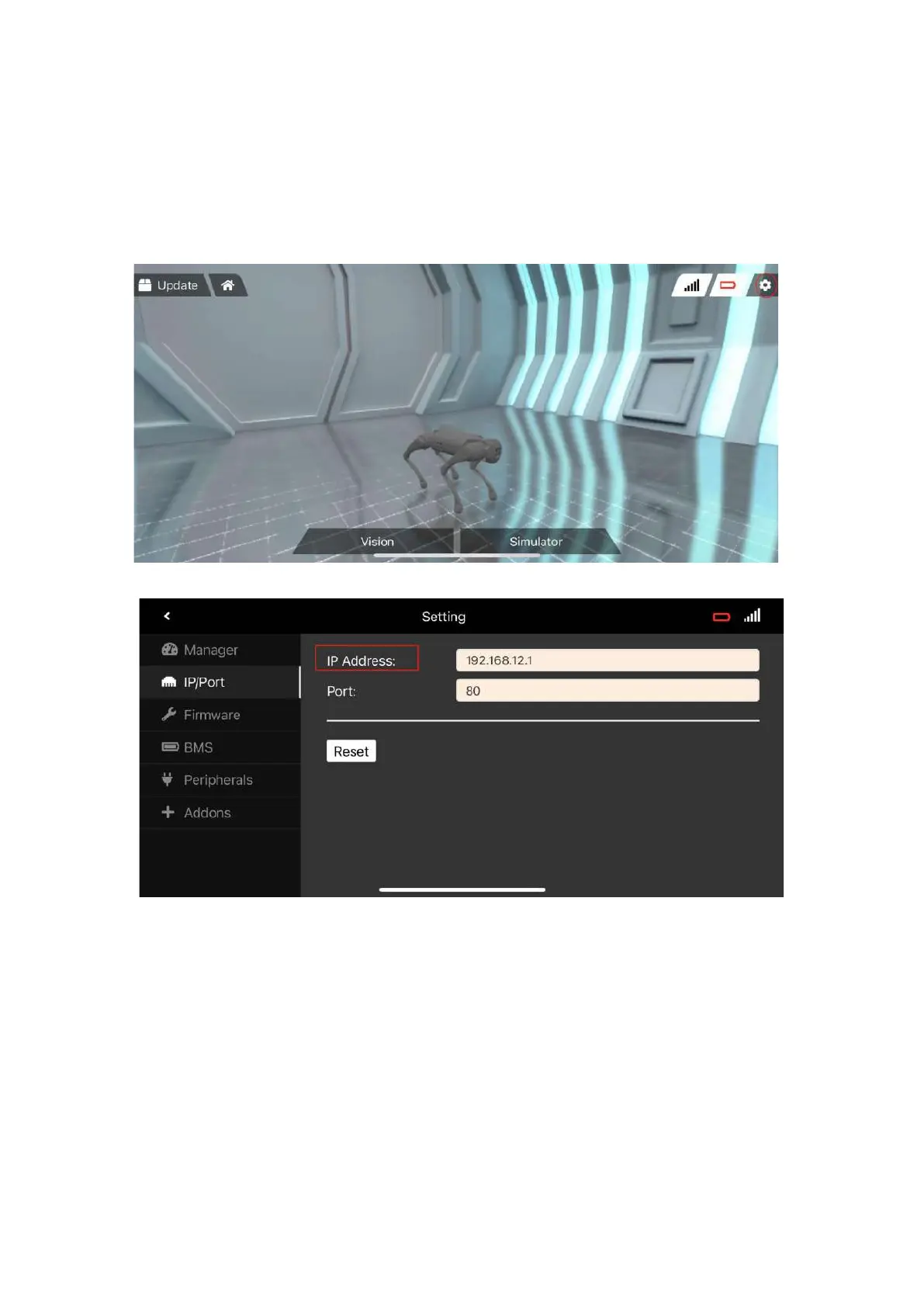
3、 Open the app. Click on the in-app settings (top right of screen)
4、 Change the IP address to (192.168.12.1)
5、 Quit to home and your mobile device is now properly configured to use the following functions
6、 Tap vision on the screen to use the vision function



 To Next Page